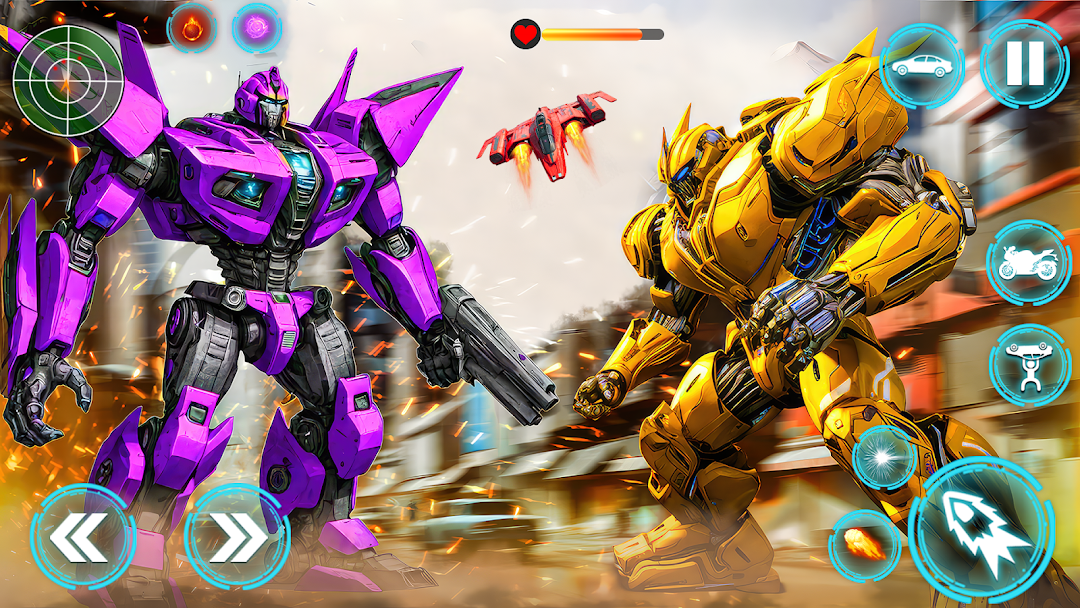
Robot Game: Robot Transform 3D is a Strategy game developed by Orbit Games Pvt Ltd, and LDPlayer is the best platform for playing Robot Game: Robot Transform 3D on Windows PC, offering powerful features for an immersive experience.
When playing Robot Game: Robot Transform 3D on your computer, you can enjoy long game sessions using the operation recording feature to record repetitive operations to complete the same tasks automatically. It allows you to level up faster and makes resource grinding much more efficient.
In addition, if you want to execute combo moves or the game requires repeated skill actions, the macro feature is your best helper. It enables you to complete kills with just one click!
If you want to manage multiple accounts, LDMultiplayer and Synchronizer will assist you. You can run multiple alternative accounts at the same time to assist the leveling of your main account. Download and play Robot Game: Robot Transform 3D on PC with LDPlayer now!
Welcome to an advanced Robot Car Transformation Game where futuristic robots 🤖, high-speed vehicles, and intense action battles come together in one complete experience. This robot action game is specially designed for players who enjoy robot transformation games, robot fighting action, and exciting flying robot gameplay in a modern open world environment.In this robot car transformation game, players control powerful robots 🤖 that can change form into fast-moving cars and advanced flying machines. Each transformation is smooth and realistic, allowing you to switch between robot combat and vehicle movement instantly. The detailed city environment, highways, and battle zones make this robot game visually engaging and fun to play.
🚗 Career Mode – Robot Transformation Missions 🤖
Career Mode offers story-based missions where robot action and transformation go hand in hand. Players explore a large city filled with enemy robots 🤖 and challenging objectives. Transform your robot into a car to chase enemies, escape danger, or reach mission locations faster. Switch back into robot form to fight enemies using powerful attacks and advanced abilities.
Career Mode gameplay includes:
Robot car transformation during active missions
Open city exploration with robot combat 🤖
Challenging robot fighting encounters
Smooth transitions between robot and vehicle forms
This mode is ideal for fans of robot transformation games, robot action games, and mission-based robot gameplay.
🛣️ Highway Mode – Flying Robot Combat 🤖
Highway Mode focuses on speed, flying robot action 🤖, and intense battles. In this mode, robots transform into cars and flying units to engage enemies on highways and open roads. Players must react quickly, use flying abilities, and perform accurate attacks to survive enemy ambushes.
Highway Mode features:
Flying robot battles 🤖 on highways
High-speed robot car chases
Advanced weapons and attack mechanics
Fast-paced robot action gameplay
This mode combines robot highway racing, flying robot combat, and transformation mechanics into one thrilling experience.
⚔️ Survival Mode – Endless Robot Battles 🤖
Survival Mode challenges players with continuous waves of enemy robots 🤖. The goal is simple: survive as long as possible using smart movement, quick transformations, and precise attacks. As you progress, enemies become stronger and more aggressive, testing your skills in robot combat and strategy.
Survival Mode includes:
Endless enemy robot waves 🤖
Increasing difficulty over time
Strategic robot transformations
Intense robot fighting action
This mode is perfect for players who enjoy robot survival mode, robot battle challenges, and high-intensity gameplay.
🤖 Robot Gameplay, Customization, and Controls
This robot game allows players to enhance their robots 🤖 through upgrades that improve speed, attack power, and durability. The controls are easy to learn, making the robot transformation game accessible for beginners while still challenging for experienced players.
The open world design lets you drive through city streets, battle enemies in open areas, and fly above highways freely. Whether you are transforming into a car for speed or switching back to robot form for combat, the gameplay remains smooth and engaging throughout the experience.
⭐ Game Features
Multiple robot car transformation gameplay modes 🤖
Career Mode with story-based robot missions
Highway Mode with flying robot action
Survival Mode with endless robot battles
Smooth robot and vehicle transformation mechanics
Open world robot action environment
Easy controls with addictive gameplay
High-quality graphics and sound effects
Challenging robot fighting missions