Robots ON is a Arcade application developed by galaticdroids, but with the best Android emulator-LDPlayer, you can download and play Robots ON on your computer.
Running Robots ON on your computer allows you to browse clearly on a large screen, and controlling the application with a mouse and keyboard is much faster than using touchscreen, all while never having to worry about device battery issues.
With multi-instance and synchronization features, you can even run multiple applications and accounts on your PC.
And file sharing makes sharing images, videos, and files incredibly easy.
Download Robots ON and run it on your PC. Enjoy the large screen and high-definition quality on your PC!
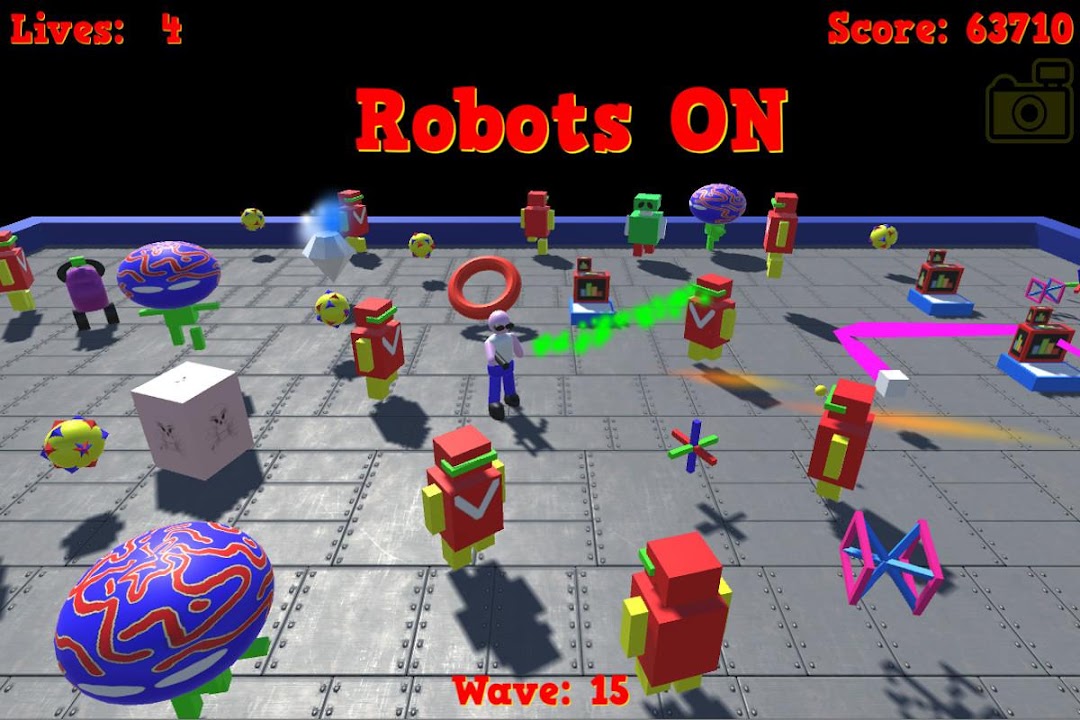
Robots OnCan you defeat the swarm of killer robots in this old school arcade classic.
This is a quick moving intensive arcade game, you will need to keeps moving and keep blasting to stay alive.
The robots are attacking in this retro game from the days of classic arcade games.
Play flat 2D mode like the original arcade games, or tap the camera icon to zoom in on action and play from several different camera angles including 1st and 3rd person modes.
These Robots run the latest Artificial Intelligence (AI 2.0a), but they are still not quite as smart as us humans. I'm assuming you are a human, please forgive me if you are ... er something else...
Anyway another advantage is that you get about a 2 second start on the robots, while they are powering up, but all too soon its "Robots On" and you need to move. Make the most of the vital few seconds to target the most powerful and difficult robots first.
The action is manic, you are out numbered a thousand to one by the collective bunch of evil killer robots.
To get to the next level you must destroy all Robots, accept the Grunts which are indestructible.
Be sure to collect the specials and power ups along the way :-
Star : Auto aim on, this will override aiming for a short term and target the most
dangerous robots.
Diamond : Shields
Cherry: Big points.
Heart: Bonus Life.
Lightning: Robots freeze until recharged.
You start with 5 lives, but will get bonus lives, initially every 5000 points, later every 10,000 points.
Here's a quick guide to the Robots :-
Reds, - Common worker bots, shoot lasers from eyes.
Greens, Grunt bots. heavy indestructible, avoid.
Brain Bots. Shoot homing missiles - deadly
Torus Bull Bots - replication bots. Wil make other deadly robots.
Cake Bots. Fly straight at you, so keep moving.
Cube Bots - A faster replication robot, makes deadly cash registers.
Cash registers - Another deadly android, shoot bouncing electric balls.
Dumb blocks - Harmless, unless you run into them.
Firing controls - Tap on the board, or on a robot to fire in that direction.
Tap off the board to fire straight ahead.
Hold finger down for rapid fire.
That's it, easy - download "Robots On" now and help prevent the killer Robots from overwhelming the human race.