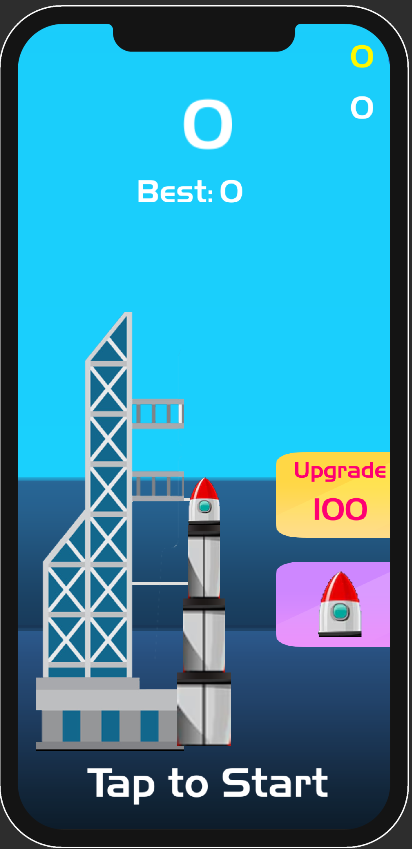
Rocket Up is a Arcade application developed by MidGame Studios, but with the best Android emulator-LDPlayer, you can download and play Rocket Up on your computer.
Running Rocket Up on your computer allows you to browse clearly on a large screen, and controlling the application with a mouse and keyboard is much faster than using touchscreen, all while never having to worry about device battery issues.
With multi-instance and synchronization features, you can even run multiple applications and accounts on your PC.
And file sharing makes sharing images, videos, and files incredibly easy.
Download Rocket Up and run it on your PC. Enjoy the large screen and high-definition quality on your PC!
🚀 Rocket Up: Tap, Release, and Soar! 🚀Get ready for a simple yet addictive rocket adventure! In Rocket Up, all you need is quick reflexes and perfect timing. Tap the screen to release parts of your rocket before they explode and keep your journey soaring into the sky! How high can you go before your rocket meets its end?
🕹️ How to Play:
Your rocket is constantly rising, but parts of it are unstable and will eventually destroy your entire ship. It's up to you to tap and release those dangerous parts at just the right moment!
Tap to release a section of your rocket and avoid disaster.
Keep your rocket climbing as high as possible.
Simple to play, hard to master. Timing is everything!
🌟 Key Features:
Casual Gameplay: Perfect for quick sessions—easy to pick up, but challenging to master.
Endless Fun: How high can you reach before disaster strikes? Beat your own high score or challenge friends!
Satisfying Mechanics: Enjoy the satisfying feeling of releasing the unstable parts at the perfect time.