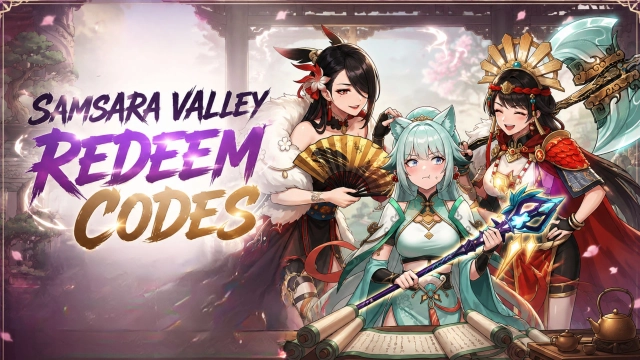
Samsara Valley is a Role Playing game developed by F5 Game, and LDPlayer is the best platform for playing Samsara Valley on Windows PC, offering powerful features for an immersive experience.
When playing Samsara Valley on PC, as a new player looking to start with a fresh account, the multi-instance and sync features are extremely useful for rerolls. You can use them to run multiple instances and begin the synchronization process. Bind your account until you draw the desired heroes.
In addition, operation recorder is great for games that require you to level up and complete tasks! Run the sync and record your actions, then repeat the main instance's actions in real-time. By doing so, you can run 2 or more accounts simultaneously. You can always get the heroes you want before others by faster rerolls and more efficient summoning! Start downloading and playing Samsara Valley on your computer now!
Samsara Valley is a fantasy idle card RPG inspired by Eastern mythology. Enter a mysterious otherworld filled with spirits, demons, and legendary heroes, where you recruit and train hundreds of unique characters to build your ultimate squad. Enjoy strategic yet relaxing auto-battles, flexible team formations, and faction-based synergies while progressing through a story-driven adventure. With idle rewards, light progression systems, and social features, you can collect, upgrade, and conquer—anytime, anywhere.Game Features
[Myth-Inspired Fantasy World]
Explore a vibrant realm inspired by Eastern mythology, filled with legendary heroes, spirits, and demons. Immerse yourself in a beautifully crafted adventure across the mysterious Samsara Valley.
[Idle RPG with Effortless Progression]
Enjoy auto-battles and generous idle rewards that keep your team growing even while you're offline. Progress smoothly with minimal grind and maximum convenience.
[Collect & Train Unique Heroes]
Recruit a wide variety of charming heroes, each with distinct skills, roles, and growth paths. Build your roster and unlock powerful upgrades as you advance.
[Strategic Team Building]
Experiment with formations, factions, and skill synergies to create the ultimate lineup. Smart combinations can turn the tide of battle and boost your overall power.
[Multiple PvE & Challenge Modes]
Take on story stages, boss fights, and various challenge modes. Test your strategy across diverse content designed for both casual and competitive players.
[Relaxed Social & Guild Gameplay]
Join guilds, cooperate with other players, and participate in community-based activities. Earn shared rewards while enjoying a more interactive idle RPG experience.
Facebook: https://www.facebook.com/SamsaraValley/
Discord: https://discord.gg/MVX8X6pF7z
YouTube: https://www.youtube.com/@SamsaraValley