
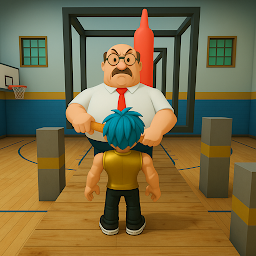


School Break: Obby Escape is a Adventure application developed by BMH VN Game, but with the best Android emulator-LDPlayer, you can download and play School Break: Obby Escape on your computer.
Running School Break: Obby Escape on your computer allows you to browse clearly on a large screen, and controlling the application with a mouse and keyboard is much faster than using touchscreen, all while never having to worry about device battery issues.
With multi-instance and synchronization features, you can even run multiple applications and accounts on your PC.
And file sharing makes sharing images, videos, and files incredibly easy.
Download School Break: Obby Escape and run it on your PC. Enjoy the large screen and high-definition quality on your PC!
Welcome to School Break: Obby School, where danger and adventure collide! 🏫💥 Can you outsmart the evil Mr. Fat and make a daring prison escape from the haunted block school? This fast-paced runner game combines thrilling action with tricky obby maps full of obstacles that will push your skills to the limit. 🏃♂️💨Features:
Escape the Block School: Navigate through creepy, abandoned hallways filled with deadly traps. Beware of Mr. Fat, the evil teacher on your trail! 🏫😈
Exciting Prison Escape Challenge: Can you survive the school obby and make your way out? Each map brings new surprises and escalating danger! 🚪🎒
Obby Maps and Challenges: Jump, slide, and dodge your way through a variety of obby maps packed with difficult obstacles. Each level is a new adventure! 🌍🌀
Joystick Controls: Use the joystick to steer your character through the block school, make precision jumps, and dodge deadly traps! 🎮🕹️
Thrilling Gameplay: Intense runner action and heart-pounding moments filled with mystery and suspense! ⚡❓
How to Play:
Use the joystick to move through the eerie halls of the block school. 🏃♀️
Jump over obstacles, dodge traps, and uncover hidden escape routes. 🏃♂️🏆
Be fast, because Mr. Fat is always chasing you—don’t let him catch you! 🧟♂️👀
Why Play:
Obby Escape: This game’s mix of action and puzzle-solving makes every run exciting! 🔥
Challenging Obstacles: Only the fastest and smartest can escape the school. Are you up for the challenge? 🤔🛑
Mysterious School: Discover the dark secrets of the block school as you fight to survive! 🏫🕵️♂️
Compete and Escape: Test your skills and compete with friends to see who can escape the fastest! 🎉🏅
Don’t miss out! Download School Break: Obby School now and experience the thrill of escaping from Mr. Fat! 🏃♂️💨







