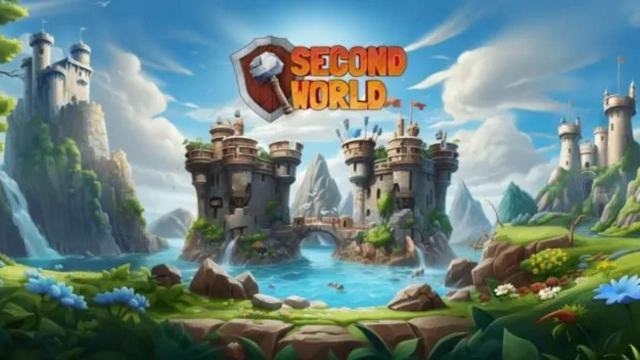
Second World: New Era is a Strategy game developed by Second World Games, and LDPlayer is the best platform for playing Second World: New Era on Windows PC, offering powerful features for an immersive experience.
When playing Second World: New Era on your computer, you can enjoy long game sessions using the operation recording feature to record repetitive operations to complete the same tasks automatically. It allows you to level up faster and makes resource grinding much more efficient.
In addition, if you want to execute combo moves or the game requires repeated skill actions, the macro feature is your best helper. It enables you to complete kills with just one click!
If you want to manage multiple accounts, LDMultiplayer and Synchronizer will assist you. You can run multiple alternative accounts at the same time to assist the leveling of your main account. Download and play Second World: New Era on PC with LDPlayer now!
Second World: New Era is a mobile-first competitive strategy PVP city-builder where players need to rebuild the civilization by creating and expanding unique cities around our planet Earth. Besides that, players also compete against each other to unlock attack troops and military defenses, and rank up in our global leaderboards in order to obtain especial rewards.- Dynamic and Engaging World: The game features a vibrant, expansive world with diverse landscapes and environments, providing players with a rich and immersive experience.
- Character Diversity: There is a wide range of characters, each with unique designs and attributes, appealing to a variety of player preferences and styles.
- Innovative Gameplay Mechanics: The game introduces innovative gameplay elements that offer a unique twist on traditional mechanics, enhancing player engagement and retention.
- High-Quality Graphics: The game boasts high-quality, detailed graphics and animations, contributing to a more engaging and realistic gaming experience.
- Interactive Elements: Players can interact with various elements of the game world, adding depth and complexity to the gaming experience.
- Community and Social Features: The game encourages community engagement and social interaction, fostering a strong and active player base.
- Regular Updates and Expansions: The game is regularly updated with new content and features, keeping the gameplay fresh and engaging for returning players.
- Accessible to a Wide Audience: The game is designed to be accessible to a wide range of players, with varying levels of skill and experience.
- Strategic Depth: Players are required to think strategically, planning their moves and interactions to progress effectively in the game.
- Rewarding Player Experience: The game is designed to reward players for their efforts and achievements, enhancing player satisfaction and loyalty.