Home/

Games/

Role Playing/

Sin Stone Saga

Sin Stone Saga
0.0100+

Sin Stone Saga

The legend of the Sin Stones

Download apkrecommend

Sin Stone Saga is developed and provided by Langeare Studio Limited. LDPlayer offers the download service only.

Langeare Studio Limited
How to Download&Play Sin Stone Saga on PC?
Last Updated: 2026-02-27
com.langearestudio.sinstonesaga
Download apk
Share:
  • Overview

  • FAQ

  • Game Guides

Use LDPlayer to Play Sin Stone Saga on PC

Play Sin Stone Saga on PC


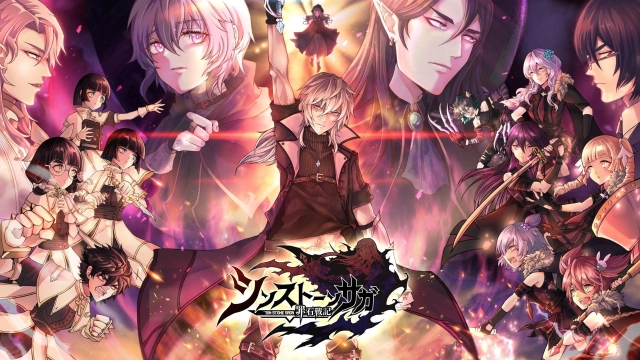
Sin Stone Saga is an RPG game with an exploration of the World of Sin Stone, and it carries the legend of this fantasy world. You will have to build up the story here and correct all those wronged directions on your own through many maps. Companions as well as with loots. The game is currently under pre-registration, and it is about taking power from Sin Stone and making your world balanced. LDPlayer 9 is the best emulator to play Sin Stone Saga on PC.


Story Progress, Unique Combats and More Dungeons and Bosses


You will have to develop through the Sin Stone Saga game as a player, and there are so many places that you will have to travel in the Sin Stone Saga, and there is a story about going through the power of stone. And think if you are in need of the power of this sin stone or else you want to balance. The game asks you to collect the direction properly, and you will do this through different maps, several companions, and many powerful enemies.


The fastest combat is there with a unique approach, and Sin Stone Saga doesn’t allow you to get stuck in the combat for longer. It is short-term and will be very simple for a player, and you will go through many possibilities without struggling. There will be many bosses to challenge from dungeons as well.


Best View for the Best Combat


If your intention is to enjoy Sin Stone Saga to the best, then LDPlayer 9 should be a priority to play Sin Stone Saga on PC. You will indeed have the best optimizations and enhancements done to the game on a bigger screen.


Open up

Screenshots and Videos of Sin Stone Saga PC

Experience a wider field of view, exquisite game graphics, and cooler combat skills and effects by downloading and playing Sin Stone Saga on PC with LDPlayer. Enjoy the ultimate gaming experience with LDPlayer.

Why Play Sin Stone Saga on PC with LDPlayer?

LDPlayer offers unique emulator features including multi-instance support, macros, operation recorder, and other functions not available on mobile devices.

Multi-Instance & Sync

Remote Control

Operation Recorder

Multi-Instance & SyncRemote ControlOperation Recorder

Effortlessly clone multiple instances and initiate synchronization until you draw the desired hero before binding your account, enhancing efficiency in rerolls in Sin Stone Saga.

  • High FPS

    With support for high FPS, Sin Stone Saga's game graphics are smoother, and actions are more seamless, enhancing the visual experience and immersion of playing Sin Stone Saga.
  • Keyboard & Mouse

    In Sin Stone Saga, players frequently perform actions such as character movement, skill selection, and combat, where keyboard and mouse offer more convenient and responsive operation.

How to Download&Play Sin Stone Saga on PC?

  • 1

    Download and install LDPlayer on your computer

  • 2

    Locate the Play Store in LDPlayer's system apps, launch it, and sign in to your Google account

  • 3

    Enter "Sin Stone Saga" into the search bar and search for it

  • 4

    Choose and install Sin Stone Saga from the search results

  • 5

    Once the download and installation are complete, return to the LDPlayer home screen

  • 6

    Click on the game icon on the LDPlayer home screen to start enjoying the exciting game