
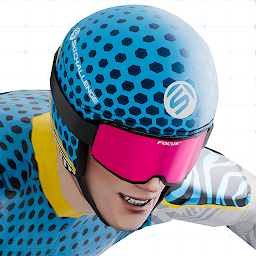


Ski Challenge is a Racing game developed by Ski Challenge GmbH. LDPlayer is the best platform for playing Ski Challenge on Windows PC, providing robust features to help you achieve an immersive experience in Ski Challenge.
When playing Ski Challenge on your computer, if you prefer using your own gamepad to control the game, LDPlayer's automatic gamepad detection can assist you in customizing controls with just a few simple clicks, allowing you to enjoy more realistic racing scenes and challenges.
With support for high frame rates, the game's diverse track designs and rich terrain and environmental changes become even more lifelike and detailed.
Additionally, the video recording feature makes it easy for you to capture all the exciting and amusing races and game content, making it convenient to share with friends or create videos. Start downloading and playing Ski Challenge on your computer now!
Experience authentic alpine ski racing on the world's most legendary slopes. Officially partnered with Austrian (ÖSV), German (DSV), and Swiss ski federations, plus leading equipment brands like Stöckli and Giro. Free to download and play with no forced ads – compete year-round against hundreds of thousands of skiers worldwide.🏔️ RACE ICONIC WORLD CUP VENUES
Conquer officially licensed tracks including Kitzbühel, Wengen, Garmisch, Sölden, Schladming, Bormio, St. Anton, Beaver Creek, Val Gardena, St. Moritz, Crans Montana, Zauchensee, and Saalbach. New slopes added regularly throughout the season.
🏆 COMPETITIVE LEAGUES & CAREER MODE
- Master your technique through structured career progression
- Climb through 5 competitive League tiers: Bronze, Silver, Gold, Platinum, and Master
- Compete in weekly seasons with fresh challenges and rewards
- Join international tournaments for exclusive prizes
- Real-time global rankings show where you stand against the world's best
⛷️ OFFICIAL EQUIPMENT & BRANDS
Collect and upgrade authentic ski gear from leading manufacturers. Build equipment sets that match your racing style, unlock performance upgrades, and customize your racer with official brand partnerships.
🎮 DYNAMIC RACING GAMEPLAY
- Master realistic alpine physics and racing lines
- Adapt to changing weather conditions on each run
- Perfect your technique across multiple skiing disciplines: Downhill, Super-G, and Giant Slalom
- Race in special events synchronized with the real-world ski racing calendar
👥 THRIVING GLOBAL COMMUNITY
Join an active community of passionate winter sports fans worldwide. Connect on Discord, share racing strategies, participate in community events, and celebrate alpine skiing culture together.
📅 REGULAR CONTENT UPDATES
New tracks, equipment, tournaments, and seasonal events added throughout the year. Experience the full excitement of the ski season with content that evolves alongside the real World Cup calendar.
Free to download with optional in-game purchases for equipment and customization. Skill and racing strategy determine your success on the slopes.
Download now and start your journey from rookie to World Cup champion. The slopes are waiting – will you rise to the top?







