Home/

Games/

Adventure/

Slender Threads

Slender Threads
3.0100+

Slender Threads

A paranormal point-and-click where a traveling salesman must stop a deadly curse

Play on PC with LDPlayer
recommend
Blyts
How to Download&Play Slender Threads on PC?
Last Updated: 2025-12-31
com.blyts.slenderthreads
Share:
  • Overview

  • FAQ

  • Game Guides

Use LDPlayer to Play Slender Threads on PC

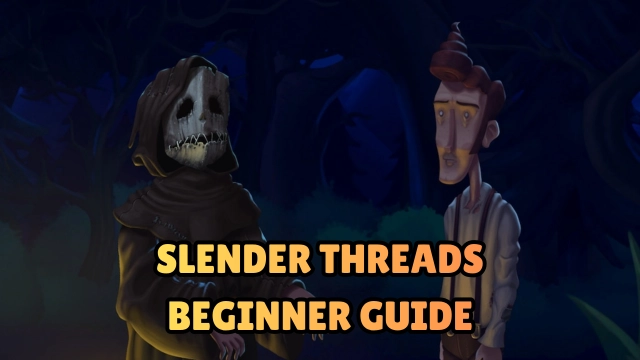
Slender Threads is a psychological thriller where writer Harold uncovers eerie secrets in the quiet town of Villa Ventana. Through point-and-click exploration and atmospheric puzzles, players piece together a slow-burn mystery focused on mood, tension, and narrative immersion.

Core Gameplay & Features

  • Point-and-click exploration for examining rooms, objects, and hidden details

  • Atmospheric puzzles blending logic with environmental clues

  • Fully voiced characters and cinematic scene transitions

  • Psychological tension over jump scares

  • Hand-drawn, stylized art direction

  • Choices that shift Harold’s perception of events

  • Smooth, mobile-optimized touch controls

Player Impressions

Players highlight the game’s moody atmosphere, expressive voice acting, and steadily unfolding mystery. Many describe it as a “modern classic” among narrative adventure titles, praising its subtle horror, thoughtful puzzle logic, and polished pacing. The immersive storytelling appeals strongly to fans of atmospheric, story-focused experiences.

Play Slender Threads on PC with LDPlayer for Best Experience

Running Slender Threads on LDPlayer elevates the game’s atmospheric presentation with sharper visuals and smoother performance.

LDPlayer provides:

  • Ultra Screen:Discover subtle visual clues and deeper shadows with a wider view

  • Custom Controls:Use mouse + keyboard for more precise puzzle handling

  • High FPS:Enjoy fluid transitions and cinematic moments

  • Battery-free long sessions:Perfect for extended story chapters

  • Stable Performance:Ideal for uninterrupted narrative immersion

Slender Threads on PC becomes even more atmospheric, with every shadow, detail, and sound cue feeling sharper, deeper, and more haunting.

Open up

Screenshots and Videos of Slender Threads PC

Experience a wider field of view, exquisite game graphics, and cooler combat skills and effects by downloading and playing Slender Threads on PC with LDPlayer. Enjoy the ultimate gaming experience with LDPlayer.

Why Play Slender Threads on PC with LDPlayer?

LDPlayer offers unique emulator features including multi-instance support, macros, operation recorder, and other functions not available on mobile devices.

Multi-Instance & Sync

Remote Control

Custom Controls

Multi-Instance & SyncRemote ControlCustom Controls

Effortlessly clone multiple instances and initiate synchronization until you draw the desired hero before binding your account, enhancing efficiency in rerolls in Slender Threads.

  • High FPS

    With support for high FPS, Slender Threads's game graphics are smoother, and actions are more seamless, enhancing the visual experience and immersion of playing Slender Threads.
  • Video Recorder

    Easily capture your performance and gameplay process in Slender Threads, aiding in learning and improving driving techniques, or sharing gaming experiences and achievements with other players.

How to Download&Play Slender Threads on PC?

  • 1

    Download and install LDPlayer on your computer

  • 2

    Locate the Play Store in LDPlayer's system apps, launch it, and sign in to your Google account

  • 3

    Enter "Slender Threads" into the search bar and search for it

  • 4

    Choose and install Slender Threads from the search results

  • 5

    Once the download and installation are complete, return to the LDPlayer home screen

  • 6

    Click on the game icon on the LDPlayer home screen to start enjoying the exciting game