

Squeebles Spelling Test is a Educational application developed by Keystagefun, but with the best Android emulator-LDPlayer, you can download and play Squeebles Spelling Test on your computer.
Running Squeebles Spelling Test on your computer allows you to browse clearly on a large screen, and controlling the application with a mouse and keyboard is much faster than using touchscreen, all while never having to worry about device battery issues.
With multi-instance and synchronization features, you can even run multiple applications and accounts on your PC.
And file sharing makes sharing images, videos, and files incredibly easy.
Download Squeebles Spelling Test and run it on your PC. Enjoy the large screen and high-definition quality on your PC!
Squeebles Spelling Test by KeyStageFun is an app aimed at helping 5 to 11 year old children practise their spellings in a fun, motivating environment. It allows you to set up your own personalised spelling tests, as well as download from over 150 pre-recorded tests based on the UK National Curriculum, containing over 1800 words.**************************************
Key Features (from a parent or teacher's perspective):
- Set up your own custom spelling tests containing the exact words your children need to learn, recording yourself speaking the audio of each word, or download from over 200 pre-recorded spelling tests created by us across 5 difficulty levels, in line with the UK national curriculum for key stage one and two.
- Dyslexia-friendly features including the option of Open Dyslexic font.
- Tinted overlays or backgrounds included, aimed at assisting those with visual stress.
- A selection of accented characters allow you to set up spelling tests in French, German, Spanish etc.
- Individual statistics cover spelling test scores and show incorrect spellings so you can see what each child is struggling with.
- Print each child's previous tests and answers.
- Register unlimited children on any one device
- Share spelling tests between devices or back them up to the cloud using a free KeyStageFun account.
- Customise each child's experience with personalised settings.
- No in-app purchases, no adverts and no internet links for children to accidentally tap on.
- Parent / teacher area can be password protected.
- A motivational reward system for your children keeps them practising their spellings so they can keep earning further rewards and making progress in the game.
**************************************
Key Features (from a child's perspective):
- Practise your spellings across 4 different types of test:
--> Spelling tests created by your parent / teacher (or you!)
--> Choose from over 150 pre-recorded tests created by us, in line with the UK National Curriculum.
--> "Tricky Words" mode creates a spelling test containing questions you previously answered incorrectly.
--> Random tests select 10 words randomly from all your spelling tests.
- Rescue 25 Squeebles from the clutches of the nasty Spelling Snake, including some that were designed by our "Design a Squeeble" competition winners. Each Squeeble has its own unique personality, facts and stats.
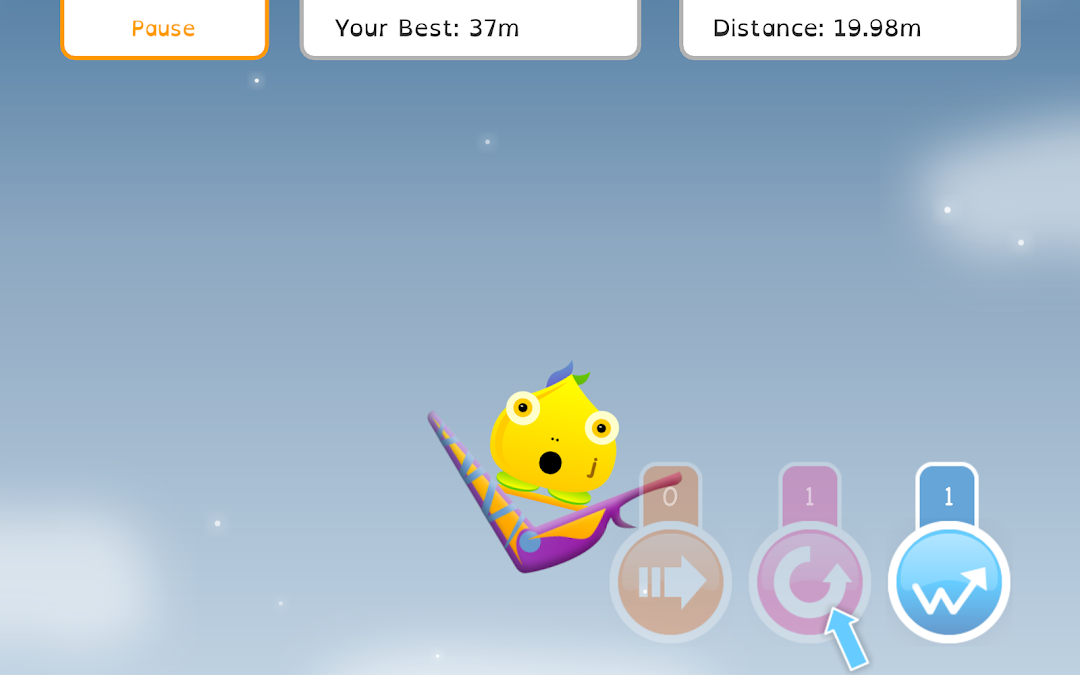
- Every time you spell a word correctly, you earn turns on the fun "Squeeberang" mini game, where Squeebles fly as far as they can through the air on boomerang-shaped colourful flying machines.
- Collect stars to trade for Squeeberangs and power-ups to use in the Squeeberang game. The more stars you have, the better the Squeeberangs you can get.
- Take part in a treasure hunt within the game, to unlock the Secret Squeeble!
- Earn power-ups to use in the game.
- View high scores, stats and the rewards you've won.
**************************************
The app can be used by kids practising for a weekly spelling test or spelling bee, or those looking to improve vocabulary ahead of sats or the 11+ exam.
If you have any questions or suggestions for features, please e-mail info@keystagefun.co.uk