Home/

Games/

Role Playing/

Stardew Valley

Stardew Valley
4.03K+

Stardew Valley

The smash hit farming RPG now on mobile!

Play on PC with LDPlayer
recommend
ConcernedApe
How to Download&Play Stardew Valley on PC?
Last Updated: 2025-10-25
com.chucklefish.stardewvalley
Share:
  • Overview

  • FAQ

  • Game Guides

Use LDPlayer to Play Stardew Valley on PC

Play Stardew Valley on PC


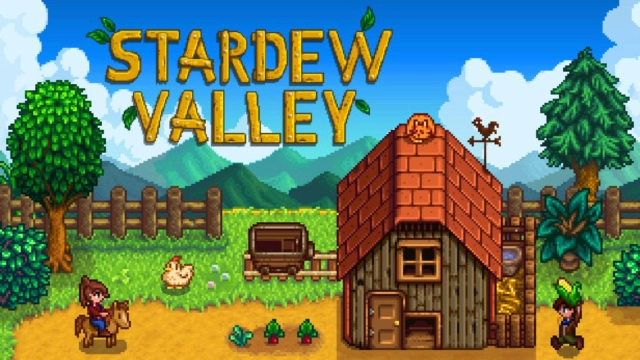
Stardew Valley, developed by CocernedApe, is a top role-playing game with simulation aspects for life management and farming. This game is about going to the countryside, settling down there, and starting a new life for you while farming, as it is a farming RPG. But this game is not only about farming; it has so many things prepared for you, which makes this a full-packed game that lets you experience a unique lifestyle. The LDPlayer 9 is the best emulator to play Stardew Valley on PC. 


Build Your Farm with Varieties of Crops and Animals, Find Your Special Person, Start a New Life


Stardew Valley is the best game that makes your dream about building your farm larger with various crops and animals come true. Many crops are available, and you can raise animals here on your farm. Breeding animals, growing them properly, giving them the freedom they need and making them happy will make you happy too. 


The farm building will never end for you, but you can find a life partner in this gameplay. There are over 12 candidates for you here, and selecting the best one will let you have a successful family life while expanding your farm. With this Stardew Valley, you can enjoy every special event in real life while living in the countryside and owning a vast farm. 


Optimize the Gameplay with Higher Quality Graphics


Since the gameplay is rich in colors as you grow various crops and other animals, it is better to have optimized gameplay with more quality graphics. As you wish, you can enjoy playing the game with high-quality graphics if you use LDPlayer 9 to play this game on your PC.


Open up

Screenshots and Videos of Stardew Valley PC

Experience a wider field of view, exquisite game graphics, and cooler combat skills and effects by downloading and playing Stardew Valley on PC with LDPlayer. Enjoy the ultimate gaming experience with LDPlayer.

Why Play Stardew Valley on PC with LDPlayer?

LDPlayer offers unique emulator features including multi-instance support, macros, operation recorder, and other functions not available on mobile devices.

Multi-Instance & Sync

Remote Control

Operation Recorder

Multi-Instance & SyncRemote ControlOperation Recorder

Effortlessly clone multiple instances and initiate synchronization until you draw the desired hero before binding your account, enhancing efficiency in rerolls in Stardew Valley.

  • High FPS

    With support for high FPS, Stardew Valley's game graphics are smoother, and actions are more seamless, enhancing the visual experience and immersion of playing Stardew Valley.
  • Keyboard & Mouse

    In Stardew Valley, players frequently perform actions such as character movement, skill selection, and combat, where keyboard and mouse offer more convenient and responsive operation.

How to Download&Play Stardew Valley on PC?

  • 1

    Download and install LDPlayer on your computer

  • 2

    Locate the Play Store in LDPlayer's system apps, launch it, and sign in to your Google account

  • 3

    Enter "Stardew Valley" into the search bar and search for it

  • 4

    Choose and install Stardew Valley from the search results

  • 5

    Once the download and installation are complete, return to the LDPlayer home screen

  • 6

    Click on the game icon on the LDPlayer home screen to start enjoying the exciting game