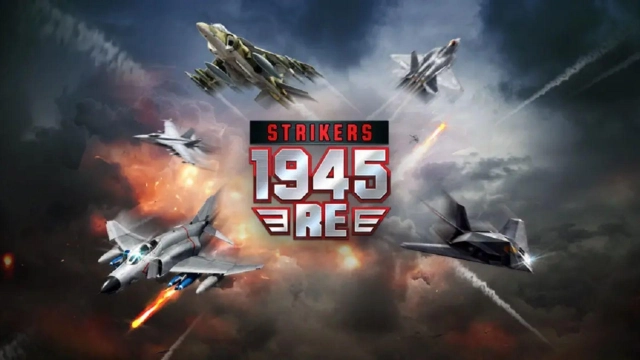
Strikers1945: RE is a Arcade application developed by Com2uS, but with the best Android emulator-LDPlayer, you can download and play Strikers1945: RE on your computer.
Running Strikers1945: RE on your computer allows you to browse clearly on a large screen, and controlling the application with a mouse and keyboard is much faster than using touchscreen, all while never having to worry about device battery issues.
With multi-instance and synchronization features, you can even run multiple applications and accounts on your PC.
And file sharing makes sharing images, videos, and files incredibly easy.
Download Strikers1945: RE and run it on your PC. Enjoy the large screen and high-definition quality on your PC!
Strikers1945: RE, an officially licensed vertical-scrolling shooter game, is here.Become the leading character of the special force, "Strikers"!
Experience the thrill of defeating enemies, just like in the original plane shooter game, Strikers 1945!
Clear the missions by combining more than 230 different skills.
Take control of renowned aircraft such as AV-8 Harrier, F-4 Phantom, F/A-18E Super Hornet, F-117 Nighthawk, F-22 Raptor, X-36, etc, and clear the scenario stages.
Customize and maintain your own aircraft using 6 parts - aircraft, missile, fuselage, wing, chipset, and engine.
■Game Features■
- Simple controls
- 230 different upgrade skill combinations
- Customizable aircraft from the Strikers 1945 series
- 50 scenario stage battles
- Thrilling daily missions
- Offline patrol mode
***
[App Permissions]
We require permission to provide the following services while using the app.
1. (Optional) Storage (Photos/Media/Files): Access to external storage required for additional downloads and saving in-game screenshots.
2. (Optional) Microphone/Recording audio: Required for using voice chat
※ Services excluding the functions related to the corresponding permissions can be used without allowing optional permissions.
[How to Remove Permissions]
You can reset or remove permissions after allowing them as shown below.
1. Android 6.0 or above: Settings > Apps > Select App > Permissions > Allow or Remove Permissions
2. Android 6.0 or below: Upgrade the operating system to remove permissions or delete the app
※ If you are using Android 6.0 or below, we recommend that you upgrade to 6.0 or above as you can't change the optional permissions individually.
***
Strikers1945: RE is available in 10 different languages!
English, 한국어, 日本語, 中文简体, 中文繁體, Deutsch, Français, Português, Tiếng Việt, and ไทย!
***
• This game is free to play, but you can choose to pay real money for extra items.
• This app is free-to-play and offers in-app purchases. Purchasing paid items may incur additional fees, and payment cancelation may not be available depending on the type of the item.
• Conditions regarding the usage of this game (contract termination/payment cancelation, etc.) can be viewed in the game or the Com2uS mobile game Terms of Service (available on the website, http://terms.withhive.com/terms/policy/view/M72).
• Inquiries regarding the game can be submitted via Com2uS Customer Support 1:1 Inquiry (http://m.withhive.com > Customer Support > 1:1 Inquiry).