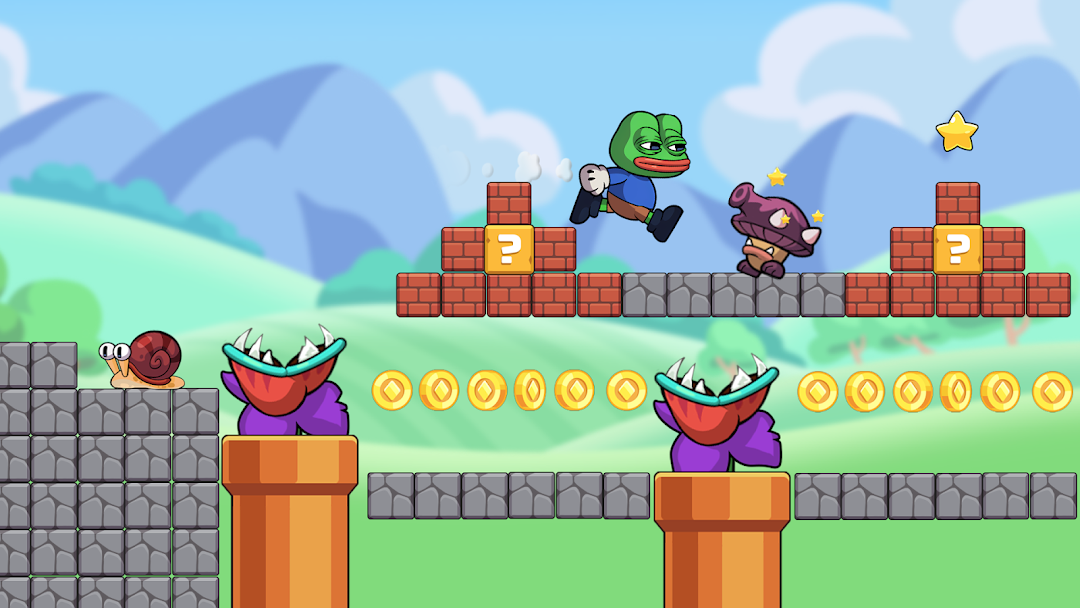
Super Dino Go: Super Adventure is a Action game developed by Think Different FC., and LDPlayer is the best platform for playing Super Dino Go: Super Adventure on PC, offering powerful features to immerse you in the game.
When playing Super Dino Go: Super Adventure on computer, you can adjust frame rate settings for smooth gameplay and stunning visuals.
LDPlayer also provides pre-configured keyboard mapping for convenient control of the entire game. Continuous optimization of keyboard mapping enhances key sensitivity and skill accuracy. Additionally, LDPlayer offers special buttons like shoot, hide mouse, and continuous key press for an enhanced gaming experience.
If you prefer using a gamepad, the automatic gamepad detection allows you to customize controls with just a few clicks, enabling you to freely maneuver your hero. Start downloading and playing Super Dino Go: Super Adventure on your computer now!
Super Dino Go: Super Adventure is a brand new running platform game where you can join with our main character Dino on his journey in the Mushroom Kingdom World! With its retro-inspired graphics and addictive gameplay, Super Dino Go: Super Adventure is a nostalgic experience that will keep you entertained for hours.This arcade game will transports you back to a simpler time, filled with pixelated heroes and epic quests. Join Dino on his mission to rescue the princess in the Mushroom Kingdom World. Relive your childhood again when you go through mysterious and adventurous islands, jump and run over the obstacles, and fight against super evil monsters to save the beautiful princess at the end of the journey.
👉 What awaits you in our arcade classic game:
+ Cool control like in classic platform games
+ Beautiful and high-resolution graphics
+ Well-designed levels with many kinds of enemies and maps
+ Friendly user interface
+ Retro-inspired music and sound effects
+ Hidden bonus bricks and blocks with mushroom, coin
+ Destroyable bricks, blocks, and moving platform
+ Hidden bonus levels with lots of classic and modern coins
+ Additional collectibles, coins, shields, and more
+ Various characters to play: Dino, Bro, Princess,...
+ Suitable platform and arcade game for both kids & adults
+ Game is no-paid; no purchase required
+ Supported on both phone and tablet
Super Dino Go: Super Adventure with classic platformer style offers you an exciting adventure filled with nostalgia and classic gameplay.
Ready to step back in time to your childhood? Download this classic arcade game now!!!