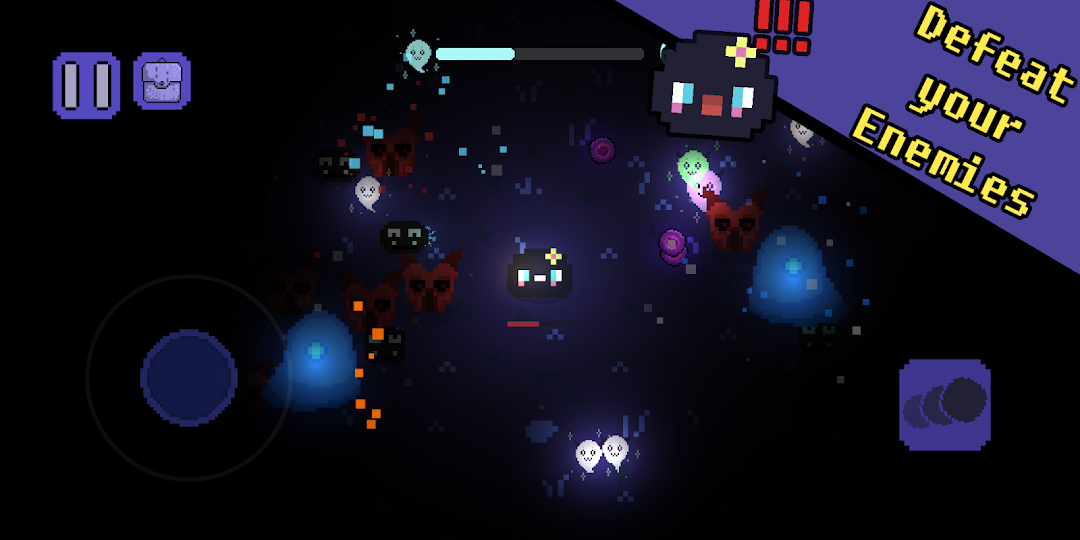
Super Sonic Madness is a Action game developed by LuckyCoin Games, and LDPlayer is the best platform for playing Super Sonic Madness on PC, offering powerful features to immerse you in the game.
When playing Super Sonic Madness on computer, you can adjust frame rate settings for smooth gameplay and stunning visuals.
LDPlayer also provides pre-configured keyboard mapping for convenient control of the entire game. Continuous optimization of keyboard mapping enhances key sensitivity and skill accuracy. Additionally, LDPlayer offers special buttons like shoot, hide mouse, and continuous key press for an enhanced gaming experience.
If you prefer using a gamepad, the automatic gamepad detection allows you to customize controls with just a few clicks, enabling you to freely maneuver your hero. Start downloading and playing Super Sonic Madness on your computer now!
Get ready for intense retro-inspired dungeon crawling in Super Sonic Madness! Explore a dark cave and battle against waves of monsters with your magic weapons. Level up and choose your equipment wisely to survive and beat your high score. With a variety of buffs and items to purchase, every run is a new challenge. Featuring pixel art graphics and a satisfying sound design, Super Sonic Madness is the ultimate test of skill and strategy. Play now in this pre-alpha version with new content coming soon!Some words from the dev:
Hi there, I'm Frankky, the indie developer behind Super Sonic Madness. As a 23-year-old game enthusiast, I poured all my love and passion into this project. I created everything you see here with my own hands: the pixel art, animations, and sounds. This is my first game, and I'm committed to keeping it updated with new features and secrets. In fact, I already have some exciting things in store for the next update! If you have any suggestions or feedback, please let me know. I read and respond to all your comments. Thank you for joining me on this journey!
Keywords: dungeon crawler, retro, pixel art, endless waves, monsters, magical weapons, upgrades, high score, strategy, items, pre-alpha, hand-crafted, immersive sound design, satisfying.