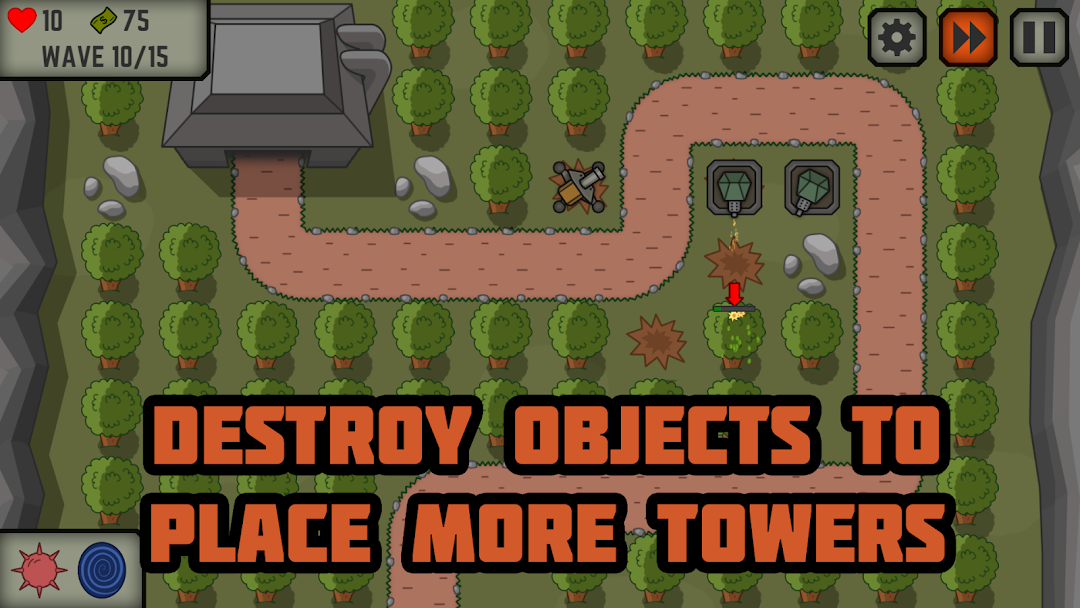
Tactical War: Tower Defense is a Strategy game developed by Binary Punch, and LDPlayer is the best platform for playing Tactical War: Tower Defense on Windows PC, offering powerful features for an immersive experience.
When playing Tactical War: Tower Defense on your computer, you can enjoy long game sessions using the operation recording feature to record repetitive operations to complete the same tasks automatically. It allows you to level up faster and makes resource grinding much more efficient.
In addition, if you want to execute combo moves or the game requires repeated skill actions, the macro feature is your best helper. It enables you to complete kills with just one click!
If you want to manage multiple accounts, LDMultiplayer and Synchronizer will assist you. You can run multiple alternative accounts at the same time to assist the leveling of your main account. Download and play Tactical War: Tower Defense on PC with LDPlayer now!
Test your skills in this new tower defense game! Defend your base against countless waves of enemies!Do you like strategy games where you need to protect the base using tower defense? Are you fond of war games which make you think thoroughly about every step?
Tactic Defense – is an interesting strategy, the classic example of tower defense games. This hard game in military style is created for the TD games fans who like to think over every action. As well as many other battle games Tactic Defense game demands quick thinking, careful planning and doesn't excuse errors.
In this TD game you are the Commander of fortified bunker, which is lost in time and space. Your aim is to defend the base by any means, using weapons and secret technologies of the World War II times. You are going to build tower defense, hitting back the attacks of infantry, motorized and tank divisions of ruthless and artful enemy.
War games are not the most careless pastime. The base protection requires your attention and tough decisions every second, your defense towers need continuous improvements. To succeed in this challenging TD game you’ll need to remember skills received in all strategy games you ever played.
War strategy games and especially the TD games require quick thinking and accurate coordination of all actions. And you should accept the rules of this challenging battle game – it is your objective to save the only shelter with the help of defense towers.
Main features of Tactic Defense game:
- accurately sustained “military” style of a war strategy game (special "gray" stylistics dilutes your colorful monotony!)
- 4 types of defense towers with upgrades
- special abilities will help in hard game situations
- destroy landscape objects to construct perfect tower defense (make the contribution to environmental disaster!)
- 15 well-balanced levels (and many more to come!)
- atmospheric music and effects
- text hints between levels will help you achieve the victory in this tower defense game
- intuitive and easy to use controls
- 8 different types of enemies with their own strong and weak sides
Announcement:
The name of the game "Tactical V" was changed to "Tactical War".