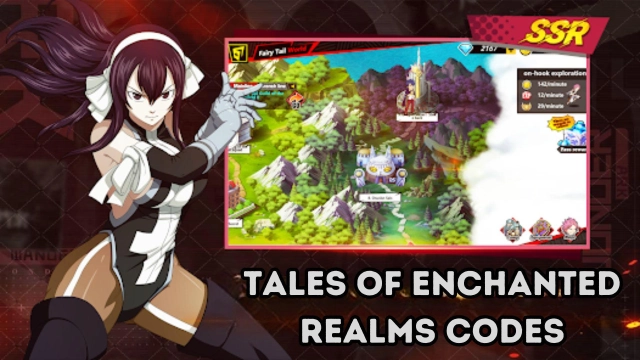
Tales Of Enchanted Realms is a Strategy game developed by MM_Entertainment, and LDPlayer is the best platform for playing Tales Of Enchanted Realms on Windows PC, offering powerful features for an immersive experience.
When playing Tales Of Enchanted Realms on your computer, you can enjoy long game sessions using the operation recording feature to record repetitive operations to complete the same tasks automatically. It allows you to level up faster and makes resource grinding much more efficient.
In addition, if you want to execute combo moves or the game requires repeated skill actions, the macro feature is your best helper. It enables you to complete kills with just one click!
If you want to manage multiple accounts, LDMultiplayer and Synchronizer will assist you. You can run multiple alternative accounts at the same time to assist the leveling of your main account. Download and play Tales Of Enchanted Realms on PC with LDPlayer now!
[Tales Of Enchanted Realms]In this world full of magic and adventure, embark on an exciting fantasy journey with your guild members!
Step into the magical world, where a competition for the strongest guild is taking place. Summon guild partners who use different magics for constant challenges to become the strongest guild.
▶Features
[Magic Tactics RPG]
Witness the splendid display of each partner's unique skills. Various partners are combined into bonds to add extra abilities to your partners! Designate the best strategy to win the guild war.
[Endless fun]
As the level increases, you can improve the progress of exploration; fight with other players, participate in PVP activities, increase the number of your partners, and challenge difficult levels
[The key to collecting RPG: massive collection]
We have over 100 partners who use all kinds of magic!
There are different bonds that match each other, and each bond is different.
Collect as many partners as possible and use your own combination to win the battle.
[Real-time Guild War]
Guilds of equal strength will be matched to battle!
Battle with other players and use a variety of tactics with your partners to defeat each other.
[World BOSS]
To invade the BOSS of the world, you need to cooperate with players in the entire server to defeat it, and adjust your own combination to make you stand out among many players.
[About the key to turn-based role-playing games: Arena]
Enjoy battles with players from all over the world!
Experience a battle with partner skills matched by other players!
Show your unique matching strategies to other players around the world and win battles.
[Guild content]
You can fight side by side with guild players.
Attack or defend against invasions from other guilds.
Make your guild the most powerful one.
[Subsequent update]
We will add more bonds, levels, and new gameplay in the future!
Enter the Tales Of Enchanted Realms experience! I believe you will not be disappointed!