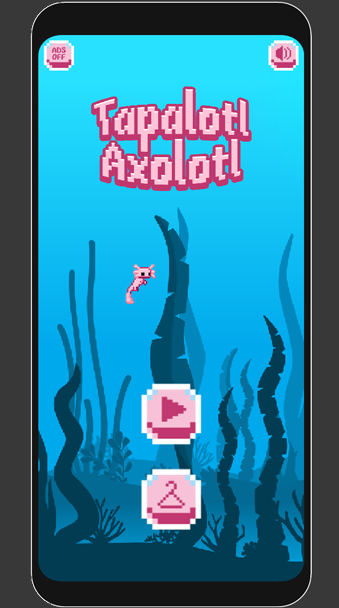
Tapalotl Axolotl is a Arcade application developed by Bao Cat Games, but with the best Android emulator-LDPlayer, you can download and play Tapalotl Axolotl on your computer.
Running Tapalotl Axolotl on your computer allows you to browse clearly on a large screen, and controlling the application with a mouse and keyboard is much faster than using touchscreen, all while never having to worry about device battery issues.
With multi-instance and synchronization features, you can even run multiple applications and accounts on your PC.
And file sharing makes sharing images, videos, and files incredibly easy.
Download Tapalotl Axolotl and run it on your PC. Enjoy the large screen and high-definition quality on your PC!
How long can you survive in this adorable 8-bit adventure? Take control of a cute axolotl and dodge the perils of the underwater world for as long as you can!Choose from a number of cute, colourful axolotl heroes and enjoy relaxing music as you drift underwater. Float safely past other creatures such as pufferfish and jellyfish, but be careful not to get too close! And keep your tiny amphibian eyes peeled for mines and anchors too.
Tapalotl Axolotl is a simple fun adventure, suitable for all ages. Ideal for commuters or for journeying with kids: you can play anywhere, anytime with no internet or mobile data connection needed.
It’s a colourful, mesmerising and delightfully frustrating game trying to keep your poor little axolotl alive and beat your personal best: but we believe in you!
Did you know?
- The axolotl has one remaining native habitat: Lake Xochimilco in Mexico.
- Axolotls can also be found in Mexico City’s canals and waterways!
- Axolotls can regenerate limbs, tails and other body parts.
- Axolotls were declared a critically endangered species in 2008.
- The axolotl genome is about 10 times as large as the human genome!
Want to get rid of adverts?
Get the premium version here
About Bao Cat Games
Established in 2020, Bao Cat Games is an indie game developer for mobile platforms and Roblox.
Tapalotl Axolotl was built using Unity.