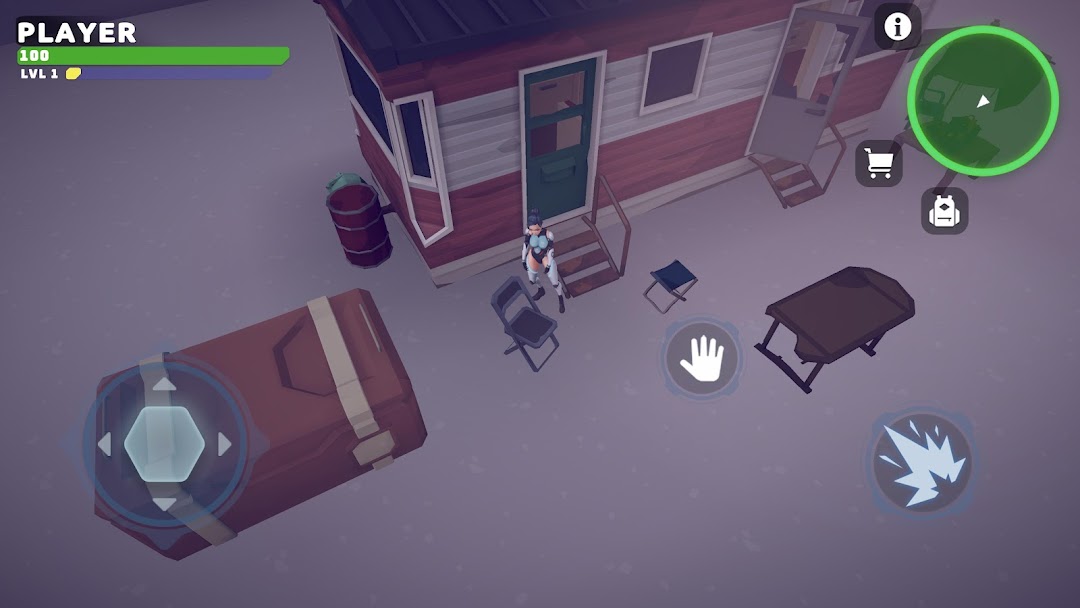
The End Of Us is a Strategy game developed by PM Game, and LDPlayer is the best platform for playing The End Of Us on Windows PC, offering powerful features for an immersive experience.
When playing The End Of Us on your computer, you can enjoy long game sessions using the operation recording feature to record repetitive operations to complete the same tasks automatically. It allows you to level up faster and makes resource grinding much more efficient.
In addition, if you want to execute combo moves or the game requires repeated skill actions, the macro feature is your best helper. It enables you to complete kills with just one click!
If you want to manage multiple accounts, LDMultiplayer and Synchronizer will assist you. You can run multiple alternative accounts at the same time to assist the leveling of your main account. Download and play The End Of Us on PC with LDPlayer now!
The End of Us throws you into a harsh post-apocalyptic world, 10 years after a devastating nuclear war. Humanity struggles to survive, scavenging for resources and facing the constant threat of mutated creatures and hostile factions.In this genre-bending mobile game, you'll experience:
Strategic Shooter Action: Engage in thrilling tactical battles against enemies, both human and mutated. Utilize a variety of weapons and gadgets to survive and complete objectives.
Deep City-Building: Construct and manage your own underground city with your friends. Gather resources, build essential structures, and create a haven for survivors.
Collaborative Survival: Team up with other players to form alliances, share resources, and conquer challenging missions together.
Engaging Story: Unravel the mysteries of the post-apocalyptic world through captivating missions and character interactions.
The End of Us is a unique blend of strategy, shooting, action, and survival gameplay. It offers a deep and immersive experience for players who enjoy a challenge and the thrill of building something new in a world on the brink of collapse.
Join the fight for survival today! Download The End of Us and:
Forge your own path: Choose your playstyle, from a skilled sharpshooter to a resourceful builder.
Customize your arsenal: Craft and upgrade weapons and gadgets to suit your tactics.
Explore a vast wasteland: Discover the secrets of a ravaged world and uncover its hidden resources.
Rise from the ashes: Lead your community to a brighter future by building and defending your underground city.
The End of Us is free to download and play, with optional in-app purchases available.