The Land of Alembrume is a Arcade application developed by Evariste Boussaton, but with the best Android emulator-LDPlayer, you can download and play The Land of Alembrume on your computer.
Running The Land of Alembrume on your computer allows you to browse clearly on a large screen, and controlling the application with a mouse and keyboard is much faster than using touchscreen, all while never having to worry about device battery issues.
With multi-instance and synchronization features, you can even run multiple applications and accounts on your PC.
And file sharing makes sharing images, videos, and files incredibly easy.
Download The Land of Alembrume and run it on your PC. Enjoy the large screen and high-definition quality on your PC!
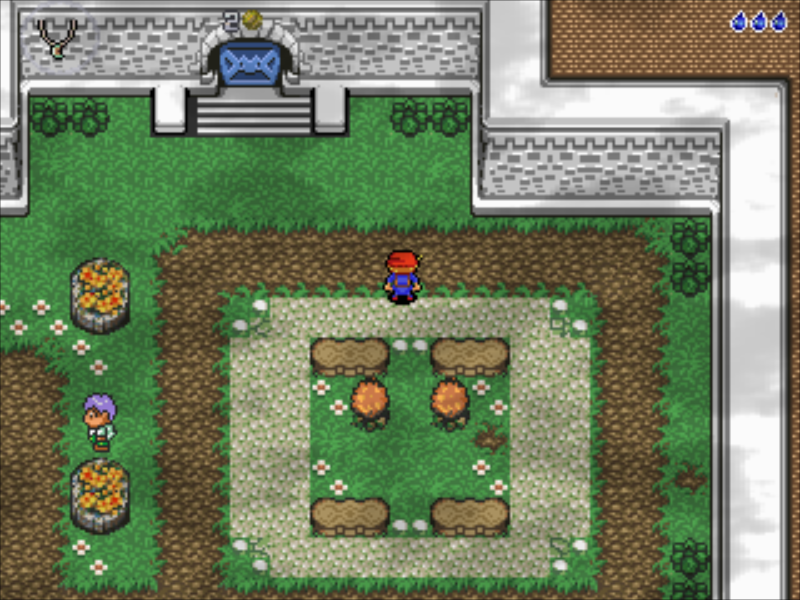
Your character is a young boy, who lives peacefully in Lugdunia village, in the kingdom of Aldoran. He is an orphan since his parents were killed during a recent war against another kingdom. They were peasants and always thought their son would follow the tradition... but your character is more attracted to adventure and battles!His journey begins with the kidnapping of his beloved girlfriend, which is going to lead him far away from home to investigate before eventually rescuing her. On his journey, he will meet wise people, who will teach him the art of fighting, he will find amazing items and become much stronger.
~FIRST EPISODE~
You will explore about 50 maps and interact with many people. There is a main quest and two small side quests to get bonus items and information. You can also find a couple of hidden valuables if you seek them out.
~SECOND EPISODE~
Thieves, flames, and many things ! Enjoy !
~THIRD EPISODE~
Roxy's news and meeting with a dragon.
CONTROLS:
- Player Movement - Virtual d-pad in bottom left corner (mobile since 2.14, enhanced in 2.15)
- Perform Action - X button
- Perform Attack/Use Item - Y button
- Change Inventory - press icon in the upper left corner
- Save - accessed from the "MENU"
- Quit - press "BACK" (<) several times
GAMEPAD:
- Same with SELECT for "Compass" and A for inventory
OPTIONS:
- left handed mode
- mobile/locked d-pad
- mute musics (you'll make me sad !)
Visit www.alembrume.fr for more informations.