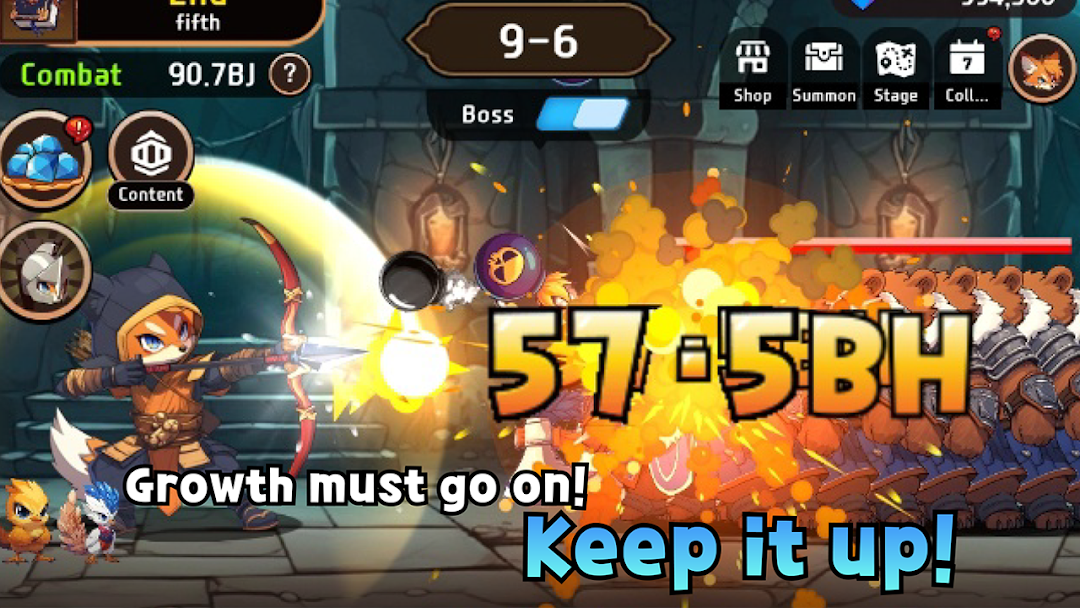
The Legendary Fox Idle is a Simulation application developed by SUPERCLAY Inc, but with the best Android emulator-LDPlayer, you can download and play The Legendary Fox Idle on your computer.
Running The Legendary Fox Idle on your computer allows you to browse clearly on a large screen, and controlling the application with a mouse and keyboard is much faster than using touchscreen, all while never having to worry about device battery issues.
With multi-instance and synchronization features, you can even run multiple applications and accounts on your PC.
And file sharing makes sharing images, videos, and files incredibly easy.
Download The Legendary Fox Idle and run it on your PC. Enjoy the large screen and high-definition quality on your PC!
Experience the ultimate fun of a puzzle-Idle game combination!The ultimate god game filled with the essential fun of an idle game!
Feel the explosive growth and continuous progression!
Easy to play, immersion, growth, and strategy all in one epic game!
▶ Growth has to be Continuous! Keep Going!
In idle games, continuous growth is essential no matter what you do!
Whether online or offline, you’ll enjoy the thrill of constant growth.
Strategically collect and achieve a massive growth surge with explosive growth points along the way!
▶ Get Various Costumes Through Challenges
Enjoy the rewards of growth and the thrill of challenge success all at once!
The powerful stats of the following costumes are just the beginning!
Each costume you acquire brings another amazing level-up!
▶ A Fresh Adventure with Unique Legendary Foxes
Experience fresh fun with the legendary fox’s unique costumes~^^
Just looking isn't all the fun!
Every costume you obtain will lead you triples or quadruples the fun with a powerful growth!
▶ Powerful Skills that Stand Out
No more overwhelming skill lists!
Only the most important and truly powerful skills are selected!
Offering strategic and focused growth with intense power!
▶ Rune / Pet / Guardian!! The Pinnacle of Strategic Elements!
Every combination makes the master.
Say goodbye to meaningless idling!! Strategize countless combinations while idling,
and discover the ultimate strategy that leads to extreme fun in idle gaming.
▶ A Crazy and Intense Crafting System
The crafting system is so fun, you could stay up all night!
Create runes, pets, and guardians in one go like magic!!
Dive into the crazy and intense world of crafting~
Get started now!