Home/

Games/

Simulation/

The Oregon Trail: Boom Town

The Oregon Trail: Boom Town
4.0100+

The Oregon Trail: Boom Town

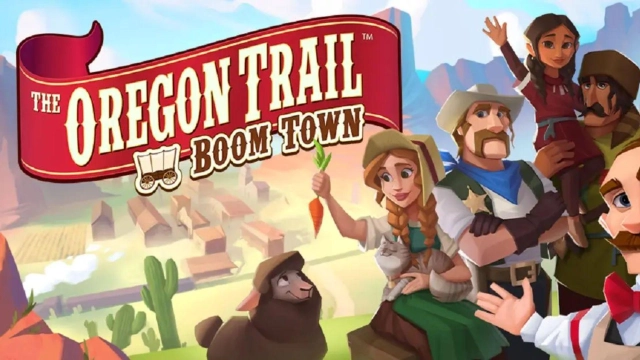
Survive the trail to west. Build a dream farm, hunt for food & face challenges!

Play on PC with LDPlayer
recommend
Tilting Point
How to Download&Play The Oregon Trail: Boom Town on PC?
Last Updated: 2025-12-24
com.tiltingpoint.oregon.trail.settlers
Share:
  • Overview

  • FAQ

  • Game Guides

Use LDPlayer to Play The Oregon Trail: Boom Town on PC

Play The Oregon Trail: Boom Town on PC

The Oregon Trail: Boom Town is a simulation game where you are going to build your own town, grow more, and craft a harvest there within your small village, and this classic game will bring you the exact life you want. This is a game by Tilting Point, and you will have an adventure, settlement survival, and a simulation mixed gameplay here for the best boom town. LDPlayer 9 is the best emulator to play The Oregon Trail: Boom Town on PC.

Sending Help, being independent, Farm Craft, and Build

There are pioneers that need the best help to survive in this game, and you, as the player, need to help them with the best supplies they are required to survive. You don’t know when these wagons are calling for you to have supplies, so you will have to collect more resources so that you will be able to send them.

This is a town-building simulator game, so you can create your own type of town here as per your dream with every option you want. You can design it as you want, and farming, building, and crafting play major roles in this gameplay.

The Best Farming Time with the Best Features

Sometimes, farming may require you to be involved in the same activities over and over, and this is going to be boring, right? So now, you can record one action of farming and allow it to happen for a set time you need continuously, and this is all that can be done with the Operation Recorder option. It comes with LDPlayer 9, and you play the game on a PC, and you are going to have these best options in your hand in the best possible way.

Open up

Screenshots and Videos of The Oregon Trail: Boom Town PC

Experience a wider field of view, exquisite game graphics, and cooler combat skills and effects by downloading and playing The Oregon Trail: Boom Town on PC with LDPlayer. Enjoy the ultimate gaming experience with LDPlayer.

Why Play The Oregon Trail: Boom Town on PC with LDPlayer?

LDPlayer offers unique emulator features including multi-instance support, macros, operation recorder, and other functions not available on mobile devices.

Multi-Instance & Sync

Remote Control

Custom Controls

Multi-Instance & SyncRemote ControlCustom Controls

Effortlessly clone multiple instances and initiate synchronization until you draw the desired hero before binding your account, enhancing efficiency in rerolls in The Oregon Trail: Boom Town.

  • High FPS

    With support for high FPS, The Oregon Trail: Boom Town's game graphics are smoother, and actions are more seamless, enhancing the visual experience and immersion of playing The Oregon Trail: Boom Town.
  • Video Recorder

    Easily capture your performance and gameplay process in The Oregon Trail: Boom Town, aiding in learning and improving driving techniques, or sharing gaming experiences and achievements with other players.

How to Download&Play The Oregon Trail: Boom Town on PC?

  • 1

    Download and install LDPlayer on your computer

  • 2

    Locate the Play Store in LDPlayer's system apps, launch it, and sign in to your Google account

  • 3

    Enter "The Oregon Trail: Boom Town" into the search bar and search for it

  • 4

    Choose and install The Oregon Trail: Boom Town from the search results

  • 5

    Once the download and installation are complete, return to the LDPlayer home screen

  • 6

    Click on the game icon on the LDPlayer home screen to start enjoying the exciting game