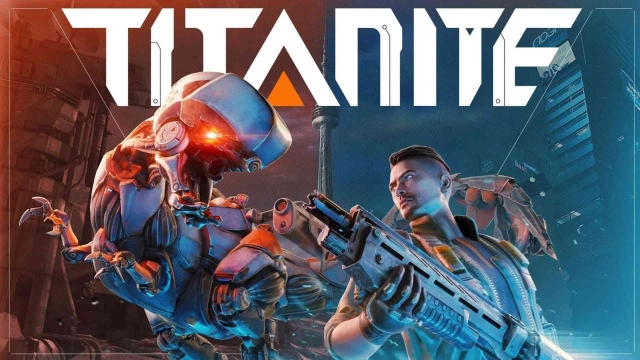
Titanite: Mecha Survival Game is a Action game developed by LOOTER GAMES, and LDPlayer is the best platform for playing Titanite: Mecha Survival Game on PC, offering powerful features to immerse you in the game.
When playing Titanite: Mecha Survival Game on computer, you can adjust frame rate settings for smooth gameplay and stunning visuals.
LDPlayer also provides pre-configured keyboard mapping for convenient control of the entire game. Continuous optimization of keyboard mapping enhances key sensitivity and skill accuracy. Additionally, LDPlayer offers special buttons like shoot, hide mouse, and continuous key press for an enhanced gaming experience.
If you prefer using a gamepad, the automatic gamepad detection allows you to customize controls with just a few clicks, enabling you to freely maneuver your hero. Start downloading and playing Titanite: Mecha Survival Game on your computer now!
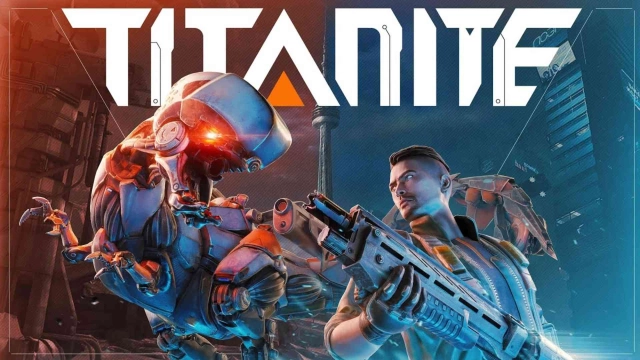
Join the ranks of Pioneers in a world devastated by AI's evolution into ravenous mechanical beasts. A relentless nano-virus has decimated humanity, drained resources, and triggered a global war against mankind’s own creations. After the failure of the “Pioneer Plan,” you must enter the infected zone, build temporary shelters, scavenge vital supplies, and execute a swift, strategic evacuation. Titanite delivers an immersive, high-stakes experience: master powerful Mechas, face AI adversaries, and wield cutting-edge weapons in a desperate fight for survival.Battle and tame mechanical beasts
Rogue Mechas once ruled the wilds, but now we fight back. Override their system, seize control, and upgrade them into powerful war machines. From heavy siege units to agile fliers and resource harvesting rigs, each Mecha brings unique power to your fight for survival. In a world shaped by steel and chaos, those who command the Mechas will rise.
Explore a vast and broken open world
Civilization has fallen, leaving a vast world of danger and hidden rewards. Explore ruins, uncover lost tech, and search deep into contaminated zones for rare loot and powerful gear. Resources are scarce, but for those who dare to explore, rare loot and powerful gear lie buried in the dust. As a survivor, your path is yours to choose。
Dominate with advanced firearms and PvP combat
Combat in the wild isn’t just about firepower, it’s about how you move, react, and strike. Slide through enemy fire, launch into the air with your jetpack, and outmaneuver threats with tactical precision. Choose from a vast arsenal of weapons, each with distinct handling, attachments, and even unique abilities. Some high-tier guns come with built-in tech skills that can turn the tide of battle in an instant.
Build, Raid and Dominate
Construct your base anywhere, fortify it with walls and turrets, and store your hard-earned loot. But survival isn’t just about defense, track down enemy shelters, break in, and claim their resources as your own. In this world, only the strongest will rise to the top.
By downloading this app, you agree to our privacy policy and terms of use.
Privacy Policy: http://titanite.games/account/PrivacyPolicy.html
Terms Of Use: http://titanite.games/account/TermofService.html
Follow us on Facebook for updates, reward events and more!
Facebook: https://https://www.facebook.com/titanitemobile
Custom Service: support@titanite.games
Discord: https://discord.gg/FJFXWkmHg2