Torn PDA is a Role Playing game developed by Manuito, and LDPlayer is the best platform for playing Torn PDA on Windows PC, offering powerful features for an immersive experience.
When playing Torn PDA on PC, as a new player looking to start with a fresh account, the multi-instance and sync features are extremely useful for rerolls. You can use them to run multiple instances and begin the synchronization process. Bind your account until you draw the desired heroes.
In addition, operation recorder is great for games that require you to level up and complete tasks! Run the sync and record your actions, then repeat the main instance's actions in real-time. By doing so, you can run 2 or more accounts simultaneously. You can always get the heroes you want before others by faster rerolls and more efficient summoning! Start downloading and playing Torn PDA on your computer now!
Torn PDA has been developed as an assistant for players of Torn City (www.torn.com).It was conceived to enhance the experience of playing Torn from a mobile platform, and other already existing applications, such as YATA, have been a great influence.
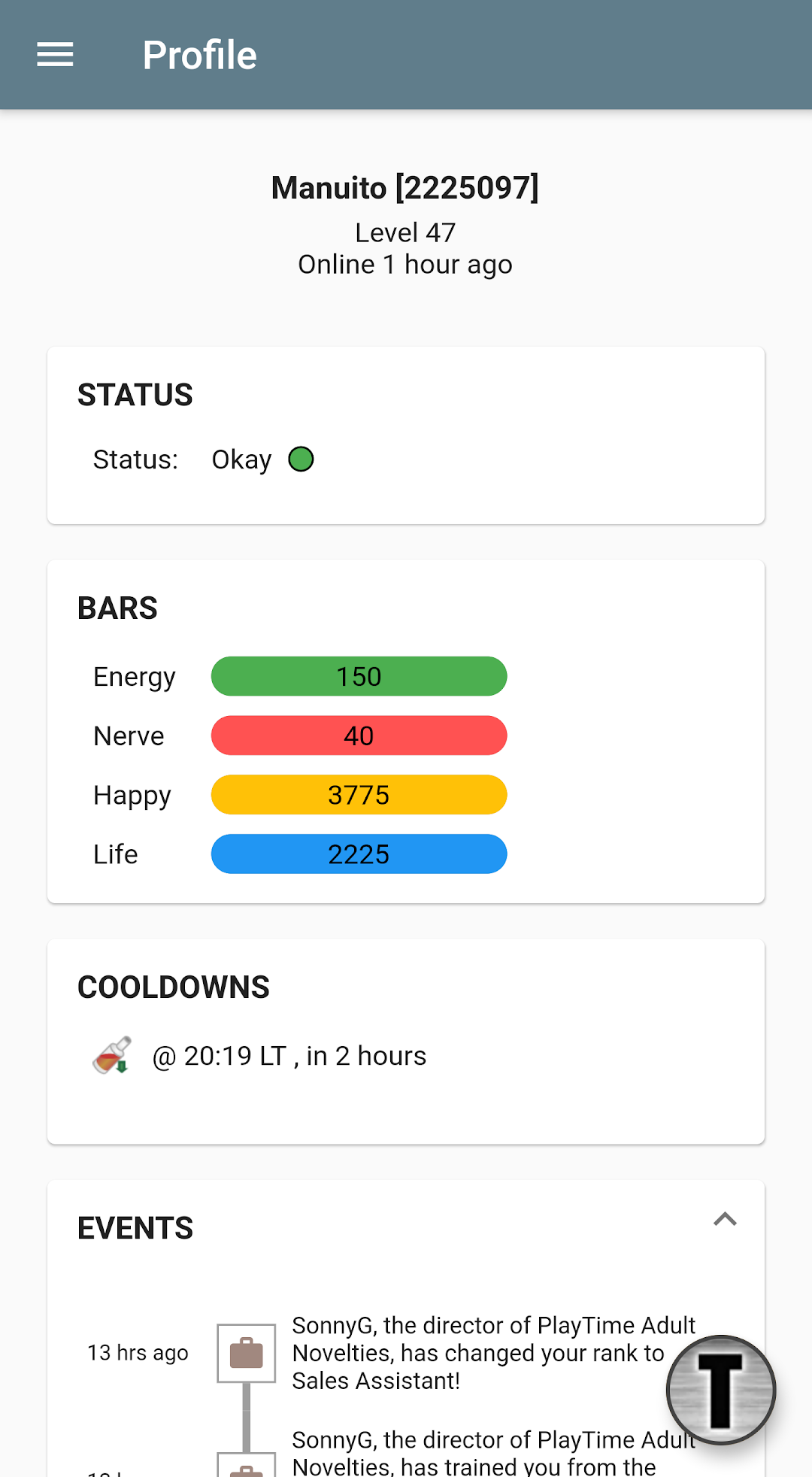
* Profile page with shortcuts to you preferred sections, access to basic status data, recent events, cooldowns and net-worth calculation. You can also manually activate notifications so that you don't waste any energy, nerve, or miss any cooldown expiry.
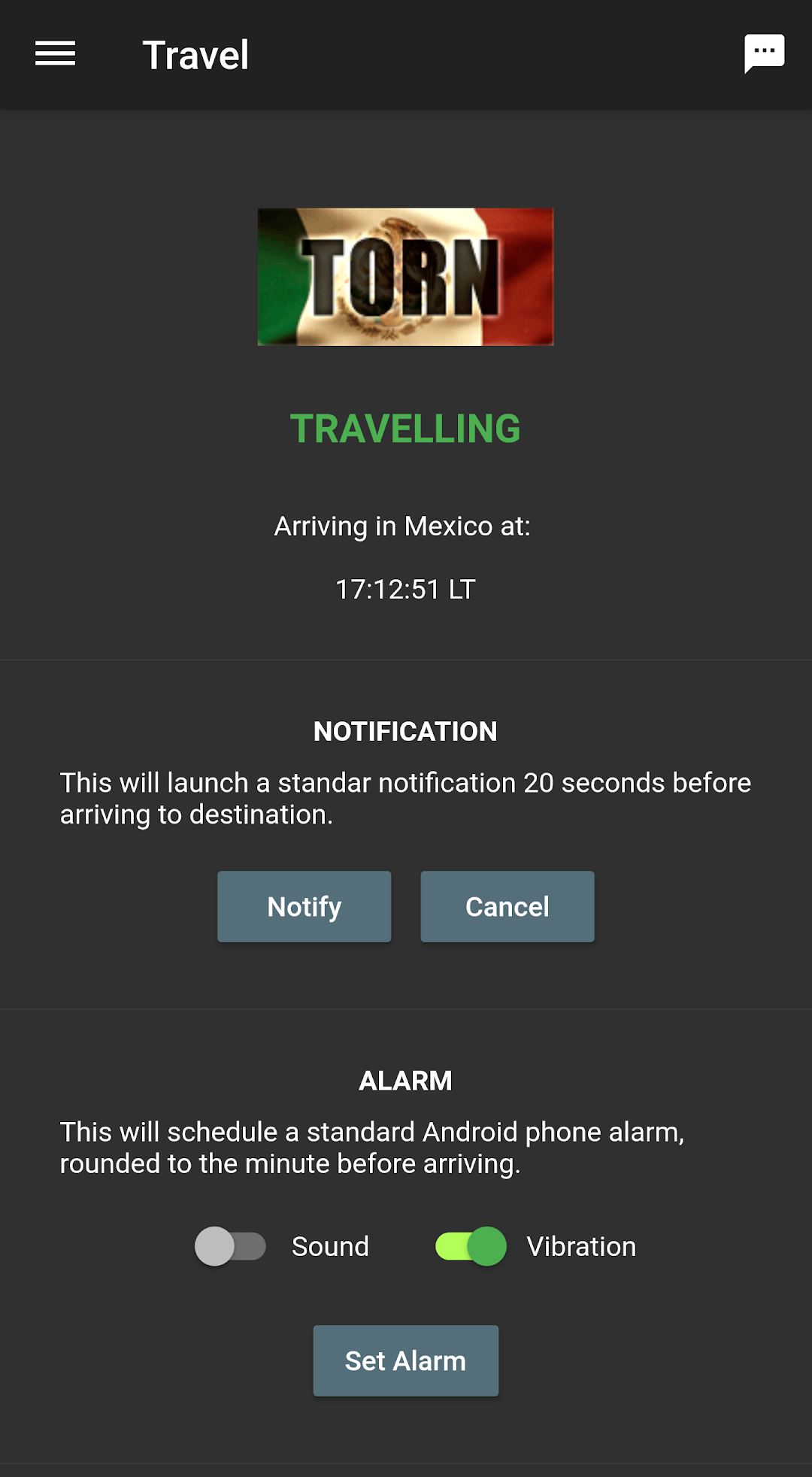
* Check your travel status and configure notifications or alarms just before you arrive. No more forgetting and being mugged abroad. Also, configure the notification shown so that it is safe to use even at work or in other public environments.
* Have a look at foreign stocks directly in the Travel section. Filter and sort items at your convenience, including profit based on item capacity. Also, by using the in-app browser, you are contributing by sending stock data automatically to the shared database!
* User scripts support.
* YATA mobile interface: new sections (e.g. Awards) that constitute the first official YATA mobile interface. Data comes straight from your YATA account.
* Ability to fill max items on arrival to destination, based on current capacity and money available. Then, use the quick home return button in the top bar to make your stay quicker and safer.
* Quick crimes option when you visit the crimes section. Just set up your preferred crimes and they'll appear in the top bar.
* Quick Items: browse to the items section in Torn with the full browser and add your prefer items for a quick access later on.
* Trade calculator with total price calculation for cash, items and shares, plus the ability to copy total figures for a quick trading. If you are a professional trader, you can also synchronize with Torn Trader and the Arson Warehouse.
* Automatic city items finder in the map.
* Automatic alerts for travel, energy, nerve, hospitalization, drugs, racing, messages, events, trades and stocks.
* Torn chat: options to highlight your name or hide the chat completely if you wish.
* Follow your faction's chain live from the app, with instant energy updates. Use the chain watcher feature to avoid surprises.
* Create your own target list, adding your own comments and many other details. Import and export your targets to/from YATA. While chaining, automatically skip targets that can't be attacked (hospitalised/jailed or in a different country). Get optimal targets directly from Torn Attack Central, included in the Chaining section. Chaining has never been easier.
* Have a look at your last few attacks, with simple statistics so that you can decide when/who to add to your common chaining targets.
* Export targets as a backup or share them with other players.
* When in hospital, send Nuclear Central Hospital a revive request by clicking a button.
* Create a friends list, with quick access to in-game messaging, trading and other important details. Also, add note to your friends' profiles. Backup functionality included.
* Activate alerts for NPC loot.