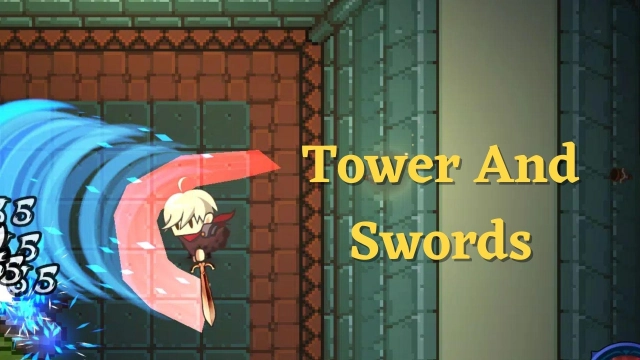
Tower And Swords is a Role Playing game developed by Jaems, and LDPlayer is the best platform for playing Tower And Swords on Windows PC, offering powerful features for an immersive experience.
When playing Tower And Swords on PC, as a new player looking to start with a fresh account, the multi-instance and sync features are extremely useful for rerolls. You can use them to run multiple instances and begin the synchronization process. Bind your account until you draw the desired heroes.
In addition, operation recorder is great for games that require you to level up and complete tasks! Run the sync and record your actions, then repeat the main instance's actions in real-time. By doing so, you can run 2 or more accounts simultaneously. You can always get the heroes you want before others by faster rerolls and more efficient summoning! Start downloading and playing Tower And Swords on your computer now!
A gacha-free hack and slash RPG.13 towers, hundreds of gear pieces, and ever-growing difficulty — a hands-on action RPG you control directly. Fully playable offline, anywhere, even on a plane.
▶ Conquer the Towers
Mysterious towers filled with monsters have appeared across the world. As a swordsman, climb each tower floor by floor — battle monsters, defeat powerful gatekeepers, and face the tower bosses that rule each one.
Along the way, discover Secret Rooms with hidden bonus rewards and Slime Dungeons packed with slimes that grant massive experience.
▶ Endless Challenge
Clearing all 13 towers is just the beginning. New difficulty tiers unlock — each bringing the same dungeons with far stronger monsters, new special dungeons, and upgraded rewards. Push through ever-rising challenges and face fearsome bosses: the Death God, the Demon Lord, the Demon Dragon, and more threats yet to come.
▶ Deep Equipment System
Equip up to 3 weapons at once, each carrying its own unique magic — unleash up to 3 powerful spells in combat. Find gear from Common to Legendary, with Unique and Legendary items holding distinctive skills.
Rare gear and above rolls bonus stats from a wide pool: ATK, DEF, HP, attack speed, magic damage, elemental damage, magic level, movement speed, damage reduction, gold gain, EXP gain, and more. On top of that, gear can roll rare Traits — special abilities like freeze immunity, damage reduction, or magic level boost.
Use Enhancement Stones to power up your equipment, and special gems to add or change options. Craft the perfect build for your playstyle.
▶ Fair Drop System — No Gacha
High-grade gear drop rates are cumulative. If you clear a floor without getting a drop, the rate increases for next time — keep fighting and you are guaranteed to get it. Check exact rates anytime in the Tower Info at the portal. No gacha. No loot boxes. Your effort always pays off.
▶ Pets, Costumes, and Artifacts
Collect costumes and pets to power up your swordsman. Costumes grant bonus stats just by owning them — earn them through gameplay, events, or the shop. Pets provide unique bonuses and can be obtained through the shop or special events.
Unlock Artifacts as you progress through higher difficulties and strengthen them to push even further.
▶ Level Up Your Way
Earn points as your swordsman levels up and invest them in passive spells. Combine your weapon loadout, stat options, traits, artifacts, costumes, and pets to create a build that is uniquely yours.
▶ Play Anywhere
✓ Fully offline — no internet required, play anytime, anywhere
✓ Cloud save supported — sync your progress across devices
✓ No gacha, no loot boxes — fair progression
✓ Hands-on hack & slash combat — not an idle game
✓ Regularly updated with new content, difficulties, and bosses
Discord: https://discord.gg/4gTAZS9nTK
Contact: jaemsgames@gmail.com