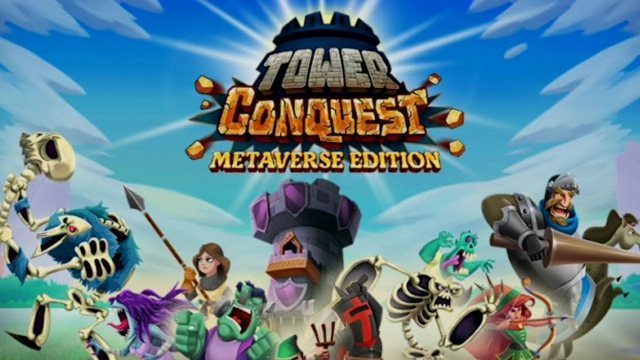
Tower Conquest: Metaverse is a Strategy game developed by SuperGaming SG, and LDPlayer is the best platform for playing Tower Conquest: Metaverse on Windows PC, offering powerful features for an immersive experience.
When playing Tower Conquest: Metaverse on your computer, you can enjoy long game sessions using the operation recording feature to record repetitive operations to complete the same tasks automatically. It allows you to level up faster and makes resource grinding much more efficient.
In addition, if you want to execute combo moves or the game requires repeated skill actions, the macro feature is your best helper. It enables you to complete kills with just one click!
If you want to manage multiple accounts, LDMultiplayer and Synchronizer will assist you. You can run multiple alternative accounts at the same time to assist the leveling of your main account. Download and play Tower Conquest: Metaverse on PC with LDPlayer now!
Venture into Tower Conquest: Metaverse (TC:ME), a mythical world 🌏 rich in valuable resources and MANA sought by everyone within.TC:ME awaits someone capable of recruiting armies, devising strategies for PvP games, and leading the many on the conquest to victory.
Eternal glory and riches await in this realm for someone with true mettle.
Do you have what it takes to command and conquer? Get ready to have your name etched in the history books of TC:ME!
Key Features of the game:
• Get Started: Sign up - Connect your wallet - Acquire assets - Ready to Conquer! 👍
• Form the best combinations of cards to form undisputed squads, 🧙🧛🥷🧔♂️🧟🧑🌾🦸♀️🦹
• Command your squad against other real players in the PvP mode
• Lead your units against the AI squads in the PvE mode
• Earn resources after each battle
====================================
TC:ME is a free-to-earn Tower Defense Game
====================================
• Maximise profits by starting early! 📈
• Play & earn ETN. ❤️
• Trade game assets on the marketplace, 🔁
• HODL for attractive rewards! 🎁
• Be on the lookout for airdrops, 🪂
To learn more about the game, check out our website.
==========================
Join the Conquerors Community
==========================
We would love to hear your thoughts and suggestions on our game.
Join us on our community channel to share your thoughts, and learn more about TC:ME, tips on how to start, how to play, how to have fun, and earn. Oh, and also to connect with your fellow Conquerors. 😎
Discord: https://discord.gg/HusKfRBzhQ
Telegram: https://t.me/TCMEGame
Twitter: https://twitter.com/tcmegame
Youtube: https://www.youtube.com/channel/UCmnBHUZFCMNBjltChCbyoYg
Support: support@tcme.io
=======================
Crafted in India, for the World
=======================
Tower Conquest: Metaverse Edition, a tower defense game, is brought to you by SuperGaming - India's 🇮🇳 leading game development studio and publisher. We take pride in building games that people play for years. With titles such as MaskGun, Silly World already under our belt, we’re now working on TC:ME and entering the web3 game space.
There’s so much more to come in this new Web3 game. So, stay tuned for the latest updates and announcements.
===============================
Note: Internet connection is required to play this tower defense game.
===============================
The following applies to everyone entering TC:ME:
Terms of service: https://www.supergaming.com/tos
Privacy policy: https://www.supergaming.com/privacy
===============================
Disclaimer: Virtual Digital Assets commonly referred to as "Crypto products" or "Cryptocurrencies" and "Non-Fungible Tokens" or "NFTs" are unregulated and can be risky. There may be no regulatory recourse for any loss from such transactions.
===============================