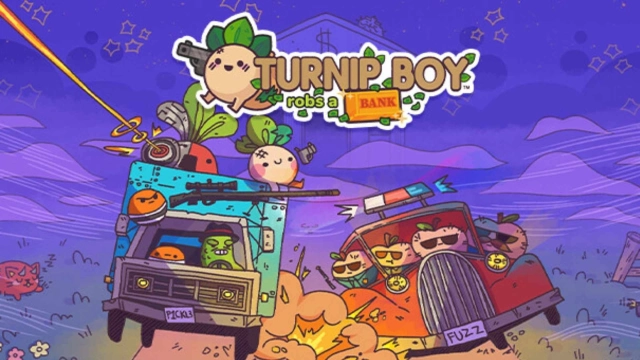
Turnip Boy Robs a Bank is a Adventure application developed by Plug In Digital, but with the best Android emulator-LDPlayer, you can download and play Turnip Boy Robs a Bank on your computer.
Running Turnip Boy Robs a Bank on your computer allows you to browse clearly on a large screen, and controlling the application with a mouse and keyboard is much faster than using touchscreen, all while never having to worry about device battery issues.
With multi-instance and synchronization features, you can even run multiple applications and accounts on your PC.
And file sharing makes sharing images, videos, and files incredibly easy.
Download Turnip Boy Robs a Bank and run it on your PC. Enjoy the large screen and high-definition quality on your PC!
Turnip Boy is ready to commit more felonies in this comedic action-adventure game with roguelite elements. This time the career criminal is teaming up with the fearsome Pickled Gang to plan and execute the weirdest heist of all time! Shake down hostages, steal precious valuables, and explore the deep, dark depths and history of the Botanical Bank.To pull off the perfect heist, you’ll need to purchase an array of dangerous and wacky tools from the dark web, including a diamond pickaxe, C4, and a radio jammer. However, bank robbing isn’t easy, so be prepared for intense shootouts with security guards, the police, elite swat teams and more.
Features:
* A thrilling single-player adventure full of bank robbing, dark web browsing, and fuzz fighting.
* Roguelite elements to turnip the action.
* A big ol’ bank to explore and loot.
* An array of wacky weapons found in the bank.
* Take on whoever the bank throws at you in intense shootouts, from security guards to elite veggie swat teams!
* A large cast of quirky food-based characters, including some familiar faces and new citizens with their own stories and problems.
* Earn collectable hats to wear & cassettes with new banger tracks to blast.
* Discover a deeper history of Turnip Boy’s world and how it became what it is.
* Play in 4:3 like the original game, or in fullscreen!
Turnip Boy adventures are fun, so to make sure everyone can enjoy the game, you can change some settings in the game including:
- 4 different enemy outline colors
- 4 different interact outline colors
- A god mode so Turnip Boy becomes invincible!
- Damage boost up to 200% or a damage nerf to 50% if you dare!
- An aim laser to help you in fights
- Autoaim to help you aim on touchscreens!