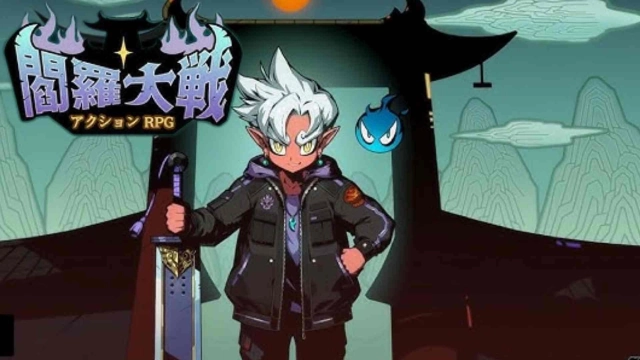
Legend of Yeomra is a Role Playing game developed by 주식회사 옐로우팝, and LDPlayer is the best platform for playing Legend of Yeomra on Windows PC, offering powerful features for an immersive experience.
When playing Legend of Yeomra on PC, as a new player looking to start with a fresh account, the multi-instance and sync features are extremely useful for rerolls. You can use them to run multiple instances and begin the synchronization process. Bind your account until you draw the desired heroes.
In addition, operation recorder is great for games that require you to level up and complete tasks! Run the sync and record your actions, then repeat the main instance's actions in real-time. By doing so, you can run 2 or more accounts simultaneously. You can always get the heroes you want before others by faster rerolls and more efficient summoning! Start downloading and playing Legend of Yeomra on your computer now!
# High-quality Action RPG!# Fast upgrade and variety of contents
# 3000 Draws, 9999 Diamonds, Legendary Companion, etc.!
The Yamaraja's adventure in the overworld! Infinite growth RPG!
One day, the Demon Army invaded and took over the Underworld.
It's time the Yamaraja goes back and sets things right!
■ The stronger you get, the cooler you become
Evil Spirit, Rakshasa, Asura, Heavenly King! Level up and become stronger
■ Unlimited Soul Draws
Enhancing equipment was never so easy - just tap!
■ Fast Growth
Put the phone down and level up! The hunt in the underworld goes on even when you're taking a break
■ Countless Skills and
Set up your own deck based on various skills to beat your opponents
■ Various growth mechanics and farming contents
Visit legendary places like the Sanzu River, Indang-su and level up!
■ Gods and Spirits
Many divine beasts like the Vermilion Bird, Blue Dragon, Black Turtle, White Tiger and spirits are waiting for you.
■ Customize your character and costumes
Build your own character and costumes with unique clothes or even make your character a real Underworld Warrior
----------------------------