Home/

Games/

Adventure/

アンベイル ザ ワールド

アンベイル ザ ワールド
0.0100+

アンベイル ザ ワールド

Shueisha Games presents its first full-scale smartphone game

Play on PC with LDPlayer
recommend
Exptional Global
How to Download&Play アンベイル ザ ワールド on PC?
Last Updated: 2026-01-24
com.netease.unveil
Share:
  • Overview

  • FAQ

  • Game Guides

Use LDPlayer to Play アンベイル ザ ワールド on PC

アンベイル ザ ワールド is a Adventure application developed by Exptional Global, but with the best Android emulator-LDPlayer, you can download and play アンベイル ザ ワールド on your computer.

Running アンベイル ザ ワールド on your computer allows you to browse clearly on a large screen, and controlling the application with a mouse and keyboard is much faster than using touchscreen, all while never having to worry about device battery issues.

With multi-instance and synchronization features, you can even run multiple applications and accounts on your PC.

And file sharing makes sharing images, videos, and files incredibly easy.

Download アンベイル ザ ワールド and run it on your PC. Enjoy the large screen and high-definition quality on your PC!

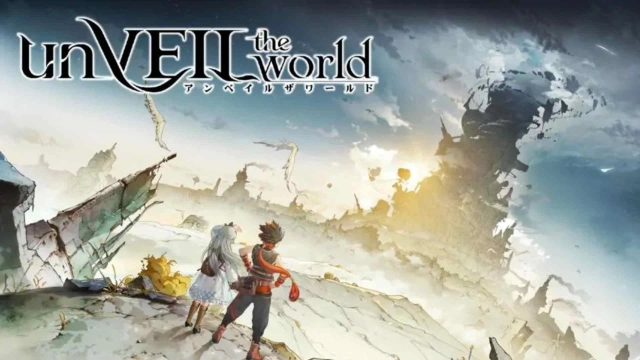
砂漠にそびえ立つ巨塔。雲を突き抜け、あまたの異世界へと繋ぐ。塔の頂には、取り尽くせないほどの資源と財産があると言い伝えられてきた。そこはまさに誰しもが憧れる「エデン」。「エデン」を目指し、少年たちの旅が、今始まる……

「巨塔の頂を目指せ!」
集英社が企画プロデュースする新たな王道アドベンチャー物語。あなたを摩訶不思議と奇想天外な異世界へ誘い、スリルとワクワクな冒険の旅が始まる。

「出水ぽすか氏作!」
出水ぽすか先生がキャラデザ担当!キャラクターに生命を吹き込む独自なタッチで、たった一つのマンガワールドを創り出す!

「漫画を読むように進む!」
ストーリーを実体験!?リアルすぎる演出シーンと登場キャラクター!この世界で胸を震わす大冒険へ出発しよう!

「唯一無二の爽快感!」
操作はシンプル!キャラクターによる多彩なスキルコンボ!爽快バトルとともに、戦略を練る楽しさも堪能できるぞ!

公式サイト:https://www.unveil-the-world.com
公式X:https://x.com/unveil_JP
公式Discord:https://discord.gg/unveil
公式Youtube:https://www.youtube.com/@unveiltheworld_JP
Open up

Screenshots and Videos of アンベイル ザ ワールド PC

Experience a wider field of view, exquisite game graphics, and cooler combat skills and effects by downloading and playing アンベイル ザ ワールド on PC with LDPlayer. Enjoy the ultimate gaming experience with LDPlayer.

Why Play アンベイル ザ ワールド on PC with LDPlayer?

LDPlayer offers unique emulator features including multi-instance support, macros, operation recorder, and other functions not available on mobile devices.

Multi-Instance & Sync

Remote Control

Custom Controls

Multi-Instance & SyncRemote ControlCustom Controls

Effortlessly clone multiple instances and initiate synchronization until you draw the desired hero before binding your account, enhancing efficiency in rerolls in アンベイル ザ ワールド.

  • High FPS

    With support for high FPS, アンベイル ザ ワールド's game graphics are smoother, and actions are more seamless, enhancing the visual experience and immersion of playing アンベイル ザ ワールド.
  • Video Recorder

    Easily capture your performance and gameplay process in アンベイル ザ ワールド, aiding in learning and improving driving techniques, or sharing gaming experiences and achievements with other players.

How to Download&Play アンベイル ザ ワールド on PC?

  • 1

    Download and install LDPlayer on your computer

  • 2

    Locate the Play Store in LDPlayer's system apps, launch it, and sign in to your Google account

  • 3

    Enter "アンベイル ザ ワールド" into the search bar and search for it

  • 4

    Choose and install アンベイル ザ ワールド from the search results

  • 5

    Once the download and installation are complete, return to the LDPlayer home screen

  • 6

    Click on the game icon on the LDPlayer home screen to start enjoying the exciting game