Villains of Might and Magic is a Strategy game developed by RGameFactory, and LDPlayer is the best platform for playing Villains of Might and Magic on Windows PC, offering powerful features for an immersive experience.
When playing Villains of Might and Magic on your computer, you can enjoy long game sessions using the operation recording feature to record repetitive operations to complete the same tasks automatically. It allows you to level up faster and makes resource grinding much more efficient.
In addition, if you want to execute combo moves or the game requires repeated skill actions, the macro feature is your best helper. It enables you to complete kills with just one click!
If you want to manage multiple accounts, LDMultiplayer and Synchronizer will assist you. You can run multiple alternative accounts at the same time to assist the leveling of your main account. Download and play Villains of Might and Magic on PC with LDPlayer now!
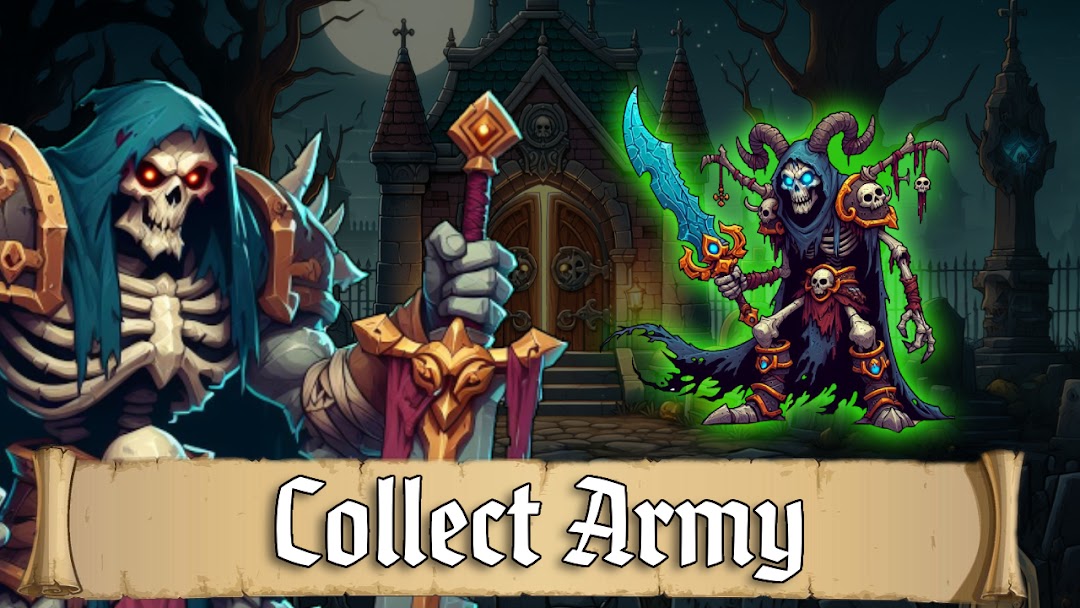
Welcome to the world of darkness and resurrection in a new exciting game! 🌑 Take on the role of a resurrected necromancer lord whose ambition knows only darkness. Your mission is to conquer the kingdom by gathering a powerful army of the undead. 🧟♂️Experience the magic of strategy in epic battles where every move can be decisive. Build your army of sinister creatures, resurrecting them with the power of your necromancy. Each creature has unique abilities ready to lead you to victory.
Make your way through mysterious lands, exploring dungeons and discovering ancient artifacts. 🗝️ Your power will spread throughout the kingdom, but be careful - your enemies are also hungry for power.
Compete with other players, build alliances, and create your own conquest strategy. In this game where darkness becomes your ally, only the most skilled necromancers will be able to resurrect their power over the kingdom! 💀🏰
🧟♂️ Choose your Necromancer: Create your unique Necromancer Lord by choosing abilities and play style.
🏰 Build your army of the undead: Resurrect sinister creatures with the power of dark spells. Each unit has its own unique characteristics - choose wisely!
🗺️ Conquer kingdoms: Send your army into epic battles for the kingdom's territories. Evolve strategically to overcome enemy forces.
🔮 Explore a mystical world: Venture into dungeons, find ancient artifacts and expand your knowledge of the magic of necromancy.
🌌 Develop and conquer: Improve your ruler, strengthen your army, explore new territories. Your path to power is just beginning!
Dive into the world of "Villains of Might and Magic" and become an invincible necromancer lord! 💀