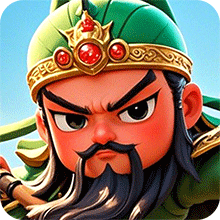
Thủ Thành Tam Quốc - Goodgame is a Strategy game developed by Goodgame.vn Publisher, and LDPlayer is the best platform for playing Thủ Thành Tam Quốc - Goodgame on Windows PC, offering powerful features for an immersive experience.
When playing Thủ Thành Tam Quốc - Goodgame on your computer, you can enjoy long game sessions using the operation recording feature to record repetitive operations to complete the same tasks automatically. It allows you to level up faster and makes resource grinding much more efficient.
In addition, if you want to execute combo moves or the game requires repeated skill actions, the macro feature is your best helper. It enables you to complete kills with just one click!
If you want to manage multiple accounts, LDMultiplayer and Synchronizer will assist you. You can run multiple alternative accounts at the same time to assist the leveling of your main account. Download and play Thủ Thành Tam Quốc - Goodgame on PC with LDPlayer now!
Entering the battlefield of Tam Quoc Citadel, you will transform into a mastermind during the chaos of the Three Kingdoms. Start developing your power from scratch, personally recruit famous young generals, make allies with 500 brothers and heroes from one direction. Liu Bei, Guan Yu or Zhao Zi Long,... Which general will you recruit to build your power? Three Kingdoms Tower Defense promises to be one of the games with unique goalkeeper gameplay combined with general fighting that you cannot ignore.[Special features in the game]
- Unique gameplay - Thu Thanh combined with general fighting: For the first time in Vietnam, a unique combination of gameplay: conquering the martial arts tower with strategic skills and general fighting. A top strategy game: Countermeasures and resonance between famous generals. Affirmed to be a game that possesses fiery and novel battles.
- Create extremely cool images - unrivaled battle maps: Variable squad, highly tactical: 200+ martial generals, hundreds of generals and heroic teenagers, by combining formations and coordinating tactics, building Super strong team, claiming domination of the Three Kingdoms! Four types of soldiers: Wei, Shu, Wu, Hao, comprehend the charm of oriental war strategy! There are also hundreds of equipment and magical weapons to support and upgrade the heroes.
- Inter-server PVP - compete for domination of the world: Overcome tough trials to win the championship position through: Martial God Tower, Daily Copy, Hoa Dung Dao, Ao Chien Quan Anh, Bat Chien Do. Each competition, lords will receive rare resources to upgrade their martial generals.
- Creative skills - great tower defense battle: With the appearance of war generals and wise generals: Liu Bei, Guan Yu, Trieu Van, Lu Bo, Cao Cao. Compete with other lords in the Arena, Siege, and Heroes; to see who leads the battle and dominates every server.
- Log in to immediately receive 5-star rare generals: just log in, immediately receive rare generals and thousands of other gifts.