
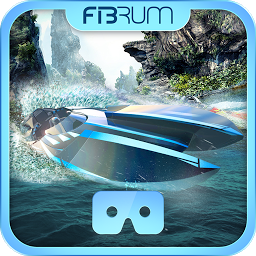


VR Aquadrome is a Adventure application developed by FIBRUM, but with the best Android emulator-LDPlayer, you can download and play VR Aquadrome on your computer.
Running VR Aquadrome on your computer allows you to browse clearly on a large screen, and controlling the application with a mouse and keyboard is much faster than using touchscreen, all while never having to worry about device battery issues.
With multi-instance and synchronization features, you can even run multiple applications and accounts on your PC.
And file sharing makes sharing images, videos, and files incredibly easy.
Download VR Aquadrome and run it on your PC. Enjoy the large screen and high-definition quality on your PC!
Extreme jet boat competition is about to start! Start a crazy race in a tropical paradise, go underwater to the ruins of an ancient city, avoid dangerous obstacles and win the main prize!In order to start the race, look at the lever in the cockpit.
Compatible with Virtual Reality (VR) glasses
Application requires a virtual reality headset (Google Cardboard-like): FIBRUM VR, ANTVR, Carl Zeiss VR One GX, ColorCross, Cynoculars, Durovis Dive, Fove 0, FreeFly, Homido center (V2), Merge VR, Nibiru, Puyo Box, Refugio 3D, Stooksy, Tepoinn 3D, VR KiX, VR Smartview, VR View-Master DLX, VRTRIA, VRTX One, Xiaomi VR 3D Glasses. In addition to the above models, it is possible to use the virtual reality headset and 3D / VR glasses of other samples and manufacturers.
360 VR emulator — 360 degree freedom.
Enjoy the ultra-realistic 360 3D VR world with detailed graphics and carefully crafted sound merged together for the most immersive atmosphere.
Put on your VR-headset and experience an incredibly emotional adventure in virtual reality.
VR games free trial
The app implements a freemium system. During the whole trial period, you can play absolutely free! If you like the app, register a promotion code or purchase the app to use the application to the fullest and get unlimited access to it. To do this, just go through a quick registration in Fibrum Platform.
Fibrum VR
Do you want to know more about Fibrum VR applications? Install and try our most popular 3D virtual reality games (VRgames). Select one of the many virtual worlds: space shooters, westerns, crazy three-dimensional races, breathtaking rides, colorful and hilarious adventures as well as horrors of zombie apocalypse. We have a 360 VR experience for every taste!







