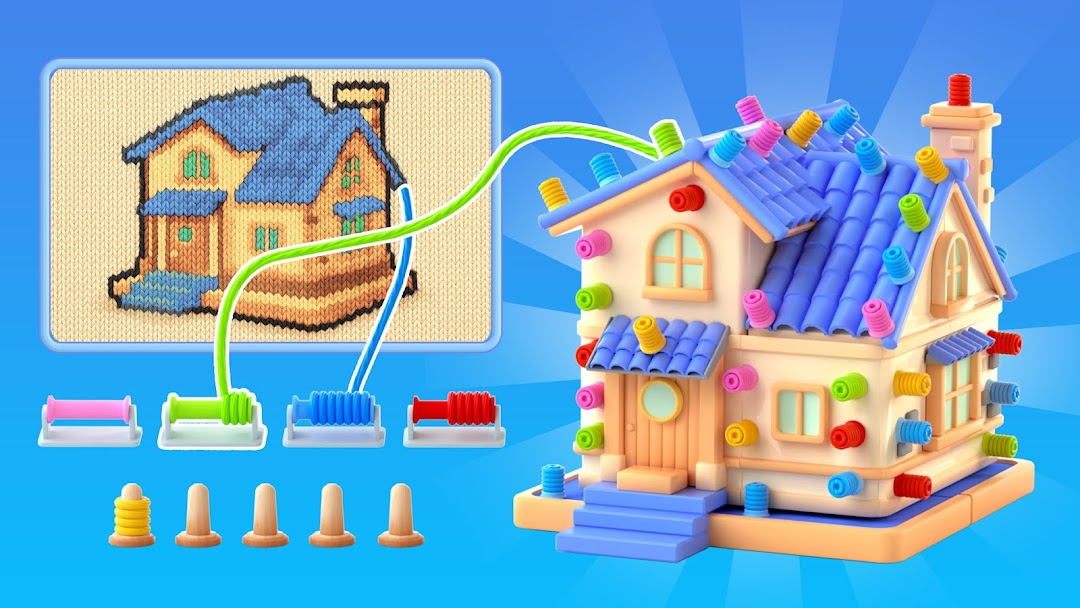
Wool Master 3D is a Casual game developed by Snap Brain Games. LDPlayer is the best platform for playing Wool Master 3D on Windows PC, offering powerful features to enhance your immersive experience in Wool Master 3D.
When playing Wool Master 3D on your computer, if you find repetitive actions or tasks tedious and time-consuming, fret not! Macro can alleviate your concerns. Simply record your actions with a click of the screen recording feature and let macros take care of the rest. Macros automate your operations, allowing you to effortlessly conquer the game with minimal effort! Start downloading and playing Wool Master 3D on your computer now!
Immerse yourself in the colorful, artistic world of Wool Master 3D! Experience a unique combination of screw sort mechanics and coloring games creativity where the softness of wool meets the satisfaction of art creation. Perfect for those craving a relaxing yet intellectually stimulating unscrew puzzle experience, Wool Master 3D merges wool sort challenges with coloring games for endless enjoyment. 🧶How to Play:
Master the art of screw games by unraveling colored wool from 3D models and wrapping it onto matching spools. This innovative blend of wool sort precision and unscrew puzzle tactics starts with simple shapes, evolving into complex patterns. Each successful screw sort action reveals fragments of a mesmerizing artwork. Progress through screw sort levels to unlock intricate masterpieces, blending coloring games aesthetics with screw games logic.
Game Features:
- 🌈 Healing Visuals & Sounds: Calming 3D wool textures meet dynamic wool sort animations, paired with tranquil audio for stress-free gameplay.
- 🔧 Strategic Tools: Enhance your unscrew puzzle tactics with spool upgrades, block removers, and wool-clearing tools to customize challenge levels.
- 🎲 Diverse 3D Models: Tackle geometric shapes, mechanical constructs, and organic forms – each level intensifies screw sort complexity while refreshing coloring games appeal.
- 👾 Dual Thrills: Perfect your screw games strategy while unwinding with unscrew puzzle mechanics. Sharpen logic through wool sort challenges, then relax into artistic creation.
Embark on your screw games journey today! 🚀 Wool Master 3D redefines coloring games with its seamless fusion of unscrew puzzle rigor and wool sort creativity. Whether you're a screw sort strategist or an art enthusiast, this world of vibrant screw games challenge awaits. Download now and transform woolly chaos into breathtaking art – one perfectly sorted spool at a time!