Master of Words is a Word application developed by LittleBigPlay - Word, Educational & Puzzle Games, but with the best Android emulator-LDPlayer, you can download and play Master of Words on your computer.
Running Master of Words on your computer allows you to browse clearly on a large screen, and controlling the application with a mouse and keyboard is much faster than using touchscreen, all while never having to worry about device battery issues.
With multi-instance and synchronization features, you can even run multiple applications and accounts on your PC.
And file sharing makes sharing images, videos, and files incredibly easy.
Download Master of Words and run it on your PC. Enjoy the large screen and high-definition quality on your PC!
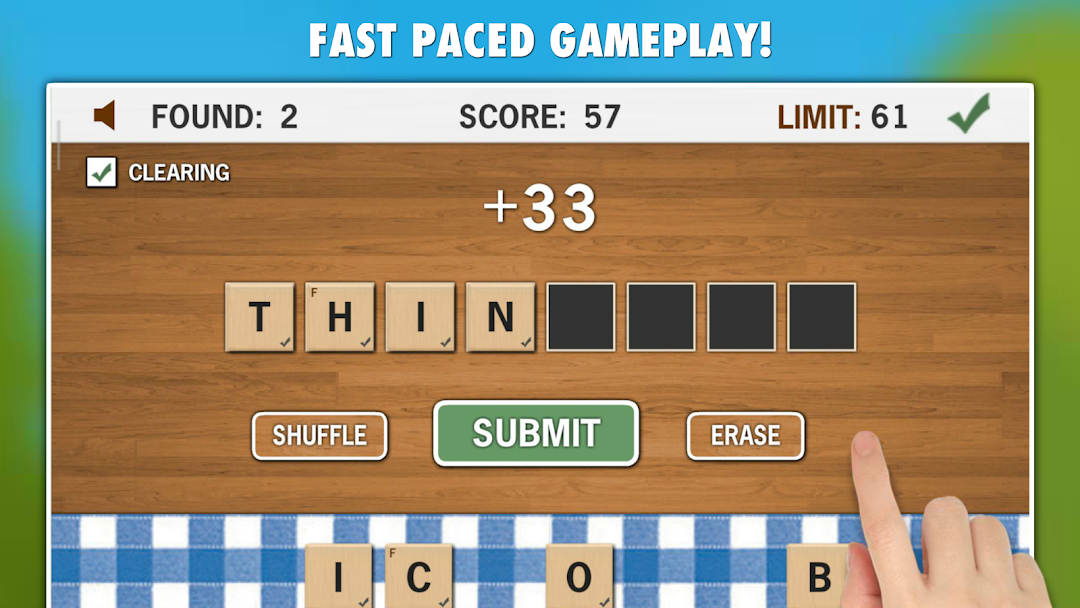
Will you become a new word search champion in our challenging fast paced word search game Master of Words? How many unique English words will you create from given letters?Master of Words requires fast thinking and typing, but if you prefer to play with no pressure, then you can play an untimed relax mode that has no timer and you can play as long as you want.
Master of Words is free to download and the game is playable without internet connection or WiFi.
FEATURES:
* Fast paced word search game
* 3 game modes to choose from - Challenge, Quick and Relax
* More than 500 000 English words included
* Improve your typing and spelling skills while playing
* TOP20 - compare your score with points of other people from all around the world
* Playable without internet and WiFi
HOW TO PLAY:
1) Tap on the letters in the bottom part of the screen in order to create English words. Each word must have at least 3 letters and must be unique.
2) The game automatically recognizes if the word exists or not, if yes then the SUBMIT button will appear, press it to submit your word. Remember, longer words you create, better score you get!
3) Get the best score possible before the of the time limit! (Note: You can end the game and submit your overall score anytime you want by pressing the GREEN TICK button in the top right corner)
4) To erase the single letter just tap on it. To erase all the letters tap on the ERASE button.
5) To shuffle/mix the letters press the SHUFFLE button.
6) You can enable/disable auto-clearing of your word after it's submitted, just tap on a CLEARING check-box. This will allow you to create new words faster for example in case that you want to remove just some letters from your word or add some extra letters!
Example of clearing option:
(Clearing enabled - by default)
* You create a word HORSE, after the word is submitted the whole word is erased and you must type it again + add a letter S in order to create a new word HORSES
(Clearing disabled)
* You create a word HORSE, after the word is submitted you can just add S and you have a new word HORSES without retyping the whole word!
GAME MODES:
* Challenge - 75 seconds time limit, each word created from 4 or more letters will add extra seconds!
* Quick - 120 seconds time limit. Think & type fast as many words as you can!
* Relax - no time limit, play as long as you want!
Have fun with our game Master of Words!