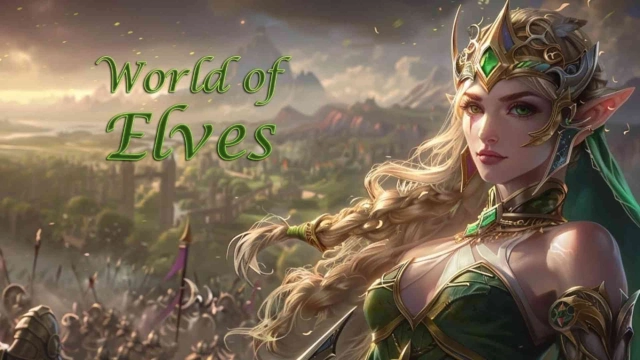
World of Elves: Elf Simulator is a Strategy game developed by WeHugGames, and LDPlayer is the best platform for playing World of Elves: Elf Simulator on Windows PC, offering powerful features for an immersive experience.
When playing World of Elves: Elf Simulator on your computer, you can enjoy long game sessions using the operation recording feature to record repetitive operations to complete the same tasks automatically. It allows you to level up faster and makes resource grinding much more efficient.
In addition, if you want to execute combo moves or the game requires repeated skill actions, the macro feature is your best helper. It enables you to complete kills with just one click!
If you want to manage multiple accounts, LDMultiplayer and Synchronizer will assist you. You can run multiple alternative accounts at the same time to assist the leveling of your main account. Download and play World of Elves: Elf Simulator on PC with LDPlayer now!
Google Play Description:Step into the enchanted realm of World of Elves: Elf Simulator, a fantasy strategy game where you build, expand, and defend your kingdom in a world filled with magic, mystery, and epic battles! Lead your elven civilization to power by commanding legendary heroes, forging powerful alliances, and conquering mystical lands.
🏰 Build and Grow Your Elven Kingdom
Transform your settlement into a thriving elven empire! Develop resources, strengthen defenses, and construct enchanted buildings to protect your kingdom from enemies.
⚔️ Command Legendary Heroes
Summon powerful elven heroes, each with unique skills and abilities. Train them to lead your armies in strategic battles across mystical lands.
🌍 Conquer Vast and Magical Realms
Explore a massive world filled with ancient forests, sacred glades, and hidden treasures. Expand your empire by capturing new territories and harnessing the power of elven magic.
🛡️ Forge Alliances & Engage in Epic Wars
Form alliances with other players and wage epic wars together. Coordinate attacks, share resources, and dominate rival kingdoms to become the most powerful realm in the elven world!
🌟 Shape the Destiny of Your Empire
Every choice you make will shape the future of your elven empire. Will you lead your people to greatness or face the fall of your kingdom?
Game Features:
City-building and strategy gameplay
Powerful heroes with unique abilities
Massive PvP battles and alliances
A vast, magical world to explore
Stunning visuals and immersive soundscapes
Begin your journey in World of Elves: Elf Simulator and lead your elven kingdom to eternal glory!