Home/

Games/

Role Playing/

YuYu Hakusho: Slugfest

YuYu Hakusho: Slugfest
5.0500+

YuYu Hakusho: Slugfest

How to Download&Play YuYu Hakusho: Slugfest on PC?
Last Updated: 2026-01-20
com.yybseu.ld
Download apk
Share:
  • Overview

  • FAQ

Use LDPlayer to Play YuYu Hakusho: Slugfest on PC

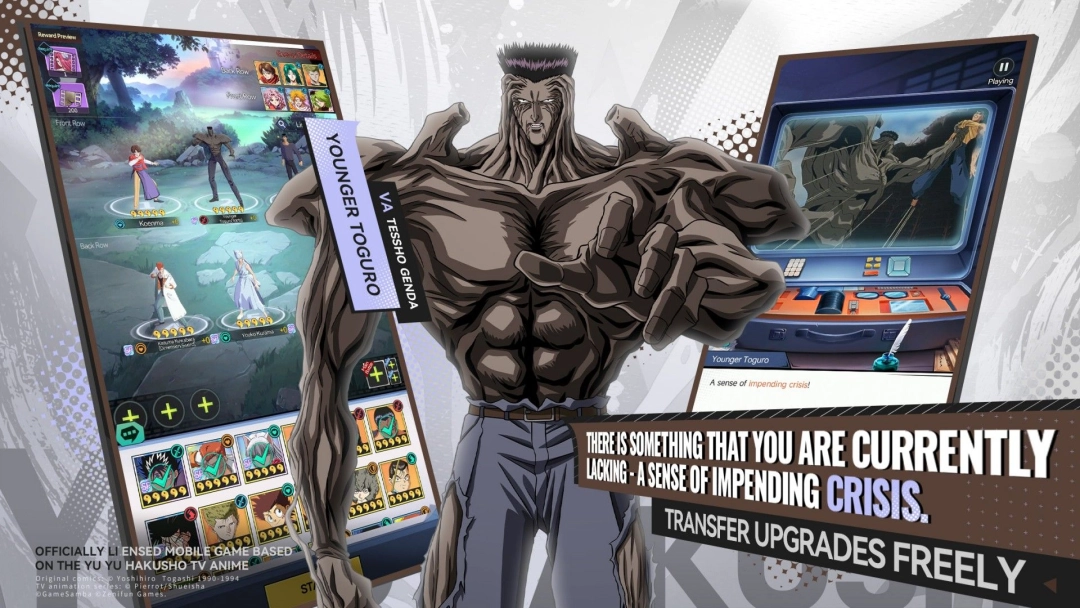
Yu Yu Hakusho: Slugfest is the official 3D RPG adaptation of the legendary anime, now available on mobile—and even better on PC with LDPlayer. Enjoy smoother performance, better graphics, and full keyboard control when you play Yu Yu Hakusho: Slugfest on LDPlayer.

Follow the story of Yusuke Urameshi, a rebellious teen who dies saving a child and is offered a second chance by the Spirit World. Relive classic moments, assemble your team with iconic characters like Kurama and Hiei, and engage in real-time battles across rich, anime-inspired worlds. Whether you're exploring the story or taking on PvP and co-op missions, the action never stops.

Don’t miss your chance to experience Yu Yu Hakusho: Slugfest the way it was meant to be played—on a bigger screen with powerful PC performance. Download and play now with LDPlayer!


Open up

Screenshots and Videos of YuYu Hakusho: Slugfest PC

Experience a wider field of view, exquisite game graphics, and cooler combat skills and effects by downloading and playing YuYu Hakusho: Slugfest on PC with LDPlayer. Enjoy the ultimate gaming experience with LDPlayer.

Why Play YuYu Hakusho: Slugfest on PC with LDPlayer?

LDPlayer offers unique emulator features including multi-instance support, macros, operation recorder, and other functions not available on mobile devices.

Multi-Instance & Sync

Remote Control

Operation Recorder

Multi-Instance & SyncRemote ControlOperation Recorder

Effortlessly clone multiple instances and initiate synchronization until you draw the desired hero before binding your account, enhancing efficiency in rerolls in YuYu Hakusho: Slugfest.

  • High FPS

    With support for high FPS, YuYu Hakusho: Slugfest's game graphics are smoother, and actions are more seamless, enhancing the visual experience and immersion of playing YuYu Hakusho: Slugfest.
  • Keyboard & Mouse

    In YuYu Hakusho: Slugfest, players frequently perform actions such as character movement, skill selection, and combat, where keyboard and mouse offer more convenient and responsive operation.

How to Download&Play YuYu Hakusho: Slugfest on PC?

  • 1

    Download and install LDPlayer 9 on your PC.

  • 2

    Enter YuYu Hakusho: Slugfest in the search bar to search for the game.

  • 3

    Choose YuYu Hakusho: Slugfest developed by ZZZ from the search results and click on "Install".

  • 4

    Once the installation is complete, click the game icon in LDPlayer to launch it.

  • 5

    Log in to LDGame with Google, Line, Facebook or Email account to start playing the game.

  • 6

    Enjoy exclusive top-up discounts and free redeem codes in LDPlayer version of YuYu Hakusho: Slugfest!