Zen Tile is a Board application developed by Severus Prince, but with the best Android emulator-LDPlayer, you can download and play Zen Tile on your computer.
Running Zen Tile on your computer allows you to browse clearly on a large screen, and controlling the application with a mouse and keyboard is much faster than using touchscreen, all while never having to worry about device battery issues.
With multi-instance and synchronization features, you can even run multiple applications and accounts on your PC.
And file sharing makes sharing images, videos, and files incredibly easy.
Download Zen Tile and run it on your PC. Enjoy the large screen and high-definition quality on your PC!
ZEN Tiles" is a tool for individuals to arrange "feeling tiles" and objectively view their own emotions. Look at the 20 types of "feeling tiles," recall events, and arrange them by time. Looking back on the day, you can feel happy that you"ve been working hard, or be surprised that you really felt this way. Five minutes of playing alone in a quiet place is a reward time for yourself. For those who feel a little tired every day. It is a "tool to organize your mind" that allows you to have a dialogue with your true self.How to play the game
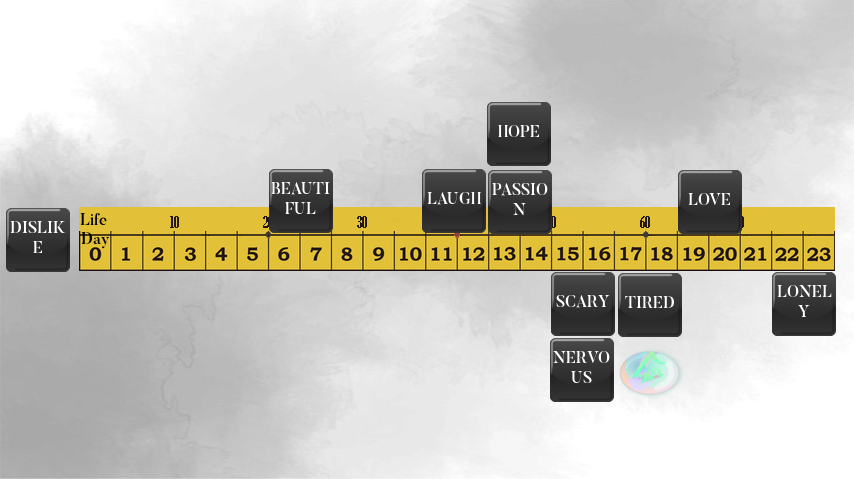
1) Take out one feeling tile.
2) Think back to your day and remember the events that made you feel the way you feel on your Feelings tile.
3) Place it on the time board at the appropriate time.
・Tiles that make you feel good should be placed above the time board, and tiles that make you feel bad should be placed below the time board.
・If you cannot place a tile adjacent to the time board because another tile has already been placed, place a tile adjacent to the already placed tile so that the horizontal axis becomes the corresponding time.
・If you cannot remember the event associated with that feeling tile, place it to the left of the time board.
From now on, this place will be called "the place to put tiles of feelings I can"t remember."
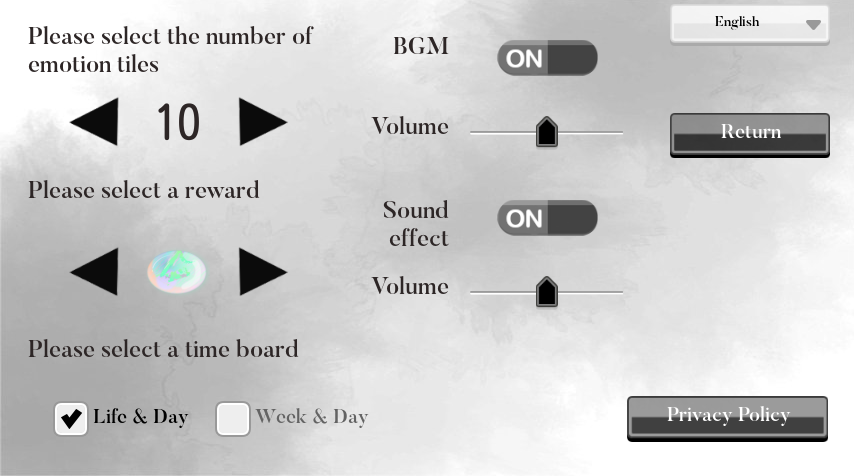
4) Continue in this manner until you have flipped and placed the 10th feeling tile from the pile.
Feels good
I can"t remember
Unpleasant Feelings
Once you get used to it 1,
・When placing a Feelings tile, try expressing the "degree to which you felt that emotion" with its "height."
If you "felt it very strongly," place it away from the time board, and if you "felt it a little," place it near the time board. You can also swap the top and bottom of an already placed feeling tile.
By doing so, you will be able to objectively see which emotion you felt most when you felt multiple emotions during a single event.
・Once you get used to it 2
・Continue playing until you have placed all 20 feeling tiles. Each tile you place on the time board counts as 1 point, and if you can remember all the feelings, you will get a perfect score of 20 points.
At first, you will encounter many "feeling tiles that you can"t remember," but as you play every day, you will become more sensitive to your own feelings in everyday life and will be able to place all of the feeling tiles.
Even in the midst of your busy, ordinary daily life, you will likely be able to find many happy and fun things.
Reward time
Once you"ve placed the Feeling Tile, you can cheer yourself on by placing a "Pretty Stone" next to the Feeling Tile you want to praise yourself for, saying "You did a great job!"
I"ve done well today! I"m proud of myself!"
Let"s look at the screen
Even on a day that seems like nothing happened, you"ll probably realize that a variety of emotions arose.
Even if you are experiencing negative emotions, try to acknowledge that this is just who you are.
By taking photos, you can leave a diary that only you can understand.
Doing this consistently may change the way you feel about your daily life.
Once you get used to it, step 3
・At the top of the time board, there is a mark that represents one week.You can also place feeling tiles.
・The top of the time board has a memory that represents "life". While remembering your life so far,You can also place feeling tiles.