

Hindi Keyboard is a Tools application developed by Split Word, but with the best Android emulator-LDPlayer, you can download and play Hindi Keyboard on your computer.
Running Hindi Keyboard on your computer allows you to browse clearly on a large screen, and controlling the application with a mouse and keyboard is much faster than using touchscreen, all while never having to worry about device battery issues.
With multi-instance and synchronization features, you can even run multiple applications and accounts on your PC.
And file sharing makes sharing images, videos, and files incredibly easy.
Download Hindi Keyboard and run it on your PC. Enjoy the large screen and high-definition quality on your PC!
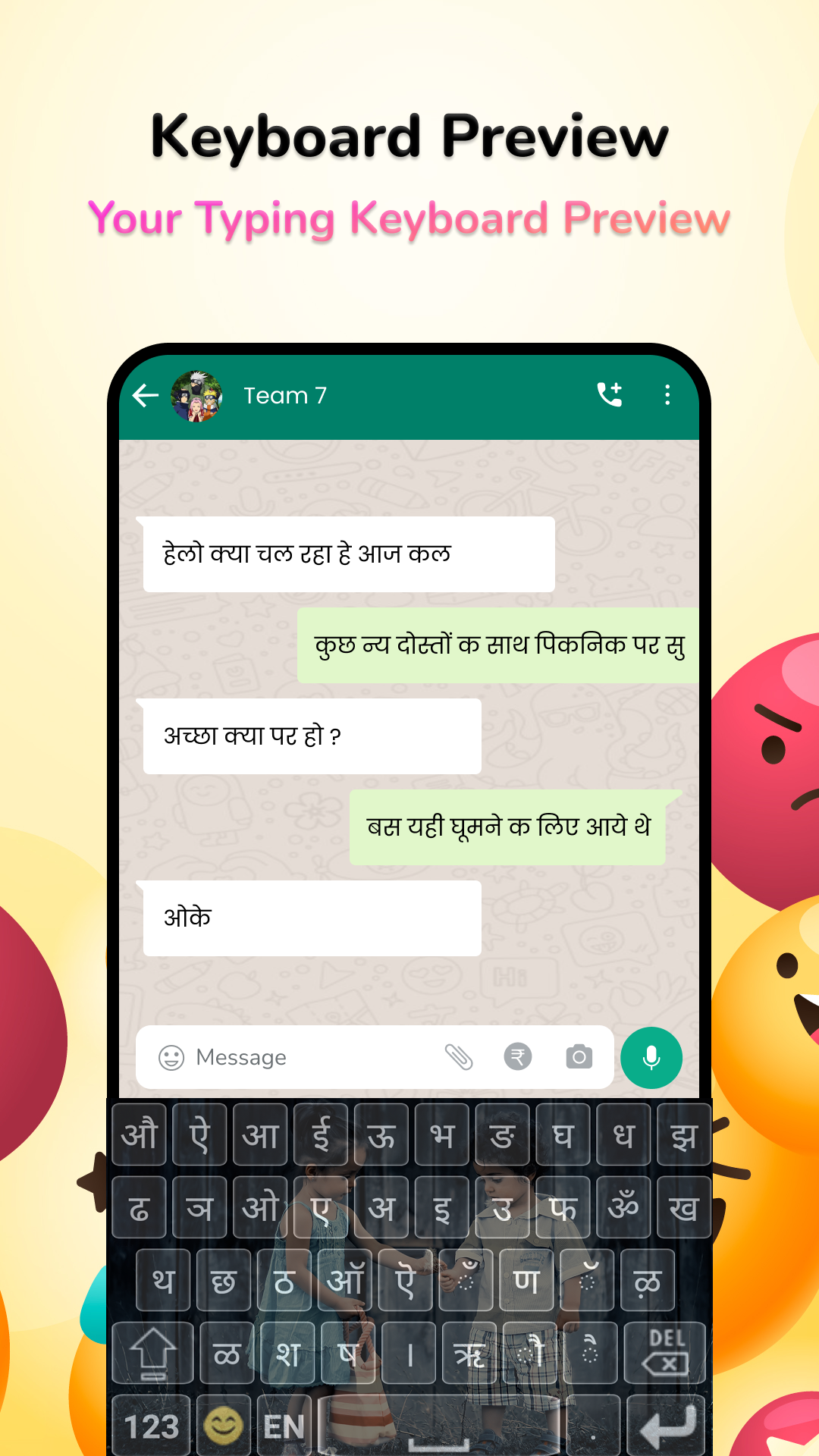
Hindi Keyboard lets you type in English characters which gets instantly converted to Hindi.Typing with this Hindi keyboard is the fastest way to type - you don't need any other Hindi input tools. It works inside all applications on your phone - no more copy-paste! this is the trendiest way to type Hindi letters on Android, and the easiest Hindi typing keyboard!
Chat with your friends and family in your native language - use native Hindi text on any chatting or social media apps on your phone like a regular keyboard.
How to start Hindi typing using this Hindi Keyboard:
1. Open Hindi Keyboard from your apps after installing
2. Enable and choose Hindi Keyboard as your default keyboard.
3. Customize settings and choose from 21 amazing themes
4. Start typing Hindi language everywhere!
Start typing in English and choose Hindi word suggestions for what you're typing. Offline support coming soon. Works on Android phones and Android tablets. Simple to use with touch screen Hindi text typing from phonetic transliteration using this keyboard.
- Hindi keypad, Hindi layout and Hindi mobile keyboard in all your applications
- Easy switch to English or Hindi text as you need. Turn off Hindi when you don't need by using the language button.
- Emoji's are supported: hold on the 123 number button and you'll get a list of smileys. There are 3 pages from which you can choose what you need from the Hindi smiley keyboard..
- Color themes can be changed from the settings page. Look for Hindi keyboard in your apps to access this.
- Send emojis/emoticons using a free emoji keyboard.
★Latest and Stylish Fonts
- Send text in various stylish fonts.
- Use the latest and stylish font text in mobile phone.
This is the best Android Hindi Transliteration Keyboard that is free, fast, effortless and easy to use.