
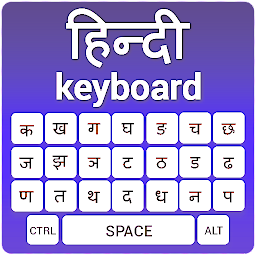


Hindi Keyboard: Hindi Typing is a Tools application developed by Uncle Keyboards Inc., but with the best Android emulator-LDPlayer, you can download and play Hindi Keyboard: Hindi Typing on your computer.
Running Hindi Keyboard: Hindi Typing on your computer allows you to browse clearly on a large screen, and controlling the application with a mouse and keyboard is much faster than using touchscreen, all while never having to worry about device battery issues.
With multi-instance and synchronization features, you can even run multiple applications and accounts on your PC.
And file sharing makes sharing images, videos, and files incredibly easy.
Download Hindi Keyboard: Hindi Typing and run it on your PC. Enjoy the large screen and high-definition quality on your PC!
Hindi Keyboard App is your Ultimate Typing Companion. Experience the perfect blend of functionality and style with the Hindi Keyboard. Whether you’re typing Hindi or English, this app is packed with features to elevate your typing experience. Personalize your Hindi Keyboard App convert voice to text and explore a wide array of exciting emojis, themes, stickers, and more!💥 Fast - Fun - Functional!! Bharat Keyboard 💥
Enable your Bharat keyboard, customize it to your liking, and dive into a world of engaging features that make typing smooth, enjoyable, and uniquely yours.
Explore Amazing Hindi Keyboard Features:
1. Personalize with Themes
Choose from a variety of stunning themes to style your Hindi keyboard. Whether you want something vibrant. We have a theme to match your mood.
2. Stickers Galore
Express yourself with a collection of fun and expressive stickers. Add personality to your chats with just a tap.
3. Voice-to-Text Conversion
Speak your thoughts and let the Hindi Typing App convert your voice into text. Save time and effort with this innovative feature.
4. Unique Fonts
Customize your typing style with a selection of cool and trendy fonts to give your messages a unique flair.
5. Adjustable Keyboard Size
Resize the keyboard to suit your preference. Big or small, the choice is yours.
6. Add Your Favorite Photos
Make your keyboard truly yours by adding your favorite photo as the keyboard background.
7. Emojis & Fun Tools
Explore an exciting collection of emojis, GIFs, and tools to make your chats lively and engaging.
How to Set Up Your Hindi Keyboard:
Enable Your Keyboard
Download and install the Hindi Keyboard App.
Open the app and select "Enable Keyboard."
Choose Hindi Keyboard
Select the Hindi Keyboard from the input options to activate it.
Preview Your Keyboard
Check how your customized keyboard looks with the preview option before you start Hindi typing.
With the Hindi Keyboard App, typing in Hindi or English has never been easier or more fun. Enhance your chats with stickers, emojis, and vibrant themes. Personalize your keyboard for a typing experience that's uniquely yours.
Download the Hindi Keyboard App today and transform your typing experience!


