Moth - sound & volume booster is a Tools application developed by BRILIC MEDIA, but with the best Android emulator-LDPlayer, you can download and play Moth - sound & volume booster on your computer.
Running Moth - sound & volume booster on your computer allows you to browse clearly on a large screen, and controlling the application with a mouse and keyboard is much faster than using touchscreen, all while never having to worry about device battery issues.
With multi-instance and synchronization features, you can even run multiple applications and accounts on your PC.
And file sharing makes sharing images, videos, and files incredibly easy.
Download Moth - sound & volume booster and run it on your PC. Enjoy the large screen and high-definition quality on your PC!
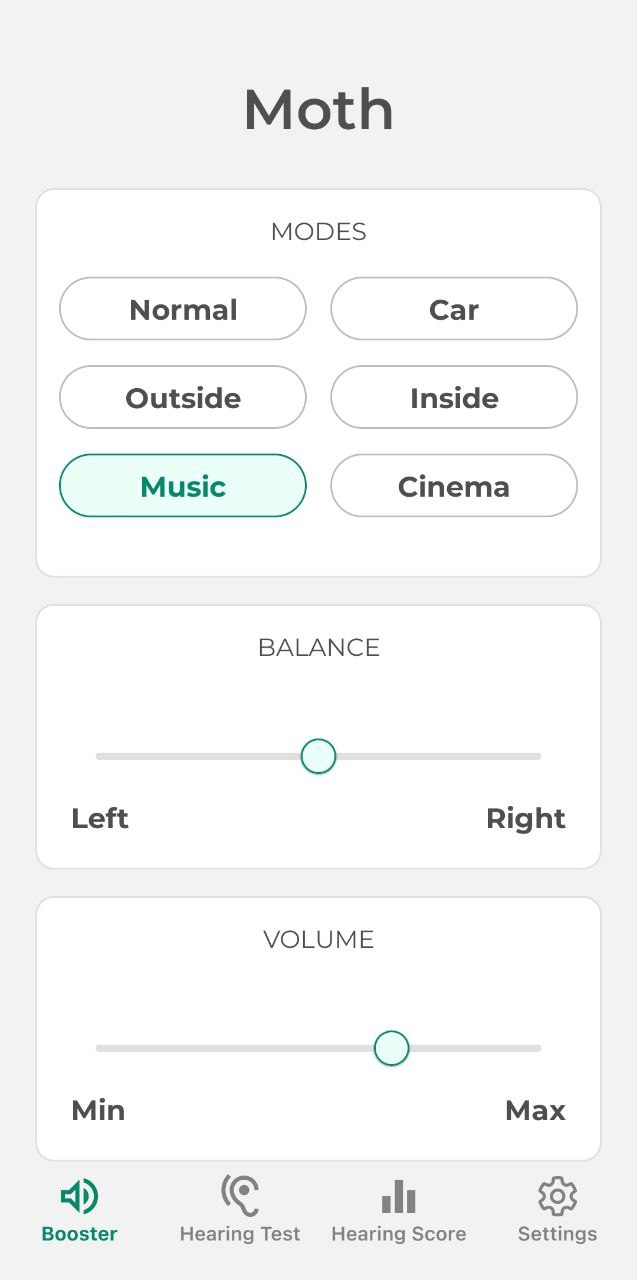
Moth is an app that will test your hearing and help amplify sound around.Sound Amplifier
Using headphones you can hear the world around you louder. The app supports scenarios such as: normal, in the car, indoors, outdoors and cinema.
You can control the sound settings separately in the left and right earphones as well as increase or decrease the overall volume.
Hearing Test
The Moth application offers you to listen to sounds of different frequencies, separately for the left and the right ear. At the end of the test you will know, as a percentage of the frequencies that your ears can perceive.
Hearing Age
It's simple - you have to listen to a special sound and press stop as soon as you stop hearing it, the fewer points you score, the younger and better your hearing is.
Note: Please, pay attention that the app is not designed to replace a professional hearing test. If you would like to take a closer look at your hearing, you can book an appointment with a doctor.
Privacy: https://sites.google.com/view/moth-app/privacy-policy
Terms: https://sites.google.com/view/moth-app/terms-of-use
Support: https://sites.google.com/view/moth-app/support
Contact us: moth.hearing@gmail.com