home page
Games
Pre-RegisterRPGStrategyAdventureCasualArcadeRacingActionSimulation
Support
LDPlayer 9 IntroductionEnable VTStartup Stuck at 50%/94%Fix Invalid Virtual DiskUpdate Graphics DriverKeyboard MappingEnable LDMultiplayerFPS Setting
Blogs
Updates
LDGame
Affiliate
LDGame Community
download ldplayer
Download LDPlayer
English
繁體中文한국어Tiếng ViệtภาษาไทยPусскийPortuguêsEspañolFrançaisDeutsch日本語Indonesiaالعربية

LDPlayer Support

EmailFacebookDiscordLDGame Customer Service(For LDPlayer account & recharge problem)

Products

LDCloudOSLinkEasyFunLDShop

About

About UsBusiness InquiryDMCA Takedown

Follow Us

©2025 LDPLAYER.NET , ALL RIGHTS RESERVED.JUST OKAY LIMITED , OFFICE F, 12/F, YHC TOWER , 1 SHEUNG YUET RD, KOWLOON BAY KLN, HONG KONG
Games and applications on this site are collected from the internet. If there is any infringement, please contact the email: support@ldplayer.net
Privacy Policy|GDPR Privacy Notice|Help Translate
English
繁體中文한국어Tiếng ViệtภาษาไทยPусскийPortuguêsEspañolFrançaisDeutsch日本語Indonesiaالعربية

Blogs/

Game Guides/

News and Guides for Arknights

How to Play Arknights at 120 FPS on PC with LDPlayer 9

2025-11-06

Arknights is a tower defense mobile game where you place your units on the field to defend many waves of enemy coming to your way from air and ground. To get a better gaming experience, here's a tutorial on how to set up 120 FPS of playing Arknights on PC with LDPlayer 9, the latest version of LDPlayer.

Step 1. Download LDPlayer 9 at the top right and install Arknights in LD Store.
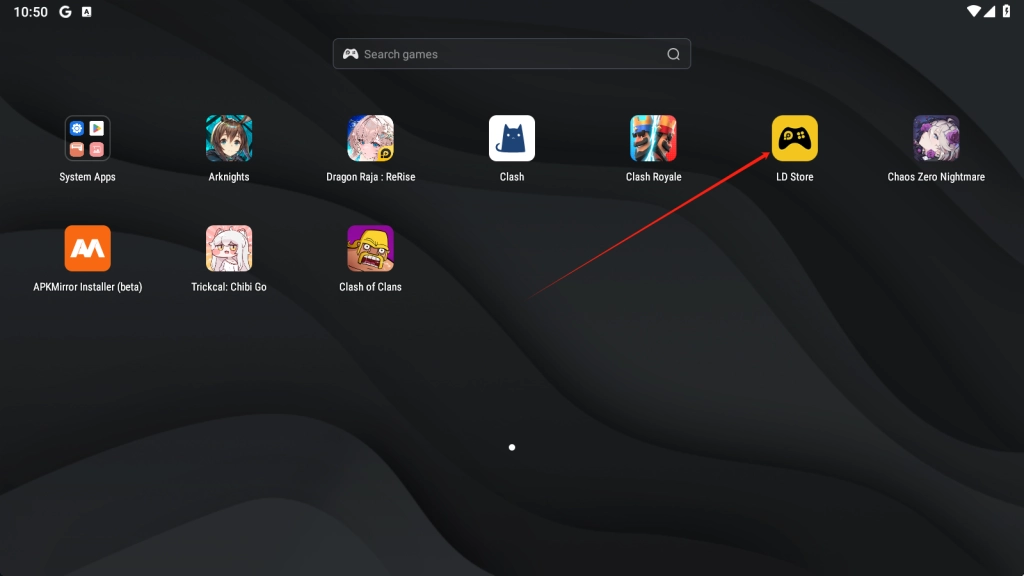
How to Play Arknights at 120 FPS on PC with LDPlayer 9

Step 2. Click the "menu" at the top bar and enter into Settings - Three horizontal lines. Go to Display > Scroll down and find out the FPS mode > choose High FPS mode. The default frame rate is 120, so you don't need to adjust. Then you need to click "Save Settings" to take it into effect.

Note: "Arknights" currently only supports 120FPS, and selecting a higher FPS will not enable 120FPS mode.
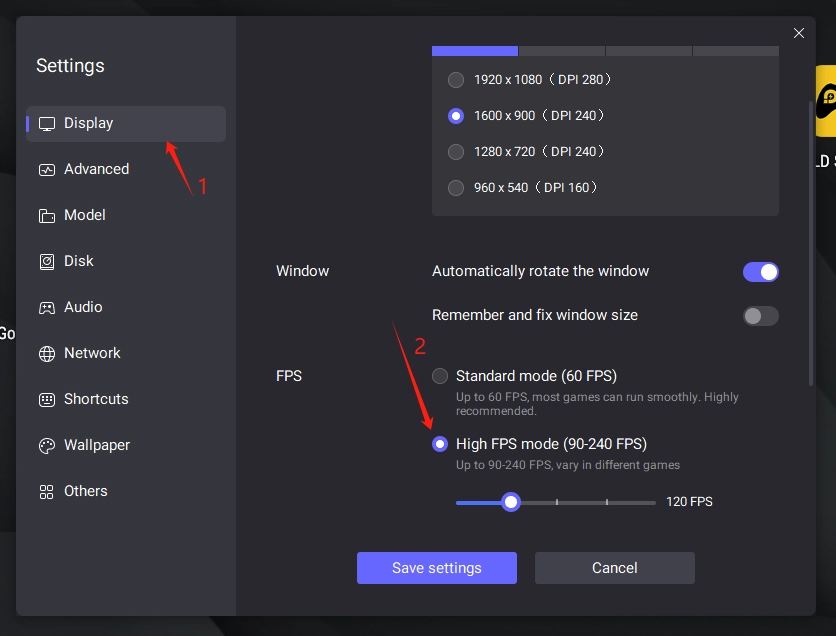
How to Play Arknights at 120 FPS on PC with LDPlayer 9

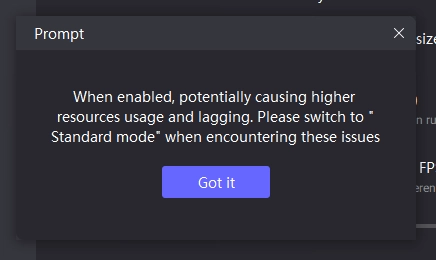
Click "Got it" to proceed.

How to Play Arknights at 120 FPS on PC with LDPlayer 9

Steps 3. It will pop up a window and you just need to tap on "Restart now" to restart LDPlayer. Then you can play Arknights on PC with 120 FPS now!
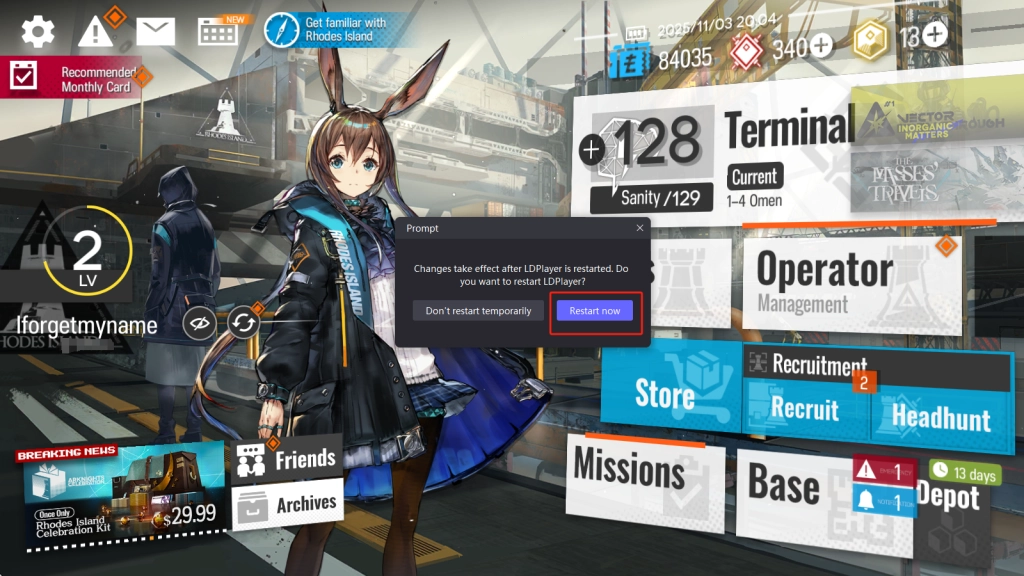
Restart now

Note: This setting will only fit high-end PCs. Low-end PCs will hardly benefit from this setting and even be laggy when running games.

You May be Interested in:

Performance Comparison to Run Arknights - LDPlayer 9 vs. LDPlayer 4

Arknights Tier List and Best Characters July 2022

Wild Rift Patch 2.2A Released – New Champions, Balance Changes & More
|
Arcana Tactics 4.11 New updates New Summon and More!

Arknights

You May Also Like
Top Game Guides
Arknights 6th Anniversary Is Here - Everything You Need to Know
Myrtle Crossover Skin - Arknights x Taiko no Tatsujin Collab
Arknights Leizi Review and Mastery Priority – Is She Better than Mlynar?
Arknights Nasti Guide: Skills, E2 Builds, Mastery Priority & Teams
Arknights Mudrock Build Guide - Optimized Abilities & Module
Arknights | Best Rockrock Build Guide