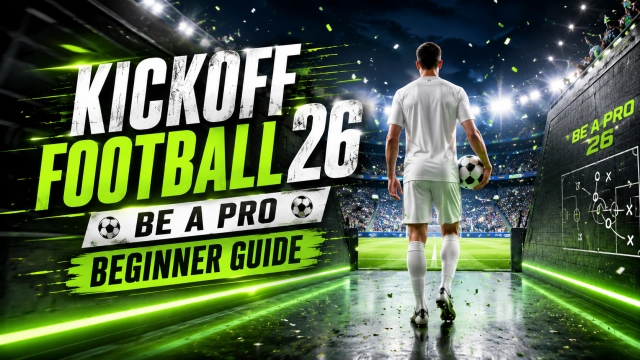
How to Play Kickoff Football 26: Be A Pro on PC?

Nipun Gimhan
|2026-06-10Get ready for an ultimate Kickoff Football 26: Be A Pro playing experience like a real champ! The optimal method to enjoy an enhanced gameplay experience over mobile touch controls is through playing Kickoff Football 26: Be A Pro via LDPlayer from your PC. Enjoy an even better visual performance and stable gameplay using easy keyboard and mouse controls Follow our guide to download and set up LDPlayer step by step, and explore powerful features that enhance your overall football gaming experience.
Contents

Kickoff Football 26: Be A Pro - How to Run on PC with LDPlayer in 4 Simple Steps
Step 1: Installing LDPlayer Android Emulator
To play the thrilling football games by playing the Kickoff Football 26: Be A Pro game on your computer, you must download an efficient and reliable Android emulator that will provide you with great gaming experience. LDPlayer is considered among the most efficient Android emulators since it provides excellent speed, useful features, and enhanced graphics.
1.1 – Head to the official LDPlayer website and download the latest version of LDPlayer 9 for PC.
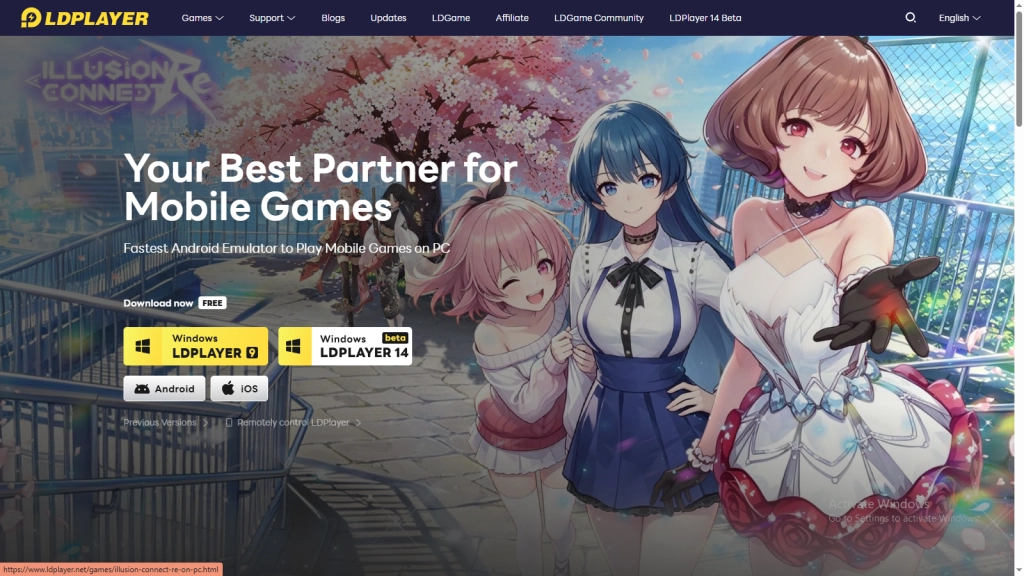
1.2 – Once you have downloaded, find the downloaded file on your PC and double-click to launch the installation process.
1.3 – Press the Install button and wait for the application to be installed on your device.
1.4 – Once the installation finishes, open LDPlayer from either the Desktop or Start Menu. Your PC is now game-ready for smooth mobile action.
Step 2: Search and Install Kickoff Football 26: Be A Pro in LDPlayer
Now LDPlayer is functioning well on your PC; all that remains to be done is to install Kickoff Football 26: Be A Pro on your big screen and begin your journey toward becoming a football legend.
2.1 - Open up LDPlayer and locate the search bar located on the LDPlayer emulator home page.
2.2 - Enter the keyword “Kickoff Football 26: Be A Pro” and choose the official game that is published by Joy Nice Games.
2.3 - Hit on the Install button to get started with the download process right from within LDPlayer.
2.4 - Sometimes, LDPlayer might take you to the Google Play Store. In such a case, just follow the next steps to complete the installation.
Step 3: Login to Google Play Store (If required)
Don’t be worried if LDPlayer directs you to the Google Play Store when attempting the installation. All you have to do is log in using your Google account to proceed with the download and installation of the game. Here’s how to do it:
3.1 – Click the Sign In button on the Google Play Store page.
3.2 – Input your Gmail ID or create a Google account if you don’t have one.
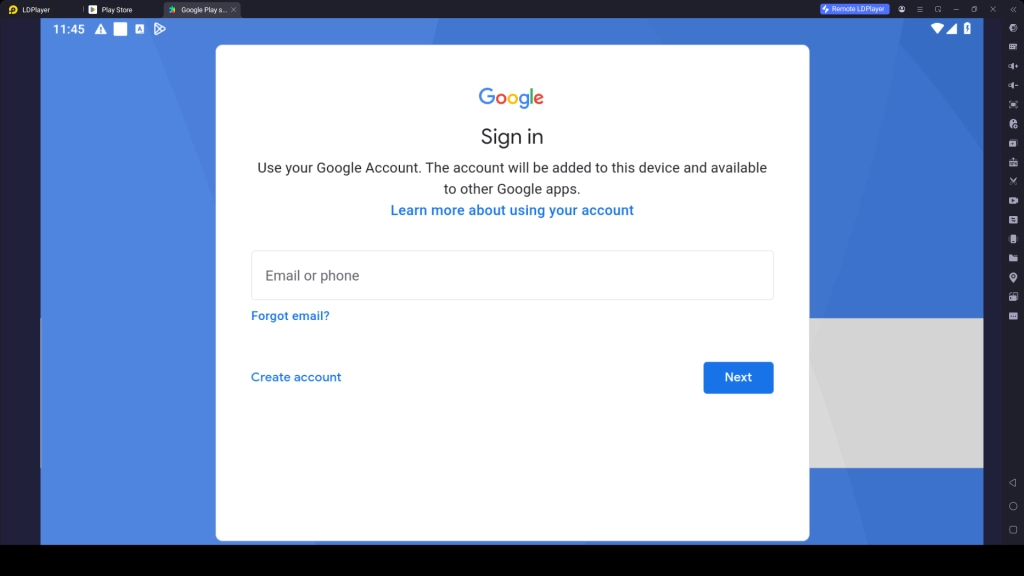
3.3 – Enter your password and v complete any additional verification steps if requested.
3.4 – Accept the terms and conditions of Google by pressing the 'I Agree' button.
3.5 – Choose whether you'd like to enable Google Backup or skip it for now.
3.6 – Now search for Kickoff Football 26: Be A Pro again and tap Install to get the game inside your emulator.
3.7 – Wait for some time to complete the download and installation process within LDPlayer.
3.8 – After installation is complete, the game icon will appear on the LDPlayer home screen, ready to launch whenever you want to play.
Step 4: Download Additional Resources and Play the Game
When you begin to play the game "Kickoff Football 26: Be A Pro" for the very first time, there will be a need for downloading some additional files which usually contain all kinds of resources including players, stadiums, graphics, etc., that are required for the best gameplay experience.
4.1 – Launch the Kickoff Football 26: Be A Pro game by tapping on the game icon from the LDPlayer home screen.
4.2 – Tap Confirm or Download when prompted to begin downloading the game's additional resource files. The download usually takes just a few minutes to complete. It depends on your internet speed.
4.3 – Install all the files and create your account or log into the one created previously.
4.4 – Select your preferred login option, such as Google, Facebook, or any other available platform.
4.5 – It's all done. Now, you can play Kickoff Football 26: Be A Pro on your PC with smoother controls, better performance, a larger screen, and an overall enhanced football gaming experience with LDPlayer.
Common LDPlayer Issues and Their Easy Fixes
Play Kickoff Football 26: Be A Pro via LDPlayer on PC is an excellent choice for enjoying improved game control and performance. But during playtime, there may be certain technical glitches that might occur. There's no need to worry, most of these problems are quite common and can be fixed quickly with a few simple steps.
Fix Storage Issues with LDPlayer
While configuring or installing Kickoff Football 26: Be A Pro in LDPlayer, there may come situations where you face certain storage issues. In this situation, you are facing this issue because your LDPlayer does not have enough storage for downloading all the files of the game. As a result, you won’t be able to install or update the game.
How to Fix Storage Issues with LDPlayer:
- Make sure your LDPlayer instance has at least 6GB of free storage space available
- Go to LDPlayer Settings → Advanced Settings
- Then Allocate CPU core and RAM usage for better performance
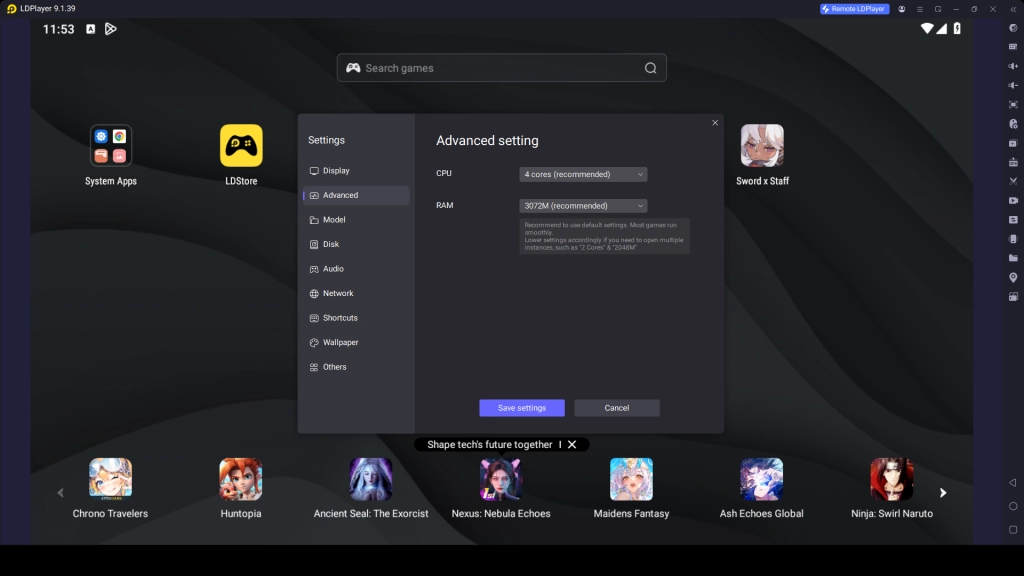
- Enable the Auto-Expand Disk setting to allow LDPlayer to use additional storage if necessary
- Click Save Settings and restart LDPlayer to apply the changes
- Remove unused apps, old game files, and unnecessary cache data to free up more space
- Try installing or updating Kickoff Football 26: Be A Pro once again
With enough storage space, you should be able to install Kickoff Football 26: Be A Pro easily and play games without experiencing any glitches.
Fix LDPlayer Lag and Low FPS Issue
There will always be chances of lagging and low frames per second during gameplay of Kickoff Football 26: Be A Pro using the LDPlayer. The reason behind these problems could be low system resources, outdated drivers, and inappropriate settings of the emulator. Thankfully, this is not a big problem, and can be solved by just following some easy steps:
How to Fix Lag Problems:
- Enabling Virtualization (VT) in your BIOS to improve emulator speed
- Setting up CPU cores and RAM according to your PC specifications in LDPlayer settings
- Updating your graphics drivers to the newest version
- Lower game resolution and DPI in LDPlayer settings for better performance
- Enable High Performance Mode in Windows power settings
- Restart LDPlayer and your PC after making changes for best results
Hot Recommend
Download LDPLAYER, play Ultimate Football: Dream XI on PC, enhance your gaming experience!


Play Kickoff Football 26: Be A Pro with Special LDPlayer Features
The experience of playing Kickoff Football 26: Be A Pro will be much better if it is played through the use of a PC along with LDPlayer. The reason for this is that this emulator will assist in improving the performance with special features to enhance gameplay experience.
Play Kickoff Football 26: Be A Pro with Keyboard and Mouse Set Up
Playing Kickoff Football 26: Be A Pro using a keyboard and mouse gives you far more precision and control than traditional touch gameplay. You can use LDPlayer's Keyboard Mapping Tool to assign keys to pass, shoot, tackle and switch players, then you can react faster in defense, execute perfect passes, and score goals with better accuracy.
How to Use Keyboard and Mouse Controls:
- Launch Kickoff Football 26: Be A Pro and open the Keyboard Mapping Tool from the LDPlayer side toolbar
- Assign keys for movement, passing, shooting, sprinting, tackling and skill actions
- Use default presets if available for quick setup
- Save your control settings after customizing
- Start the game and enjoy smooth keyboard + mouse gameplay
- You can adjust key bindings anytime based on your comfort
Try Different Teams and Formations with Multiple Instances
The Kickoff Football 26: Be A Pro is more fun when you can explore the game in many creative ways by using different players, teams, formations, and tactics. But from one game account, it might be harder than you think. That's where LDPlayer's Multi-Instance and Synchronizer feature comes to your help.
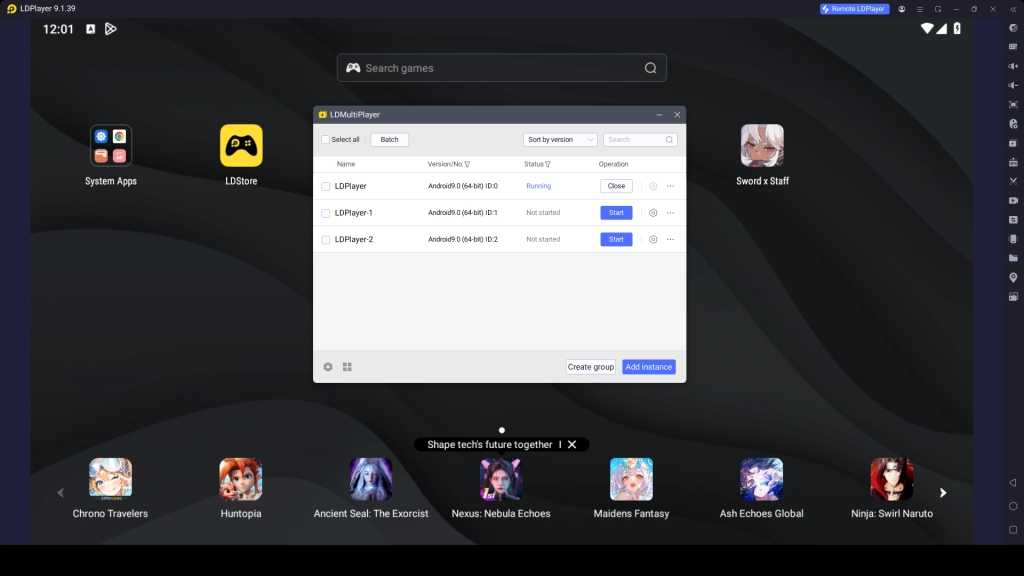
These features allow you to run several game accounts at once, allowing you to test various strategies without affecting your main progress. This makes it easy to test different formations and tactics and compare which strategy works best for your matches.
How to Use Multiple Instances:
- Open LDMultiplayer (Multi-Instance Manager)
- Click Create New Instance to launch another emulator window
- Clone your existing setup for faster configuration
- Open Kickoff Football 26: Be A Pro on each instance
- Log in with different accounts for each setup
- Try different formations, tactics, and teams
- Play matches to compare performance and gameplay style
- Keep your best-performing setup for main progression
Conclusion
With all the details from this guide, you’re now fully ready to enjoy Kickoff Football 26: Be A Pro on PC with smoother performance, enhanced visuals, and powerful LDPlayer features that take your gameplay to the next level. So, master all the special tools, optimize your controls, and unlock the best football gaming experience possible. Now step into the game, build your career, and enjoy every match like a true champion on the field.