How to Download & Play Last Z Survival Shooter on PC

David
|2025-10-15Last Z Survival Shooter blends with base-building, zombie survival, and bullet hell. If you want a better gameplay experience, you should try to play Last Z survival Shooter on PC with LDPlayer. It is the best Android Emulator with Multi-instances & Sync, Custosmizable FPS and Landscape, allowing you to enjoy smooth controls and brisk visuals!
Contents
Why Play Last Z Survival Shooter on PC
Playing Last Z Survival Shooter on mobile encounters overheating and lagging, resulting in an awful gameplay experience. Apart from that, your phone battery cannot maintain prolonged gaming sessions as well. However, these problems can be solved by playing on PC. With the help of LDPlayer, you can make full use of your computer's spcifications for better performance.
- Bigger Screen, Better Control: Enjoy the ultra-wide screen and accurate aiming and movement using keyboard and mouse.
- No Battery Drain: Competer has stable power supply, while you need to charge the mobile phone from time to time.
- No Overheating, No lagging: Playing Last Z Survival Shooter on PC avoid overheating, lagging and crashing thanks to the computer's cooling system.
- Multi-instances & Sync: The game provides gacha system, so you need to gather recruitment tickets. With Multi-instances & Sync, you can reroll heroes efficiently.
How to Download and Play Last Z Survival Shooter on PC
It is easy to learn how to download and play Last Z Survival Shooter on PC, even you never play mobile games on PC. This guide explains step-by-step tutorial, enabling you to know everything. So, do follow our steps and enjoy better performance and stability.
Step 1 - Install LDPlayer
1.1 Open LDPlayer official website, click the yellow button and download LDPlayer.
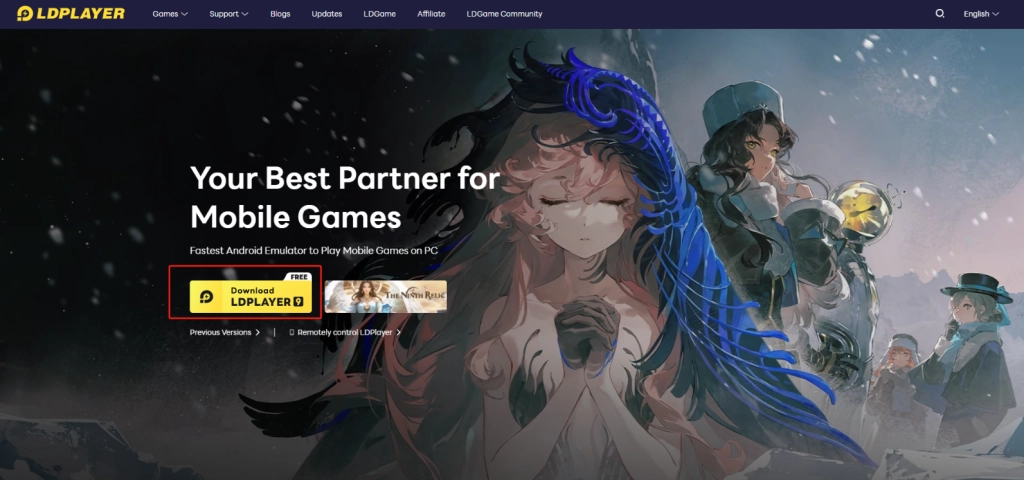
1.2 Install LDPlayer with the instructions. You can see LDPlayer and LDMultiPlayer shortcut on desktop.
Step 2 - Download Last Z Survival Shooter
2.1 Once you have installed LDPlayer, start the emulator. Then, search Last Z Survival Shooter in the middle search bar. The first result is what you want to play.
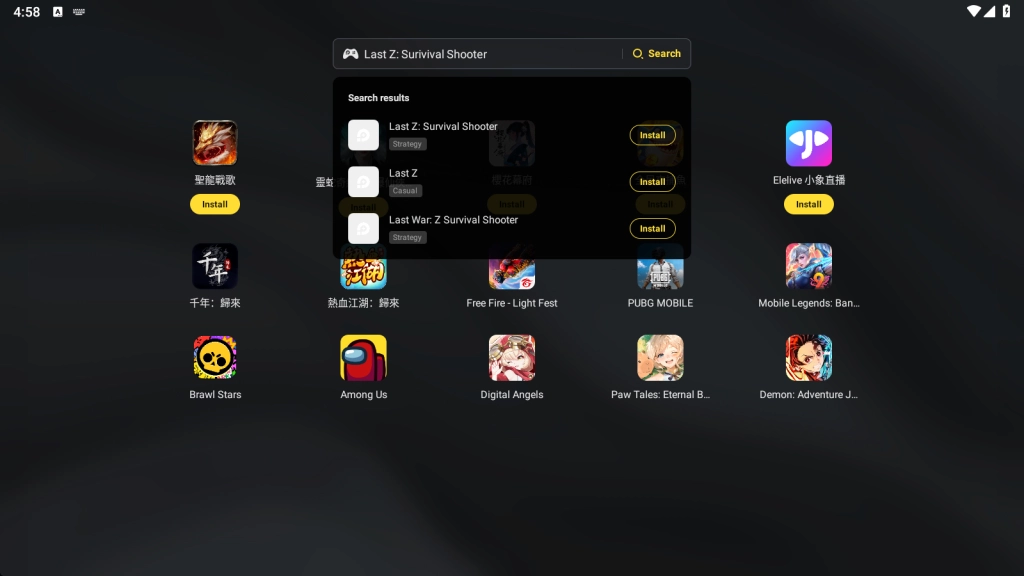
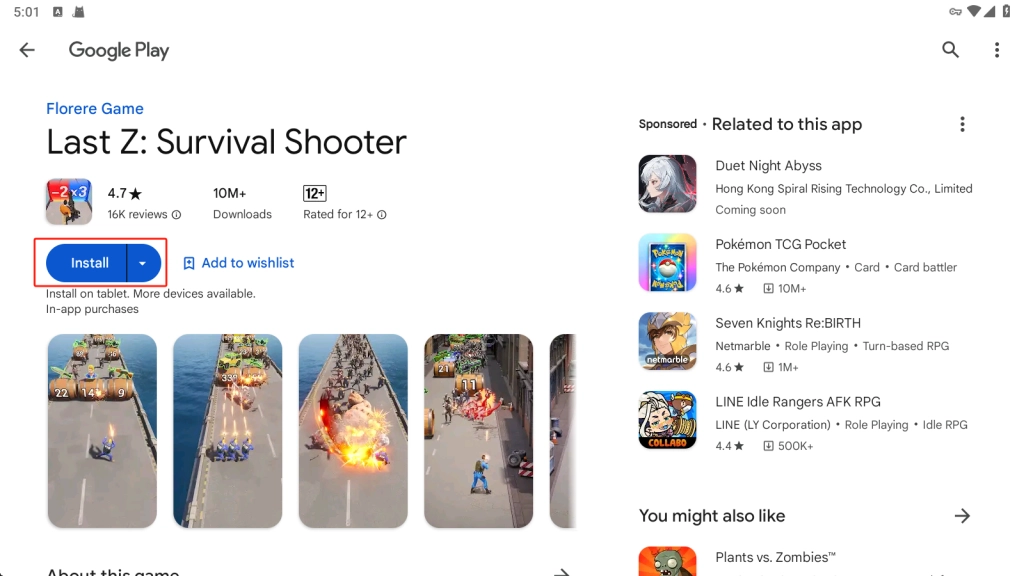
2.2 Click the Install button.
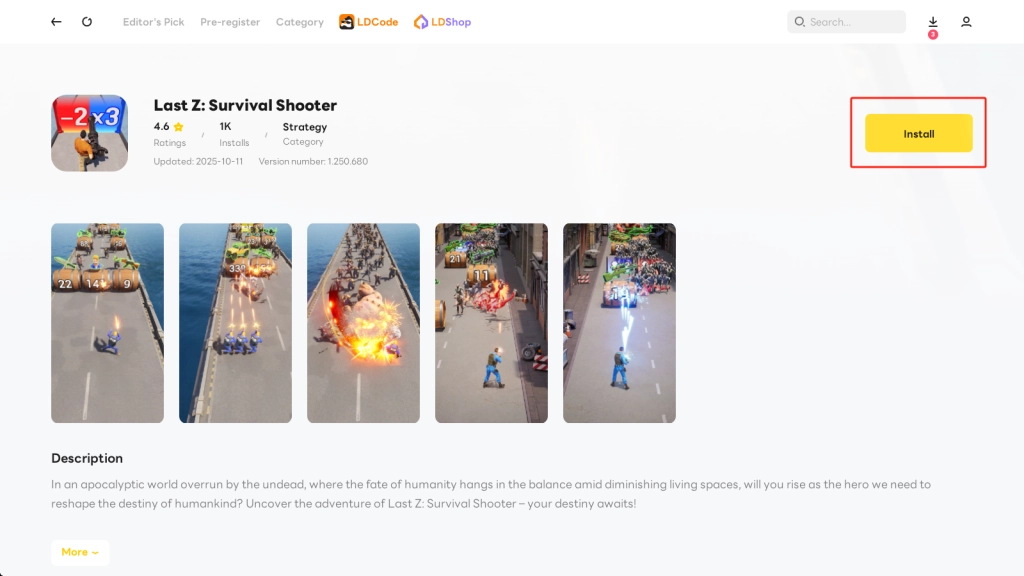
2.3 After redirecting to Google Play, follow the instructions to sign in your account.
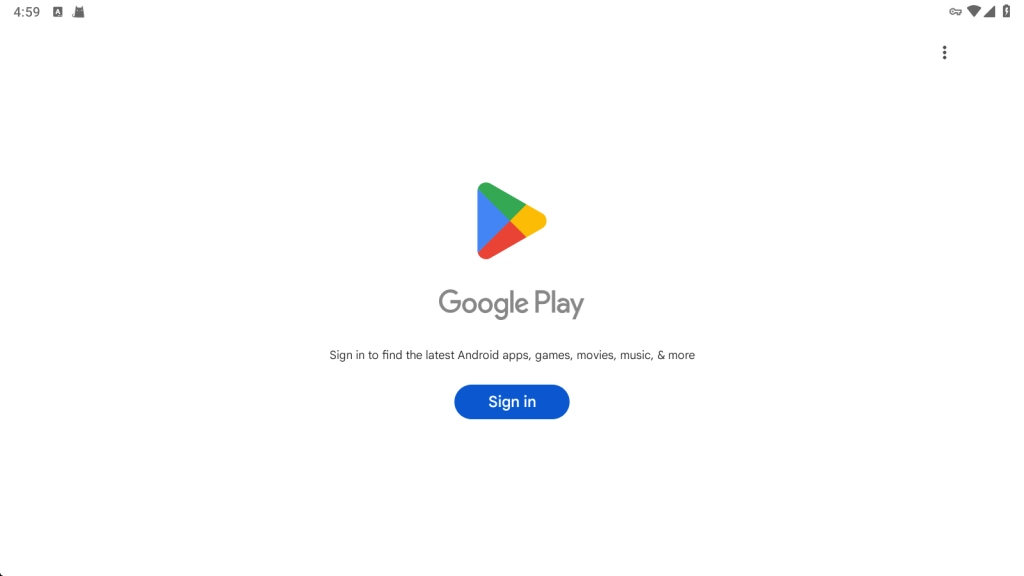
2.4 Once you successfully log in Google Play, you can start installing Last Z: Survival Shooter.
Step 3 - Start playing Last Z Survival Shooter
3.1 Click the game icon on home screen. Complete the tutorial and enjoy Last Z Survival Shooter!
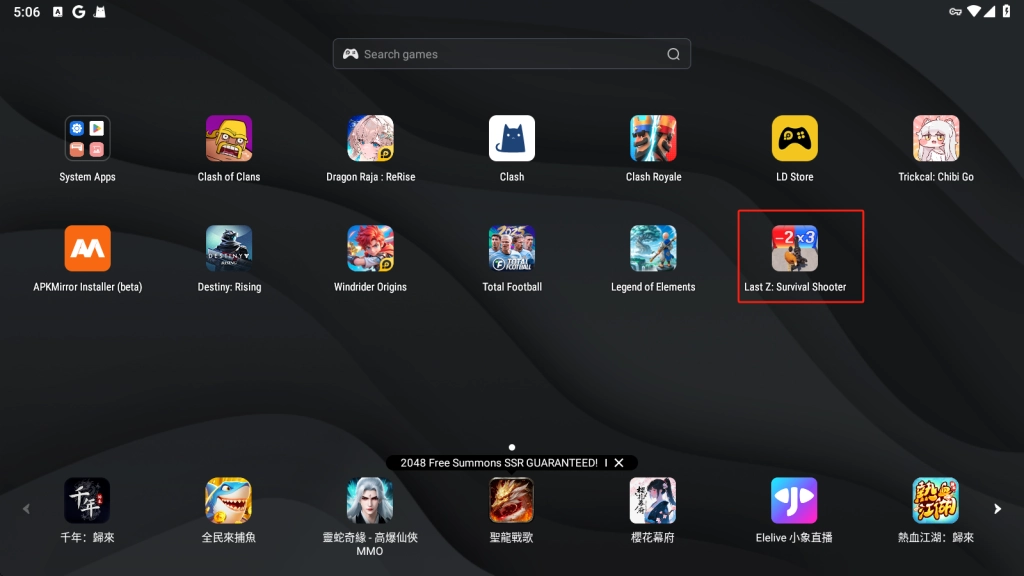
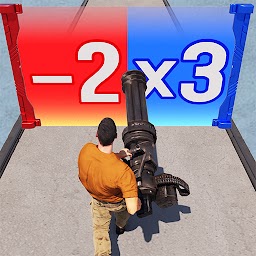
3.2 The gameplay like the icon literally releases obstacles coming towards players that will affect you either negatively or positively.
Reroll Best Characters with Multi-instances & Sync
Multi-instances & Sync benefits all gacha games, since it help players gathering Recruitment Tickets fast. You can use more than one instance and log in multiple accounts simultaneously to complete tutorial and collect beginner rewards. New to Last Z Survival Shooter is supposed to exploit this feature on LDPlayer to save your time!
- Open LDMultiPlayer on toolbar or on desktop which is binded with the installation of LDPlayer. Adding new instance or Cloning instance as many as you can to log in multiple account. We recommend to clone instance so that you don't need to sign in Google account and install Last Z Survival Shoote once more. Beware, you can clone the closed instance.

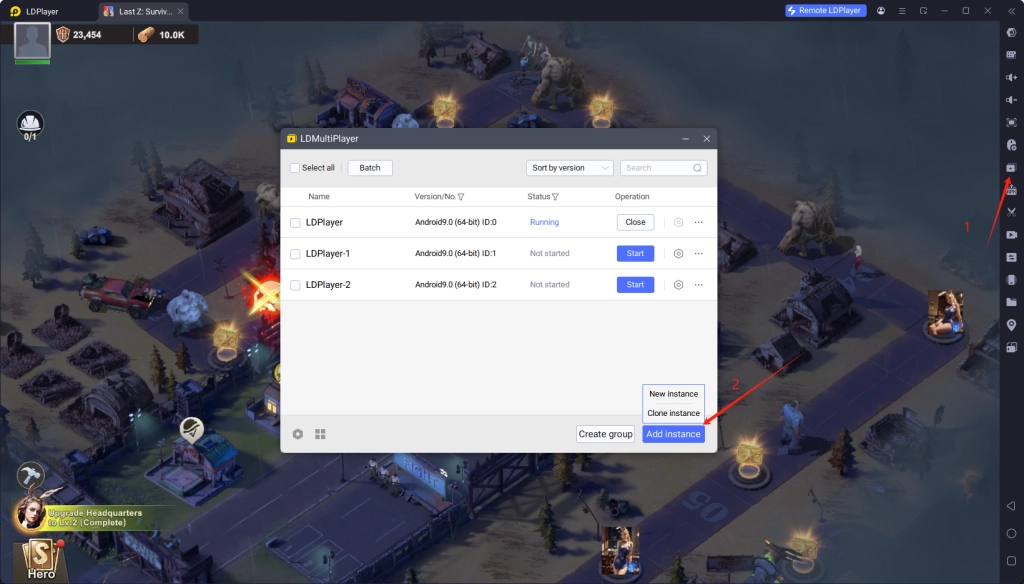
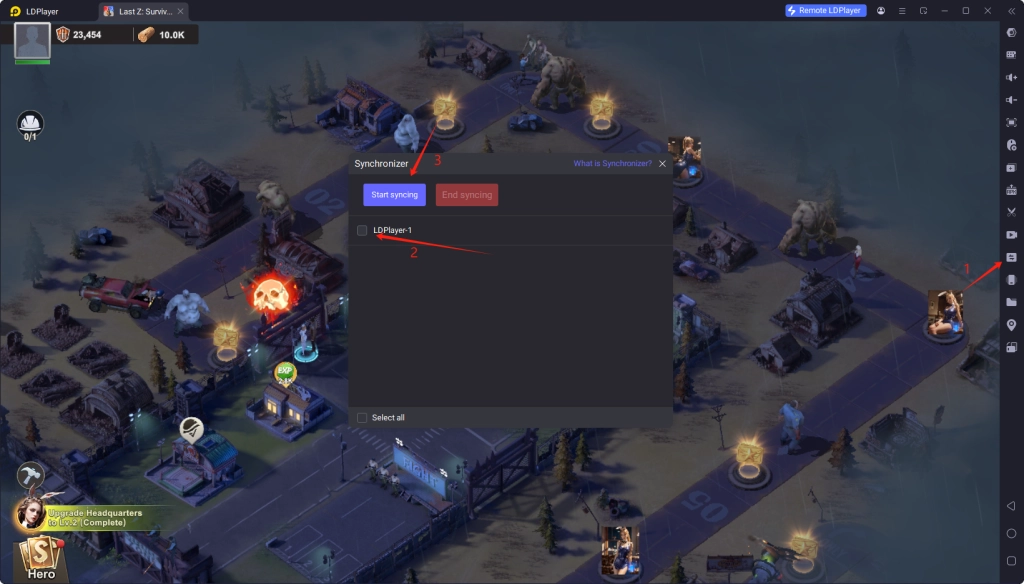
- Open Synchronizer and choose other instances you want. Start syncing to control all instances. Finally, you can open multiple accounts simultaneously.
Best Settings for Smooth Visuals & Performance
To enjoy Last Z Survival Shooter, you ought to ultilize some tips to optimize your settings. These tips as follows allow you to enjoy smooth visuals and fast performance with the best Android Emulator - LDPlayer.
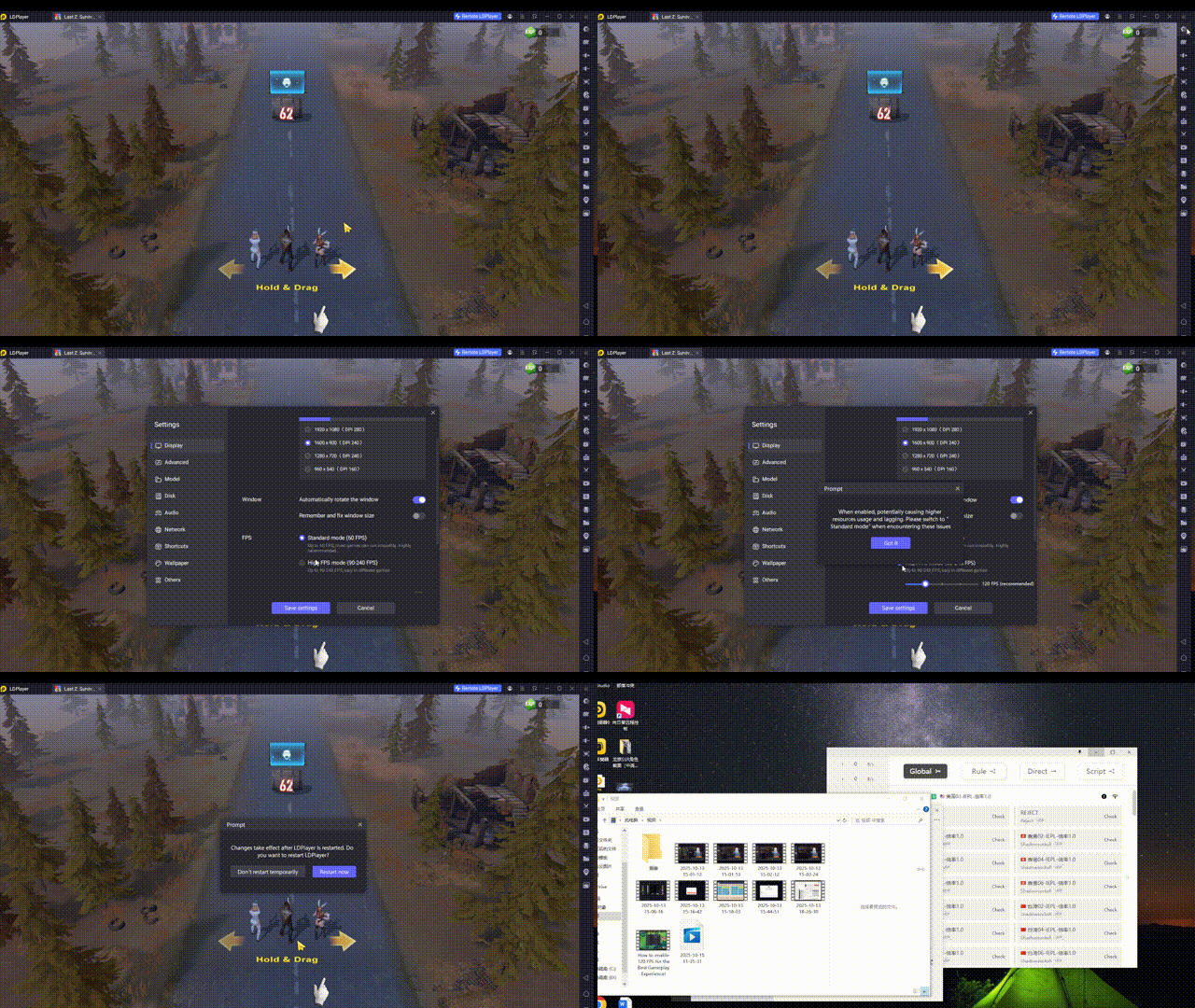
- 120 FPS Setting: Adjust the LDPlayer's display settings to High FPS mode to ensure your smooth visuals. We recommend change your frame rate to 120 which meets most computers' hardware.
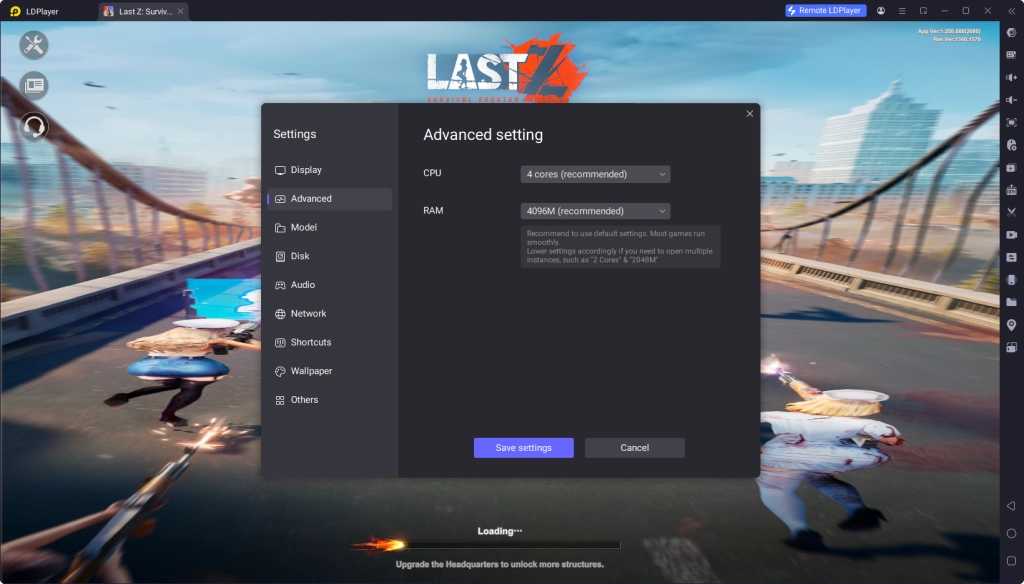
- Customizable CPU/RAM usage: You can enter advanced setting to customize CPU & RAM consumption, improving game experience directly.
Landscape Mode for Immersive Gameplay
The Landscape mode brings you an immersive gameplay experience. You can not only display Last Z Survival Shooter in portrait mode like playing on mobile, but also you can force game to display in Landscape on PC with LDPlayer. You can carefully observe your headquarter and the battlefield to safeguard the last land.
- Open the settings on toolbar. Scroll to the bottom of Display Settings. Afterwards, turn on Force landscape mode.
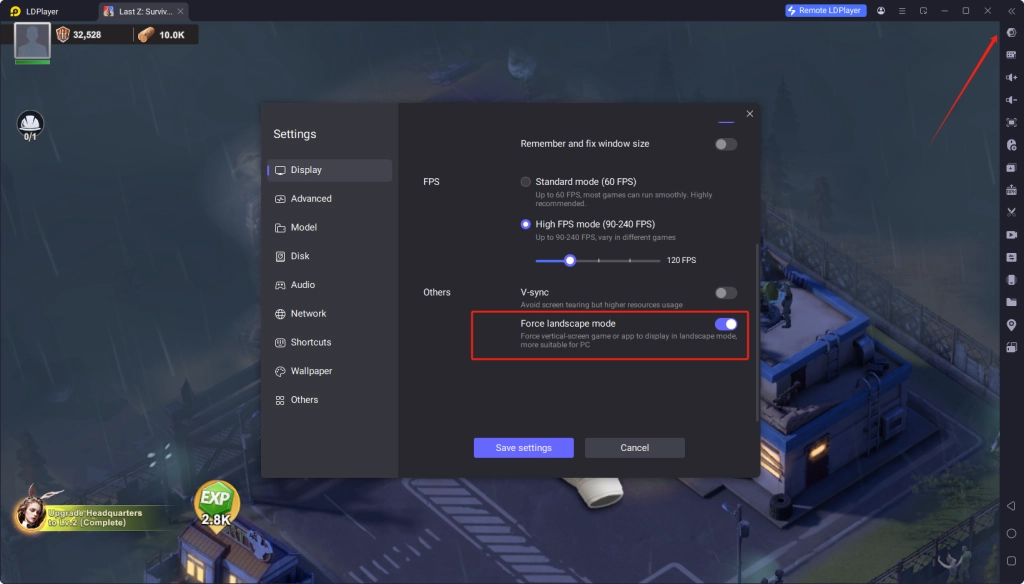
- Restart LDPlayer to activate the Landscape.
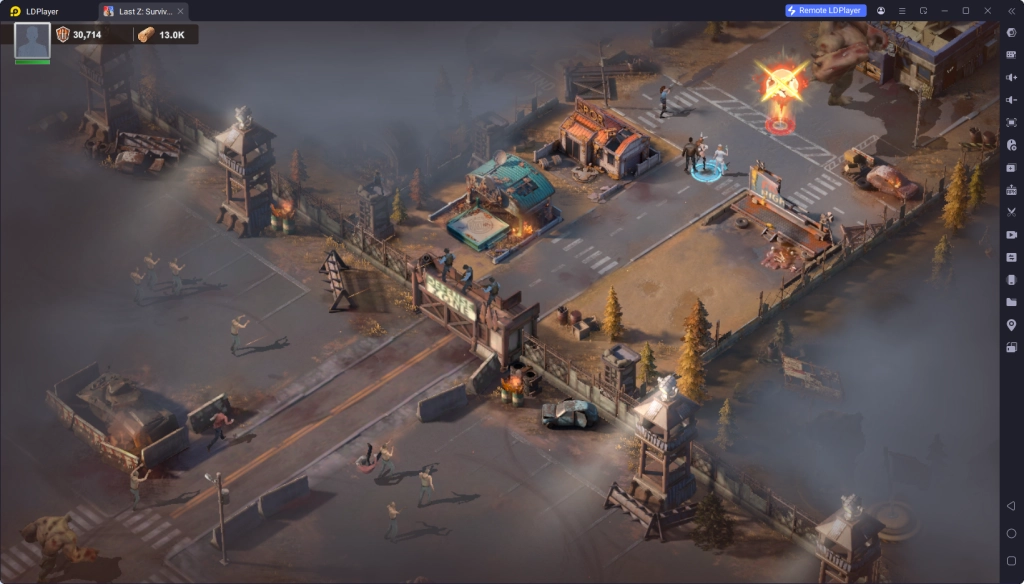
Tip: You can tap Full Screen on toolbar or press F11 on your keyboard to change the LDPlayer into Fullscreen.
LDPlayer - The Best Android Emulator to Play Last Z: Survival Shooter on PC
Multi-instance + Sync: Create multiple instance and execute the same operation simultaneously, upgrade your kingdom quickly
Ultra-Wide Screen: Get a full view of the battlefield and seize the strategic opportunities.
Keyboard Mapping: Constructe buildings, place combat units and release skills more convenient and accurately
Landscape: Widen vertical screen by landscape, with a wider field of view and smoother operation for SLG games.
Try LDPlayer now, Enhance your gaming experience
People Also Ask
Is Last Z Survival Shooter Free to Play?
It depends on your decision. You can play freely or pay for win. There are lots of paid items in Last Z Survival Shooter.
Does Last Z Survival Shooter have Ads?
It is really amazing that the game doesn't offer any ads to players. Actually, you need you watch ads while you are purchasing in-game free items.
Is the LDPlayer availble for IOS system?
LDPlayer is the Android Emulator, so you can merely play Android games.
Conclusion
Last Z Survival Shooter is a thrilling survival game. Play Last Z Survival Shooter on PC with the best Android Emulator - LDPlayer - it helps you to survive in the end of the world. You are guaranteed to dominate Last Z Survival Shooter, thanks to its practical features including Multi-instances & sync, customizable FPS and Landscape. If you want to join the game, don forget to our Last Z Survival Shooter codes to claim rich rewards.