
LDPlayer Introduction
Is it Safe to Sign in Google Account in LDPlayer
2022-02-18
As one of the best Android emulators, LDPlayer gives its priority to the user gaming experience and safety which includes keeping a non-malware environment, personal data safety, non-PUP or malicious Bundler and account safety. While some users still have misgivings about the Google account safety since they will receive a "Security alert" e-mail from Google when they sign in to Google account in LDPlayer. Is it safe? The answer is of course.
You May Need: Is LDPlayer Safe to Use? Answering All Questions Regarding Safety
How does LDPlayer/Android Emulator Work
LDPlayer is an Android emulator that creates virtual Android devices on your computer. It works by mimicking the guest's architecture. This is why you need a hypervisor to enable hardware-assisted virtualization. With hardware acceleration, the Android emulator can run virtual devices at speeds similar to that of your workstation CPU.
Why received Google Security Alert E-mail
When you want to download apps from Google Play Store, it requires you to log in to your Google account on your mobile device and this is also the case in LDPlayer. In LDPlayer, you need to log in to your account to access more functions in the apps you download in LDPlayer. So, LDPlayer doesn't have the capability of accessing users' Gmail accounts. Furthermore, we guarantee that LDPlayer can't obtain any data related to your personal information such as the information in your Google account and game account.
Any of your account activities and authorizations are associated with the apps you use, and any account operations are based on the relationship between you and the third-party apps. Therefore, logging into your Google account on LDPlayer is completely safe and controllable by yourself.
Meanwhile, when you log in to your Google account on an emulator, you probably will receive a Security Alert notification from Google saying that a new device accessed your Google account.
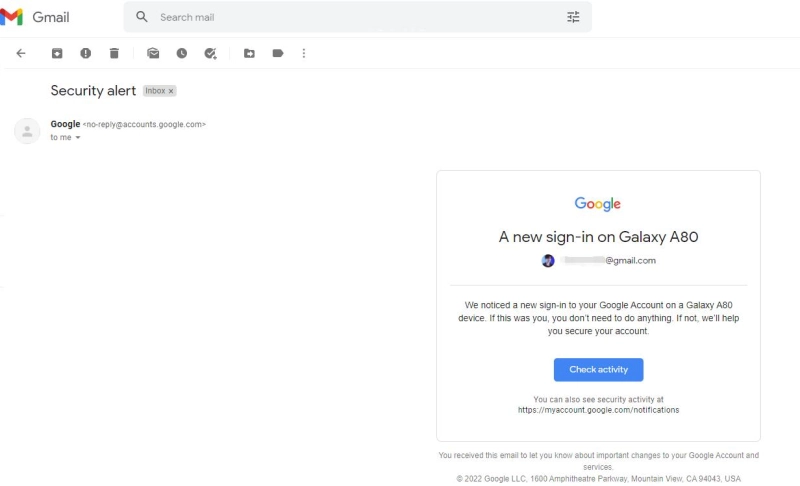
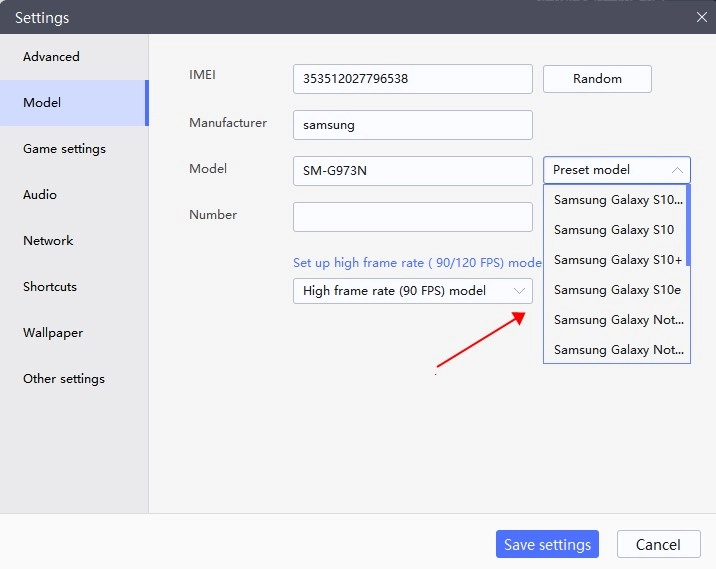
Don't panic, this is normal and your account has not been leaked or hacked. The new device is indeed your LDPlayer instance, you can confirm it by checking the device information with the model settings in the emulator.
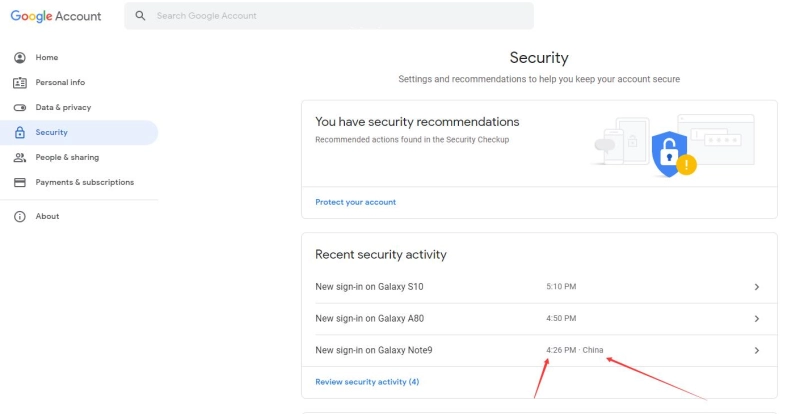
You can also go to Google Account > Security to confirm the detailed time and the location. It's the same as the time you log in LDPlayer. So it's safe to log in to Google account in LDPlayer and it's nonsense that LDPlayer will leak your personal data.
If you have other security questions that you can't find an answer to, feel free to contact us at support@ldplayer.net or via Facebook. Thank you for choosing LDPlayer.