Wild Rift Best Tips&Tricks | Play League of Legends on PC
2020-12-10
Wild Rift is a popular LOL Mobile game over the world, the hero's control technology has been re-improved, and the battle rhythm is more lively, bringing players a different 5v5 MOBA experience. Of course, due to some differences between League of Legends and Wild Rift, and also in order to make it more convenient for new beginners to have a better experience of playing Wild Rift on PC with LDPlayer, here we will introduce an exclusive guide for you.
Content
Wild Rift Basic Introduction
Training Mode
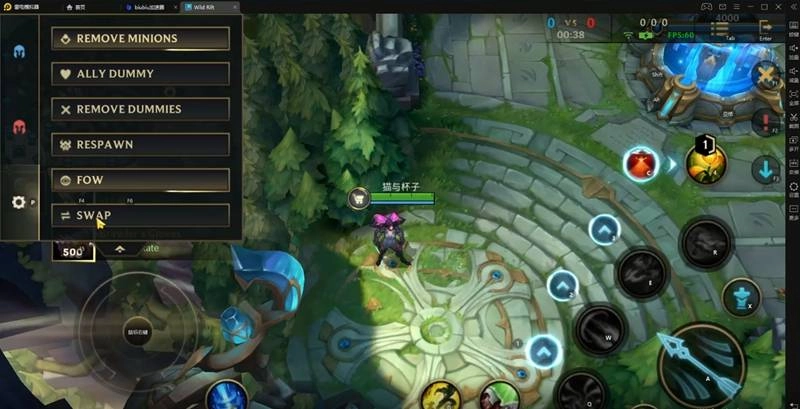
Firstly we will introduce the training mode of Wild Rift. When you finish the tutorials, you will get a magic ball to pick the champions you want. And different from the LOL PC version, you can play all the champions on Wild Rift training mode. So before you want to buy a champion, you can practice the champion first then decide whether to buy.
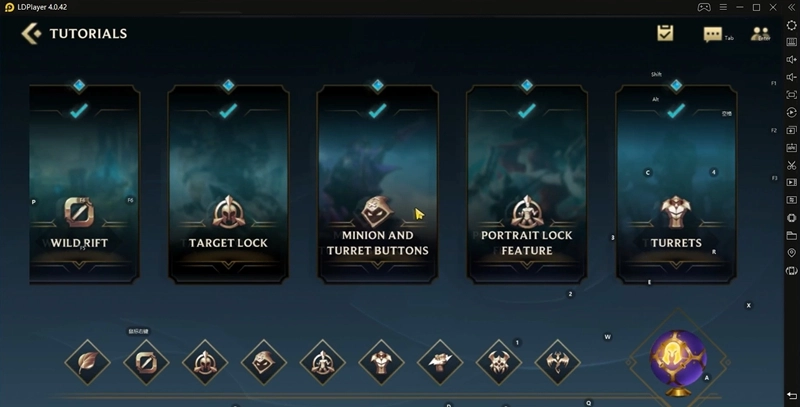
The upper left corner is a control panel, you can change your combat situation by adjusting some of the above functions. Here we will talk about the SWAP function, this function can let you change the champion you are playing and the enemy you are against. In this way, you can play all the champions in one practice fight.
AOE Damage
Let's go on with AOE Damage. In the Mobile version, all melee character's normal attacks are AOE (Area of Effect) damage. Secondary targets take about 50% of the damage of primary targets. However, AOE cannot trigger on-hit effect and crit. Here is mainly talking about, all the melee junglers can increase the jungling speed by adjusting your position to allow normal attacks to hit more targets.

When you are chasing the enemies, do not flash into the opposite's turret's area, because there is very little safe area in the mobile version. The next thing we are going to talk about is that some heroes’ PASSIVE skills can be activated directly in the Mobile version.
Passive Skills
For example, Vayne's Silver Bolts, Vi's Blast Shield, Twisted Fate's Stacked Deck.
-
Vayne’s Silver Bolts
When you activate Vayne's Silver Bolts, you will gain 40% attack speed for the next 3 attacks within 5 seconds and heals for 60% of the damage Silver Bolts dealt.
-
Vi’s Blast Shield
Then it is Vi's Blast Shield. Vi will gain a stack of Blast Shield when hitting an enemy with an attack or ability, up to 5 stacks. After releasing W, Vi generates a shield that absorbs 60 damage for 3 seconds. Each stack consumed adds 10% plus 1% max health to the shield. If you are at max stacks, it also grants a burst of 47% movement speed.
-
Twisted Fate’s Stacked Deck
Finally, it is Twisted Fate's Stacked Deck. After activated the ability, you will gain 55% attack speed for 3 seconds. During this time, attacking enemy champions rolls Loaded Dice.
Then let's focus on the other champions, Jarvan IV and Akali. In order to make it easy for mobile players, the developers make the EQ combos into one key【E】 with double clicks. Double-Click the E Skill, then you can achieve E Q Combos. Of sure, Double E plus Flash combos can also make this. For Akali players, Akali's E skill is not able to mark smoke in the Mobile Version...they may lose some joy!
Tips on Game Settings
Mobile Version’s Control Panel
For the keyboard mapping, you can set up by yourself. Open the setting and find the custom button layout here. You can modify the control panel as you like, then you just need to save it.
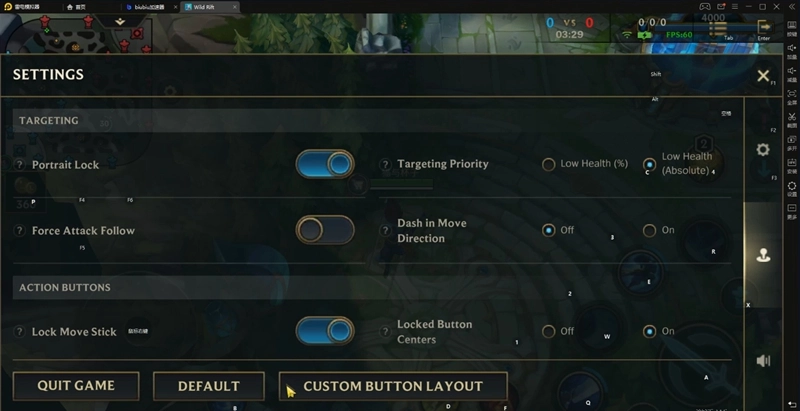
If your Flash button is in the wrong key after the game starts, you can manually switch the positions through this setting.
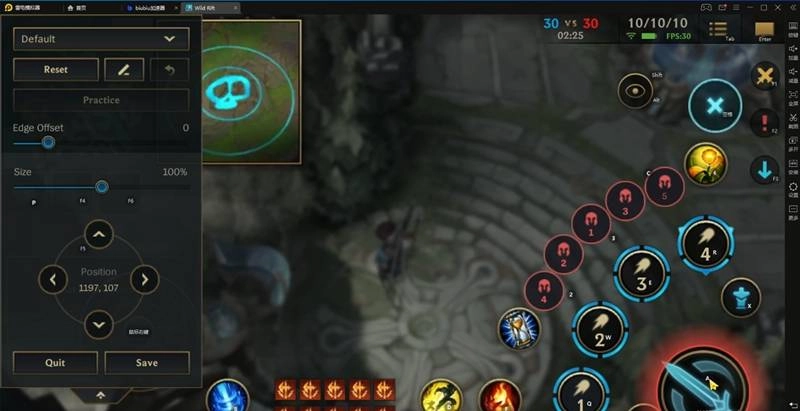
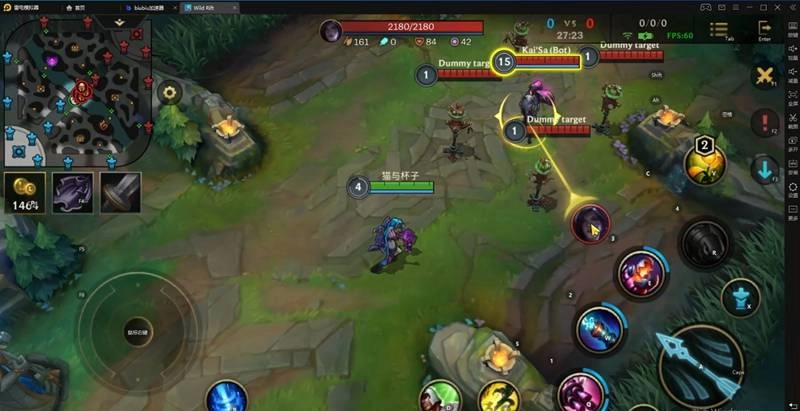
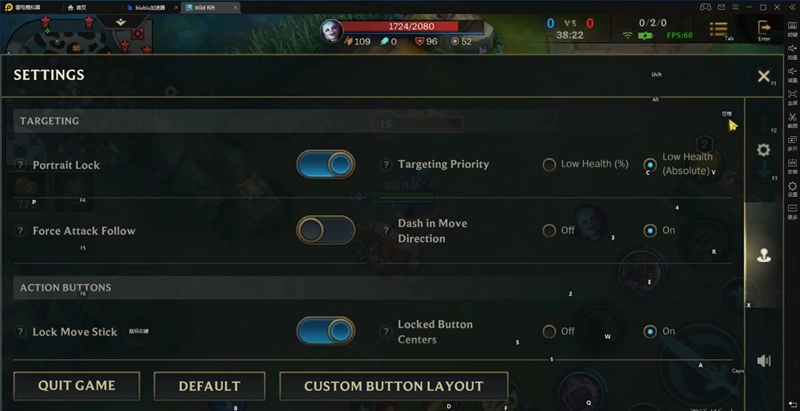
Here give you a tip on how to release your champion skill more accurately when you facing the enemies in the team battle. Open the setting and enable the portrait lock here. After that, you will see the enemy avatar for portrait lock. Click the enemy's avatar to lock the target and click it again to unlock the target. Once lock the target, your attack will always focus on your target. But still, your skill will be blocked by other objects.
Tips on Using Dash Skills Which Can Cause Damage
About the champions whose dash skills have damage, for example, Gragas's E skill, Tryndamere's E skill, and Vi's Q skill, by default, those dash skills will target the nearest enemy. So don't use it if you’re escaping from your enemy. In this situation, we can open the setting and turn on the "Dash in Move Direction" setting. After that, your skills will dash to the direction you're going.
A kind reminder, most LOL players are used to the PC Version's movement control when first playing Wild Rift on pc. Those objects might block you when navigating your Champion. In this case, you have to get used to the movement control in Wild Rift, pay more attention while moving.
Yasuo Gameplay and Tips
At last, let's talk about Yasuo. Actually, the model of Yasuo is quite the same in League of Legends and Wild Rift. But there are still two differences. The First one is that, on Wild Rift, you need to use your mouse to choose a specific target to release the R skill. For example, if you've already blown your enemy up but you’re not navigating your mouse to the target, you won’t be able to release your R skill.
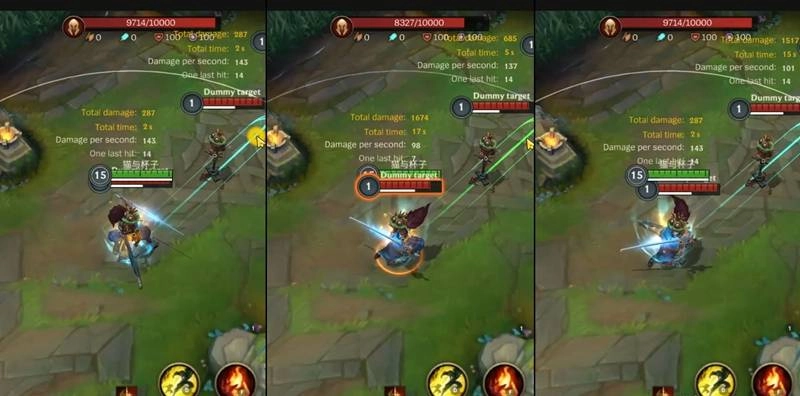
However, this is also the advantage to release your R skill to the right enemy you want. Another one is that Yasuo's Q skill will separately cast to your mouse's direction when using the EQ skill combos. So for now, you need to locate your mouse to Yasuo in order to release EQ skill combos.
Conclusion
These are all tutorials for you and the new Wild Rift players. Here we introduce the Wild Rift's training mode and the basic game settings, we listed some champions and introduced their skills in details. At the same time, we also combined the emulator to explain some operating settings of Wild Rift. Make sure you already download Wild Rift on pc (the latest version). Play LOL Mobile freely on PC now!