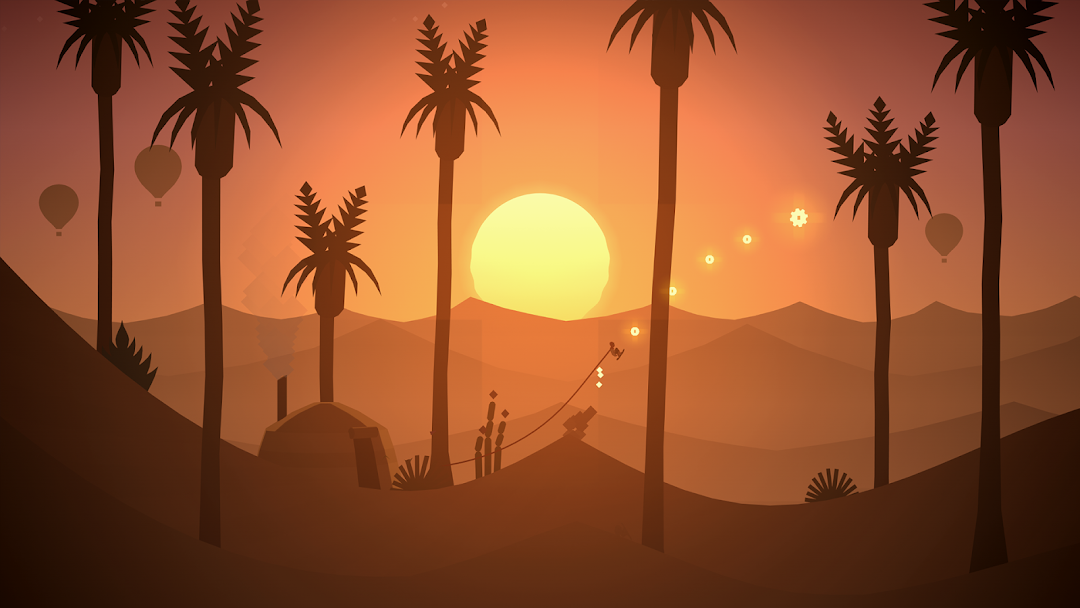
Alto's Odyssey is a Action game developed by Noodlecake, and LDPlayer is the best platform for playing Alto's Odyssey on PC, offering powerful features to immerse you in the game.
When playing Alto's Odyssey on computer, you can adjust frame rate settings for smooth gameplay and stunning visuals.
LDPlayer also provides pre-configured keyboard mapping for convenient control of the entire game. Continuous optimization of keyboard mapping enhances key sensitivity and skill accuracy. Additionally, LDPlayer offers special buttons like shoot, hide mouse, and continuous key press for an enhanced gaming experience.
If you prefer using a gamepad, the automatic gamepad detection allows you to customize controls with just a few clicks, enabling you to freely maneuver your hero. Start downloading and playing Alto's Odyssey on your computer now!
Just beyond the horizon sits a majestic desert, vast and unexplored.Join Alto and his friends and set off on an endless sandboarding journey to discover its secrets.
Soar above windswept dunes, traverse thrilling canyons, and explore long-hidden temples in a fantastical place far from home.
Along the way, you’ll grind across vines, bounce atop hot air balloons, ride towering rock walls, and escape mischievous lemurs – all while uncovering the desert’s many mysteries.
Features:
• A standalone experience. Alto’s Odyssey is the follow-up to the critically acclaimed Alto’s Adventure, but you don’t need to have played one to enjoy the other.
• Easy to learn, difficult to master. At the heart of the Alto series is an elegant one-touch trick system. Chain together combos, and complete 180 goals — all with intuitive controls.
• Explore Biomes. From the dunes, to the canyons, to the temples, explore a rich and diverse landscape, with each area boasting unique visuals and gameplay.
• Newfound heights. Discover secrets in the sky with hot-air balloons, moving grind rails, and wall riding.
• Master the elements. In addition to dynamic lighting and weather effects like sandstorms and shooting stars, the desert is home to swirling wind vortexes and rushing water.
• Meet Alto and friends. Unlock six unique characters, each with their own attributes and abilities.
• Zen Mode. Complete with its own serene soundtrack, this relaxing mode distills Odyssey down to its purest elements: no scores, no coins, and no power-ups. Just you and the endless desert.
• Photo Mode. From the pause screen, get behind the lens and take stunning photos of your trip through the desert. Pinch, swipe, pan and zoom to frame the ideal shot, and share them with friends and family.
• Original music and handcrafted audio. Headphones recommended!