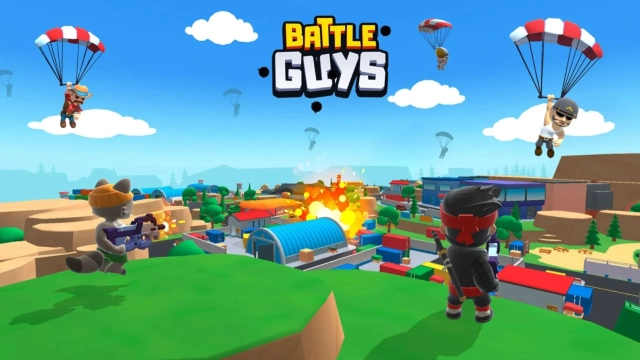
Battle Guys : Royale is a Action game developed by Kitka Games, and LDPlayer is the best platform for playing Battle Guys : Royale on PC, offering powerful features to immerse you in the game.
When playing Battle Guys : Royale on computer, you can adjust frame rate settings for smooth gameplay and stunning visuals.
LDPlayer also provides pre-configured keyboard mapping for convenient control of the entire game. Continuous optimization of keyboard mapping enhances key sensitivity and skill accuracy. Additionally, LDPlayer offers special buttons like shoot, hide mouse, and continuous key press for an enhanced gaming experience.
If you prefer using a gamepad, the automatic gamepad detection allows you to customize controls with just a few clicks, enabling you to freely maneuver your hero. Start downloading and playing Battle Guys : Royale on your computer now!
🔥 Fast top-down PvP battles — jump in and fight in seconds!Battle Guys: Royale is a fast and fun top-down PvP shooter where every match lasts just a few minutes. Fight solo or in duos mode -> Parachute into the battleground, grab power-ups, outplay opponents, and survive in an Open arena shooter built for quick action.
Real players join your matches whenever available — and when the arena isn’t full, smart bots keep queue times under 30 seconds so you can play instantly.
🎮 FEATURES
⚔️ Real-Time PvP Shooter Action
A true real-time PvP shooter made for short, intense matches. Dodge, aim, and outsmart enemies in an ever-shrinking arena where only your skill and some luck matters.
👥 Duos & Private Lobbies
Team up in duo mode or create a private lobby to play with friends. Simple, fast, competitive.
⚡ Short, intense gameplay loop.
Perfect for short sessions. Every battle drops you straight into the action with quick fights and a shrinking battleground.
🎒 Power-Ups Found in Every Match
All gear is found inside the arena — no permanent upgrades.
Examples include:
👟Speed boosts
🚀Jetpacks
💥Rocket turrets
🦇Vampire bullets
…and many more!
Each power-up changes the fight, giving every match new possibilities.
🎯 Fair Play — No Pay to Win
Characters are cosmetic only. Everyone starts equal, and every weapon or power-up is earned inside the match, making Battle Guys a fair, skill-based shooter.
🎨 Collect Fun Cosmetic Characters
Unlock and show off distinct looks. Customize your style without affecting gameplay.
🤜 WHY PLAY BATTLE GUYS?
- Fast real-time PvP
- Skill-based top-down shooter
- Grab power-ups in short survival shooter rounds
- Duos mode for quick sessions with friends
- No pay-to-win — fair play for everyone
- Compact arena shooter design - No downtime in the match
🚀 Jump into the fight!
Download Battle Guys: Royale and join fast, action-packed PvP battles anytime.