Castle Doombad: Free To Slay is a Strategy game developed by Grumpyface, and LDPlayer is the best platform for playing Castle Doombad: Free To Slay on Windows PC, offering powerful features for an immersive experience.
When playing Castle Doombad: Free To Slay on your computer, you can enjoy long game sessions using the operation recording feature to record repetitive operations to complete the same tasks automatically. It allows you to level up faster and makes resource grinding much more efficient.
In addition, if you want to execute combo moves or the game requires repeated skill actions, the macro feature is your best helper. It enables you to complete kills with just one click!
If you want to manage multiple accounts, LDMultiplayer and Synchronizer will assist you. You can run multiple alternative accounts at the same time to assist the leveling of your main account. Download and play Castle Doombad: Free To Slay on PC with LDPlayer now!
🔥BAD IS BACK!🔥Embrace your inner villain in Castle Doombad: Free To Slay, the thrilling blend of strategy, tower defense TD, and trap-based puzzling!
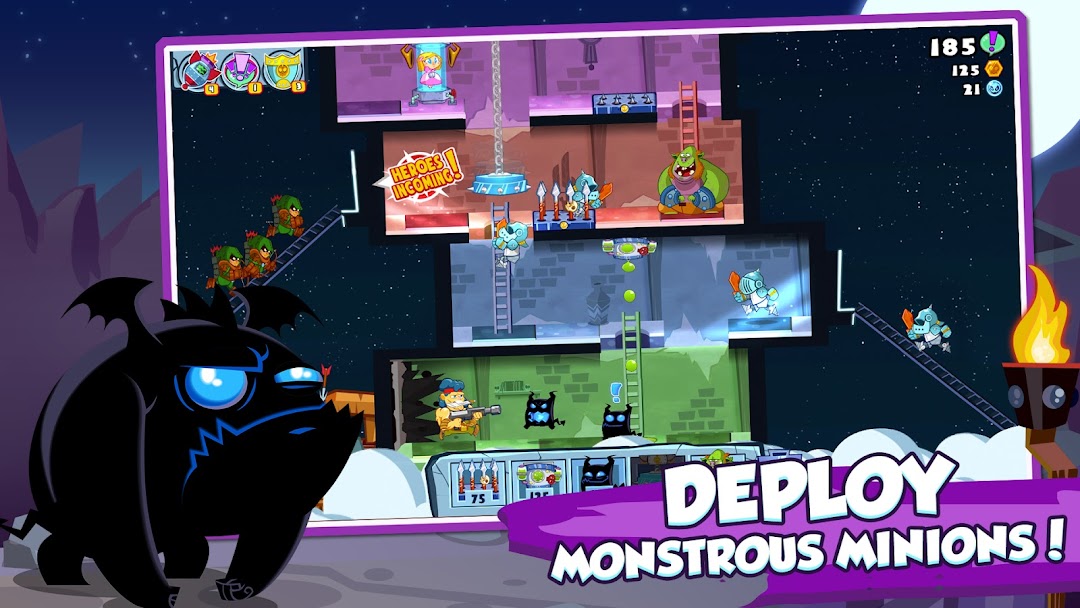
Take on the role of the ultimate Big Boss Bad Guy, building traps and defenses for your sinister lair to thwart the relentless onslaught of pesky heroes.
😈SOMETIMES, IT'S GOOD TO BE BAD!
YOU’RE the villain – and life as a baddie sure is good! Unleash over two dozen delightfully devious traps and minions to crush your enemies. Strategically combine automatic weapons with precision-timed manual traps to trigger maximum chaos. Unlock, upgrade, and customize your traps, troops, and castle as you conquer 70 stages on your quest to become the ultimate evil mastermind!
😈FREE TO SLAY
This TD game brings you the complete original 2014 Castle Doombad, now enhanced with new and updated improvements, features, and new content – AND it’s fully Free-to-Play with ads and optional In-App Purchases. Get ready to break bad and show those goody-two-shoed heroes who’s boss in an epic tower defense showdown!
😈FIENDISH FEATURES:
- The complete original Castle Doombad game from 2014!
- Remastered graphics for modern screens with new settings and accessibility options.
- Conquer 70 stages, tackle the Daily Challenge Mode, and survive the Endless Mode with over 30 traps and 150 unlockable upgrades!
- Stay tuned for new content with free future updates in this treacherous tower defense game!
Created by Grumpyface Studios, developers of Steven Universe: Attack the Light, Unleash the Light, Teeny Titans, and Teen Titans GO Figure! Pre-register now and let loose your inner villain in Castle Doombad!