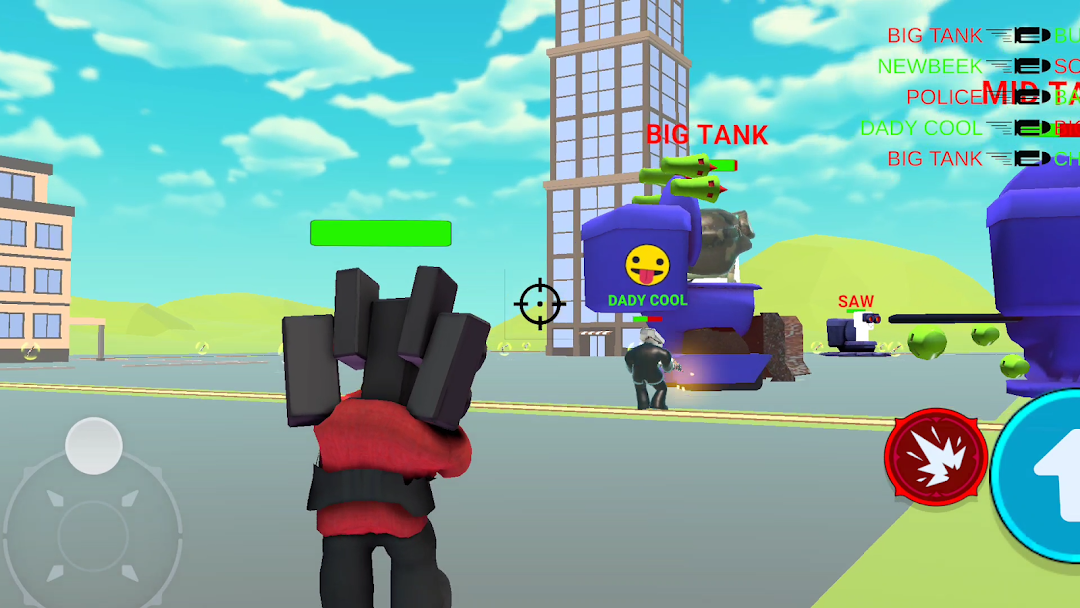


Clone Wars: Arena is a Action game developed by TeaGames!, and LDPlayer is the best platform for playing Clone Wars: Arena on PC, offering powerful features to immerse you in the game.
When playing Clone Wars: Arena on computer, you can adjust frame rate settings for smooth gameplay and stunning visuals.
LDPlayer also provides pre-configured keyboard mapping for convenient control of the entire game. Continuous optimization of keyboard mapping enhances key sensitivity and skill accuracy. Additionally, LDPlayer offers special buttons like shoot, hide mouse, and continuous key press for an enhanced gaming experience.
If you prefer using a gamepad, the automatic gamepad detection allows you to customize controls with just a few clicks, enabling you to freely maneuver your hero. Start downloading and playing Clone Wars: Arena on your computer now!
Welcome to Clone Wars: Arena, where the battle against evil toilets has never been more entertaining! Gather your friends, transform into quirky heroes, and embark on an epic journey filled with laughter and excitement. Unleash your strategic prowess as you navigate through a battlefield strewn with scattered weapons, launching daring attacks on your mischievous toilet adversaries who are relentlessly hunting you down.Engage in intense competitions with your friends as you strive to outsmart each other in this toilet showdown. The arena is your playground, and the stakes are high – grab weapons strategically, avoid enemy attacks, and demonstrate your prowess to become the ultimate champion among your peers.
Clone yourself endlessly, creating an army of comical characters ready to face the toilet menace. It’s not just a battle, it’s a hilarious war of wits and reflexes. Your objective? Dodge enemy attacks with finesse and emerge as the top player among your friends.
Get ready for an immersive experience that combines humor, strategy, and endless fun. Clone War: Arena is not just a game; it’s a toilet-blasting extravaganza that will keep you on the edge of your seat, laughing, and strategizing for hours on end. Are you up for the challenge? The toilets await, and the laughter never stops! Download now and join the epic Clone Wars!