

Tales of gaia is a Role Playing game developed by EYOUGAME (TH), and LDPlayer is the best platform for playing Tales of gaia on Windows PC, offering powerful features for an immersive experience.
When playing Tales of gaia on PC, as a new player looking to start with a fresh account, the multi-instance and sync features are extremely useful for rerolls. You can use them to run multiple instances and begin the synchronization process. Bind your account until you draw the desired heroes.
In addition, operation recorder is great for games that require you to level up and complete tasks! Run the sync and record your actions, then repeat the main instance's actions in real-time. By doing so, you can run 2 or more accounts simultaneously. You can always get the heroes you want before others by faster rerolls and more efficient summoning! Start downloading and playing Tales of gaia on your computer now!
Tales of Gaia เกม MMORPGสไตล์โลกอนาคต เป็นแนวเกมต่อสู้ ที่ออกใหม่ทั้งระบบ ฉีกกฏเดิมของMMO ตัวเกมออกแบบกราฟฟิคน่ารัก ผู้เล่นออกผจญภัย ตะลุยด่านเก็บเวลสุดมันส์เหล่าฮีโร่ ผจญภัยกับผองเพื่อนเอลฟ์ สัตว์เลี้ยง มิตรภาพดีๆบนหนทางศึก มาร่วมทางกับเราสิ สัมผัสประสบการณ์และผองเพื่อนกันได้ในโลกแฟนตาซีอนาคต เกมเล่นง่าย ไหลลื่น ไม่จำเป็นต้องสเป็กมือถือดีๆก็เล่นได้สบาย
มียอดดาวโหลดกว่า5แสนคนในโซนเอเชีย
ภาพคมชัด สวยสด พาคุณเข้าสู่โลกจินตนาการ
【เอกลักษณ์】
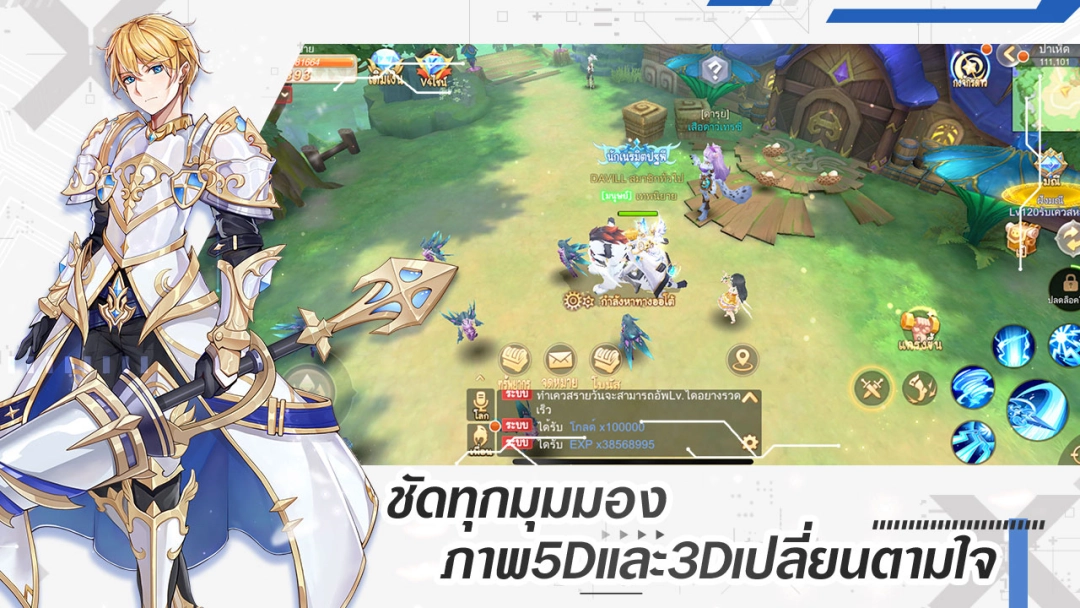
ภาพแนวการ์ตูนแฟนตาซี เอฟเฟคเสียงคมชัด น่ารัก ภาพโหมด2.5Dและ3Dเลือกได้ตามความต้องการ มุมมอง360ชัดทุกมุม และภาพที่ออกแบบระดับPRO ให้คุณเหมือนได้เข้าสู่โลกอีกมิติเสมือนจริง
【สู่ศึกเลือดร้อน】
ประลองสุดยอด ฝ่าวงล้อม ศึกสามฮีโร่ ลีกชิงเพชร ศึกPVP
นอกจากการห้ำหั่นสู้ศึก สมาชิกสามารถแบ่งงานวางยุทธวิธีสู้ศึกศัตรูได้ เพื่อชิงชัยแห่งความเป็นจ้าว ปกป้องอาณาจักรตนเอง
【สร้างมิตรภาพสร้างสังคม】
ระบบหาเพื่อน สร้างสังคมมิตรภาพ บอทอัพเวล สู้ศึก สามารถนำเพื่อนออกรบกับมหาบอสตามแผนที่ต่างๆ สร้างสังคมแห่งยอดอัศวิน ทั้งตั้งกิลด์ปกป้องอาณาจักร สร้างผลประโยชน์ร่วมกันกับเหล่าสหาย
【รักโรแมนติก】
มีระบบแต่งงานสุดโรแมนติก ที่ห้องวาสนาสิ ในนั้นมีแต่คนโสด ไปตามหาคู่ที่คุณถูกใจ บอกรักอย่างกล้าหาญ สุดท้ายอย่าลืมชวนเพื่อนๆมาร่วมงานแต่งของคุณด้วยล่ะ
【คู่หูมากมาย】
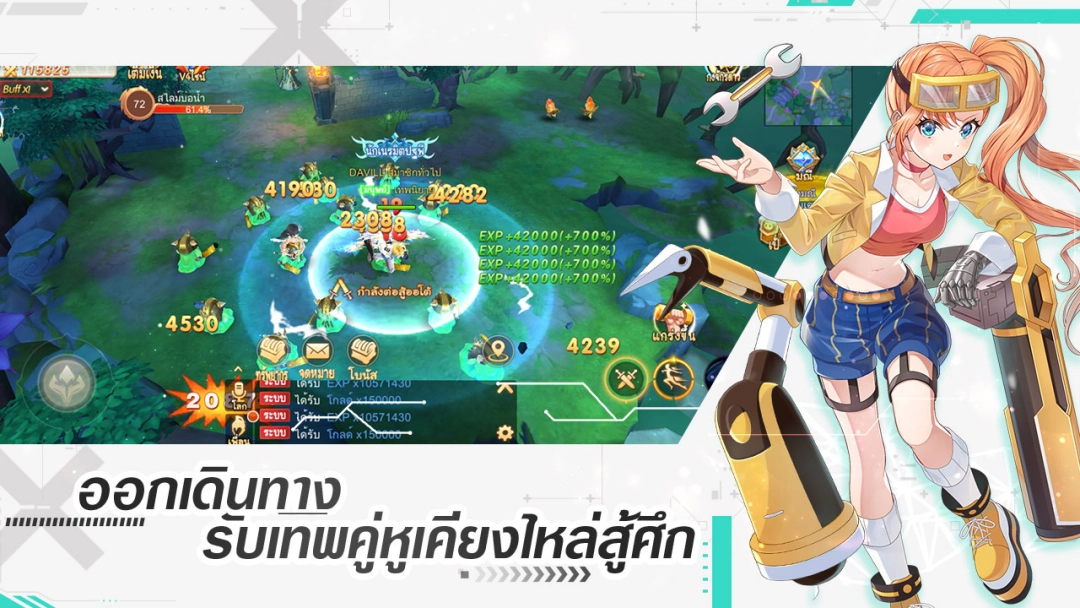
มาตามหาเหล่าคู่หูสุดน่ารักของคุณตามแผนที่ คุณสามารถนำมาชุบเลี้ยง ออกรบเคียงข้างคุณ อย่าลืมหาไอเทมมาเทรนให้แกร่งๆล่ะ เมื่อคู่หูของคุณถึงเลเวลระดับหนึ่ง สามารถเก็บเทพจุติ เก็บตราเทพจุติให้ครบ จะให้ผลรบที่แตกต่างอย่างชัดเจน
【ระบบอื่นๆมากมาย】
อุปกรณ์หลากหลายที่ปรับเปลี่ยนได้หลายวิธี ชุดแฟชั่น โซลมุก ของล้ำค่า โพรทอส ศัสตรา โซลมังกรเป็นต้น การปรับเปลี่ยนล้วนสร้างพลังมหาศาล ให้คุณสู้ศึกแค่ปลายนิ้วอย่างสบายๆ
【หมายเหตุ】
※เกมนี้มีภาพของการต่อสู้ การโจมตี ที่ไม่ได้มีการนองเลือด หรือภาพสยองขวัญ
※เกมนี้มีร้านค้าที่ซื้อขายสินค้าได้ โปรดเล่นเกมตามความพอใจ ตามความสามารถในการเล่นเกม และหลีกเลี่ยงการใช้จ่ายที่มากเกินกำลัง
※การเล่นเกมเป็นเวลานานนั้นส่งผลกระทบต่อการทำงานและการพักผ่อนตามปกติรวมถึงการออกกำลังกายที่เหมาะสม
เรายินดีที่จะแก้ปัญหาใดๆที่คุณพบในเกมโปรดติดต่อเรา!