Rise of Titans is a Strategy game developed by FingerFun Limited., and LDPlayer is the best platform for playing Rise of Titans on Windows PC, offering powerful features for an immersive experience.
When playing Rise of Titans on your computer, you can enjoy long game sessions using the operation recording feature to record repetitive operations to complete the same tasks automatically. It allows you to level up faster and makes resource grinding much more efficient.
In addition, if you want to execute combo moves or the game requires repeated skill actions, the macro feature is your best helper. It enables you to complete kills with just one click!
If you want to manage multiple accounts, LDMultiplayer and Synchronizer will assist you. You can run multiple alternative accounts at the same time to assist the leveling of your main account. Download and play Rise of Titans on PC with LDPlayer now!
The future lies not among the stars, but in the sunken depths.Unprecedented climate catastrophe and unknown geological upheavals triggered "The Great Deluge," erasing surface civilization. Survivors, driven by despair, migrated downward, establishing their final sanctuary in the deepest, darkest, high-pressure trenches of the ocean.
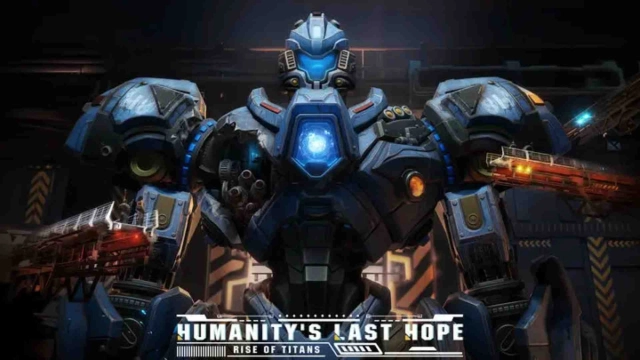
Yet the abyss offers no refuge. With the floods came horrors from unknown dimensions — Abyssal Beasts. These apex predators see human sanctuaries as hunting grounds. Their roars are the deep sea’s most terrifying knell. Humanity’s last line of defense? Titan Mechs — Harbingers of Survival!
Game Features:
• Immersive Deep-Sea Apocalypse: Unique art style depicting a dark, oppressive yet bioluminescent world. Exquisitely designed mechs and terrifying beasts.
• Hardcore SLG Survival: Resource management, base building, tech-tree progression, and societal dynamics — interlinked systems challenging your multitasking prowess.
• Strategic Mech Combat: Emphasizes intel, environment, unit synergy, and weak-point targeting. Feel the thunderous clash of steel giants in tactical deep-sea warfare.
• Rich Story & Exploration: Experience human struggle, hope, and betrayal under existential threat. Uncover oceanic secrets to drive the narrative.
• Continuous Updates: New mechs, abyssal foes, sanctuary expansions, and co-op challenges planned.